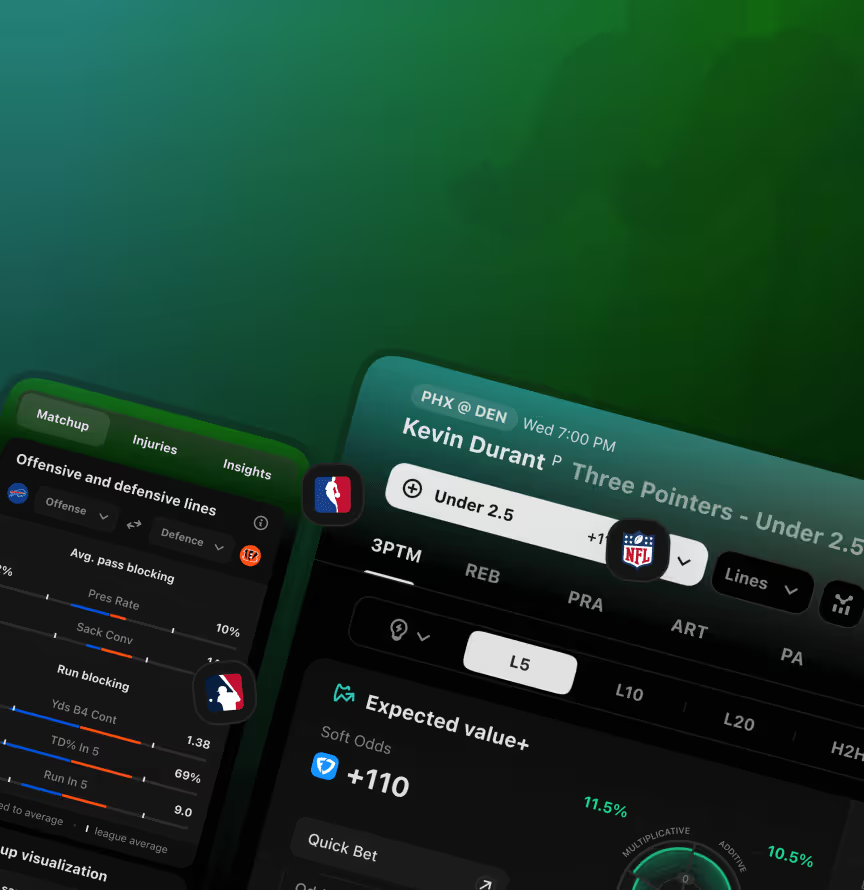













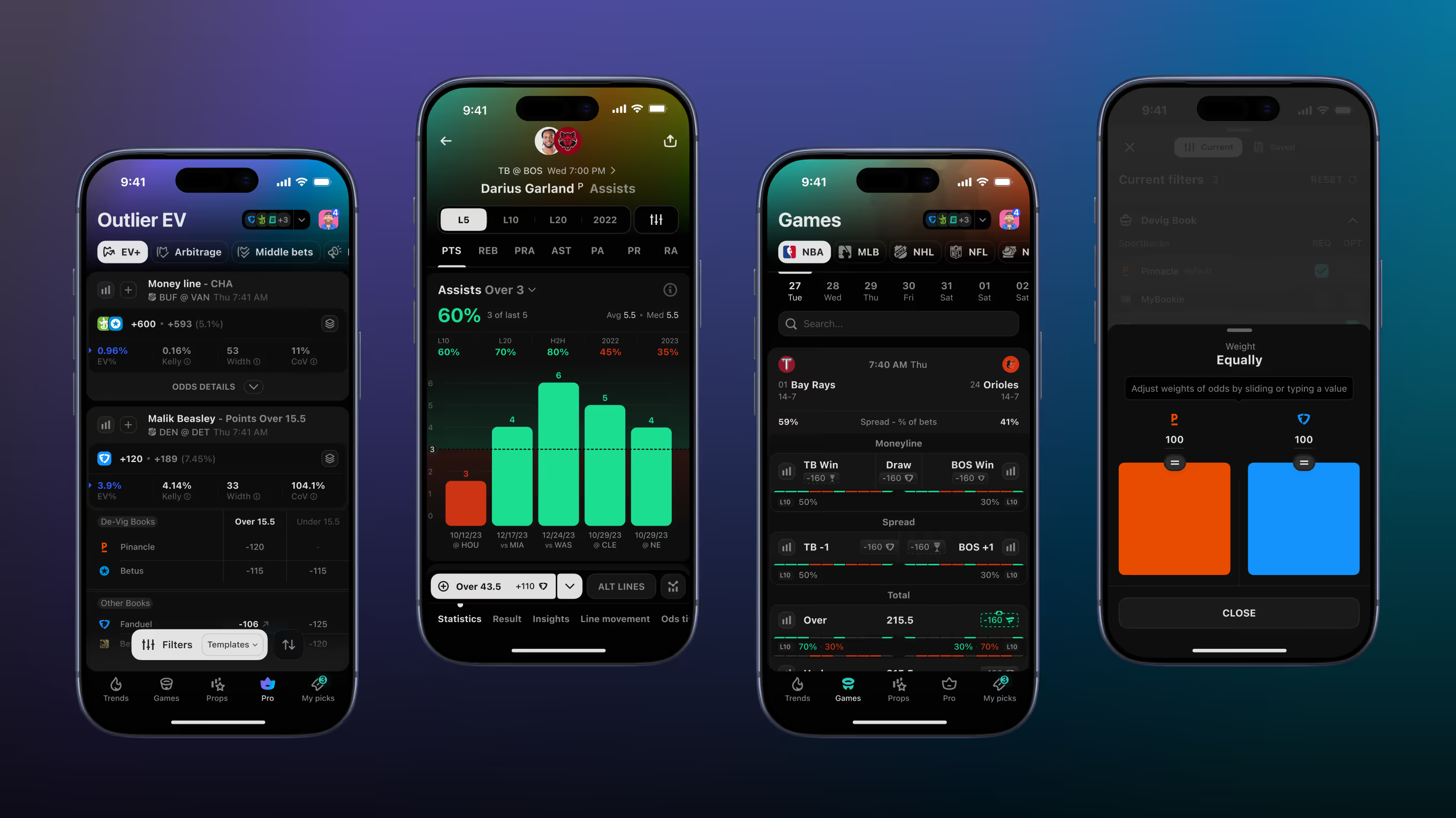

We designed it as a mobile companion to the Outlier web platform, sharing design tokens and data visualisation logic between both products. Users needed the same analytics depth on mobile as on web – and the shared system kept both products consistent.
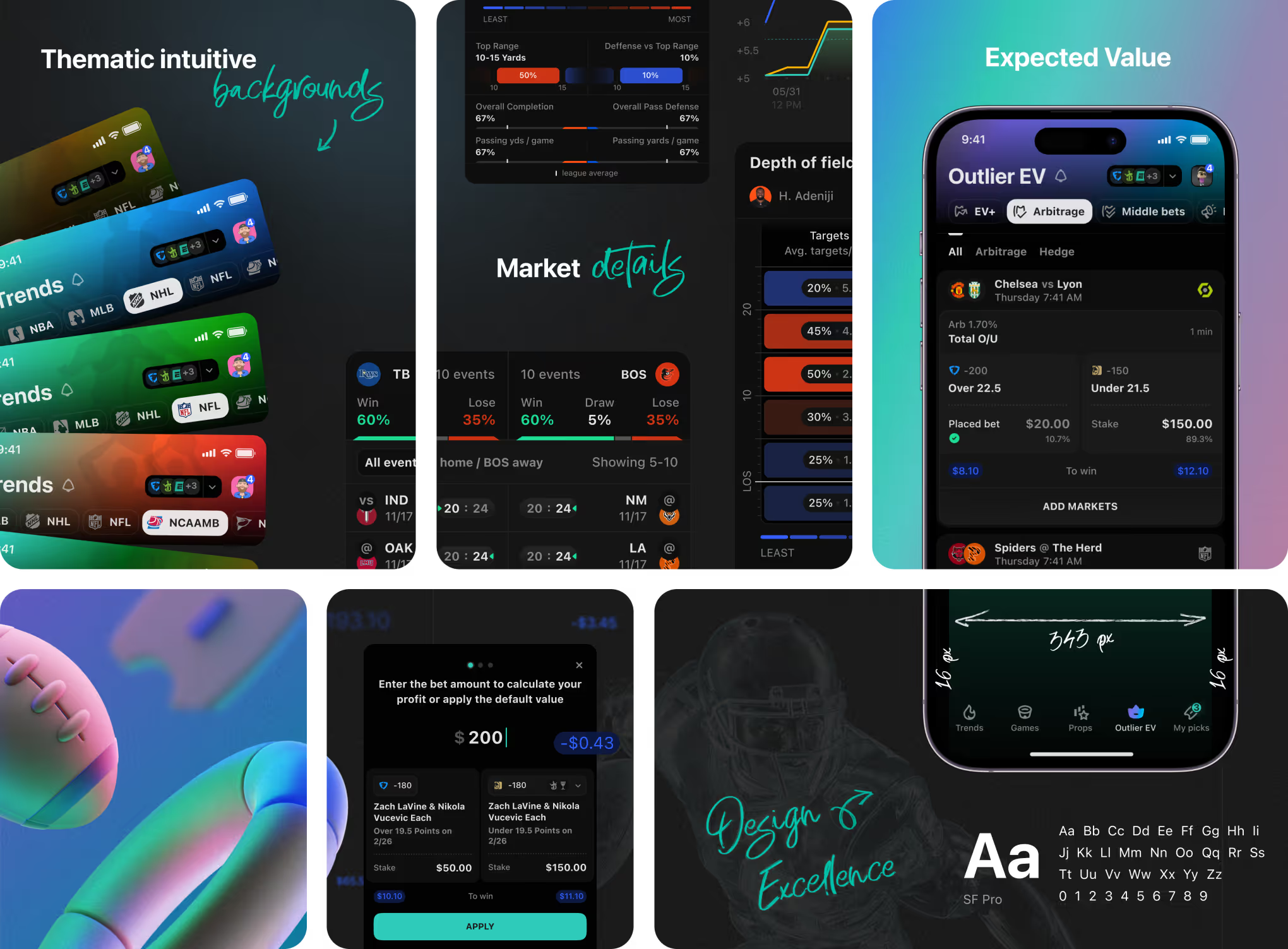
A bento-grid overview of core Outlier iOS screens for sports bettors. Expected Value, arbitrage, and middle-bet cards sit next to a stake calculator and the SF Pro type scale.
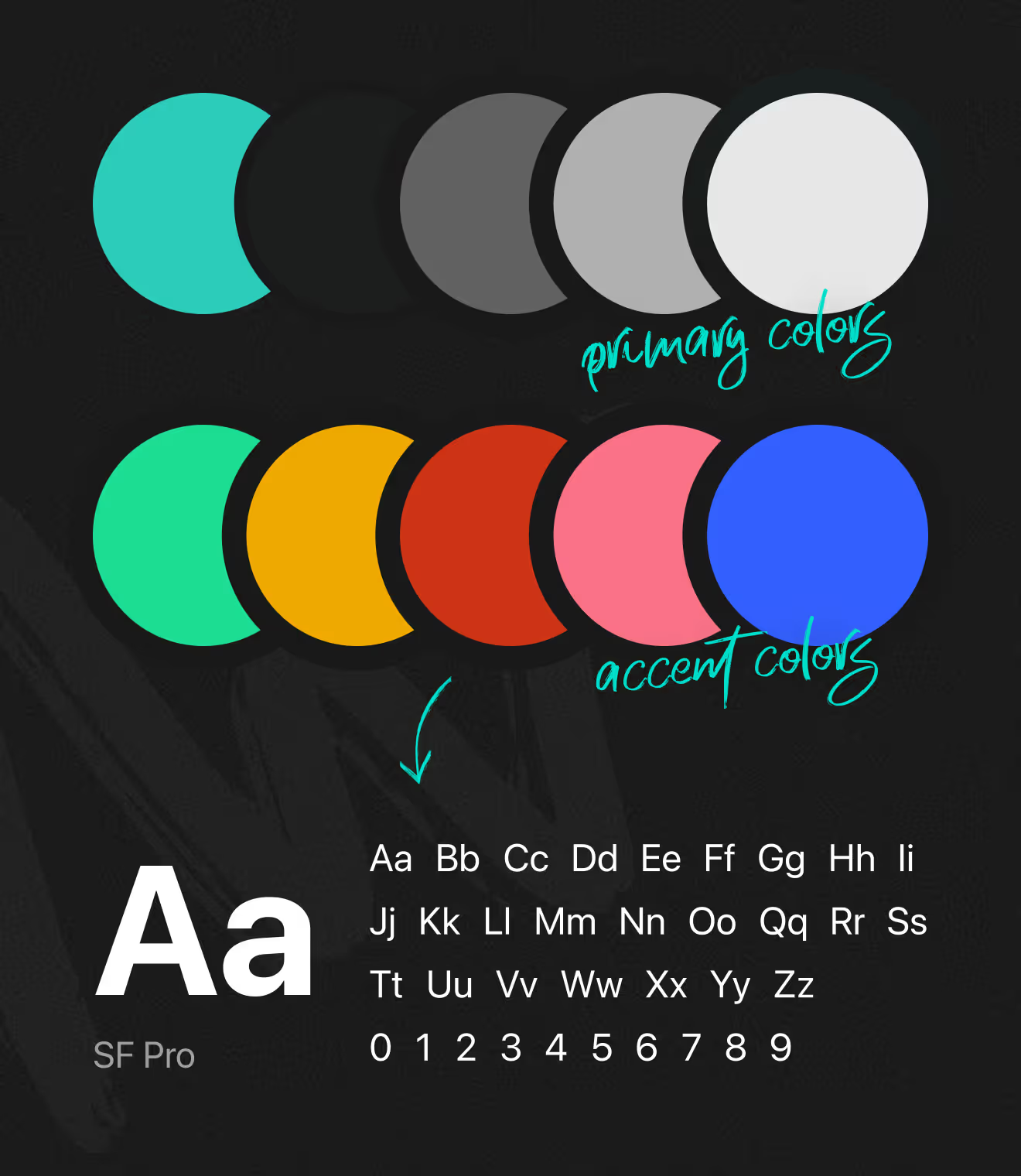
Design System for Outlier iOS: a grid, margins, and a five-color accent palette. The same colors and SF Pro type scale carry over from the Outlier Web platform, keeping both products visually aligned.

Each sport has its own gradient cover art for quick visual recognition. Nine color variants separate sports at a glance across list and browse views inside the app.

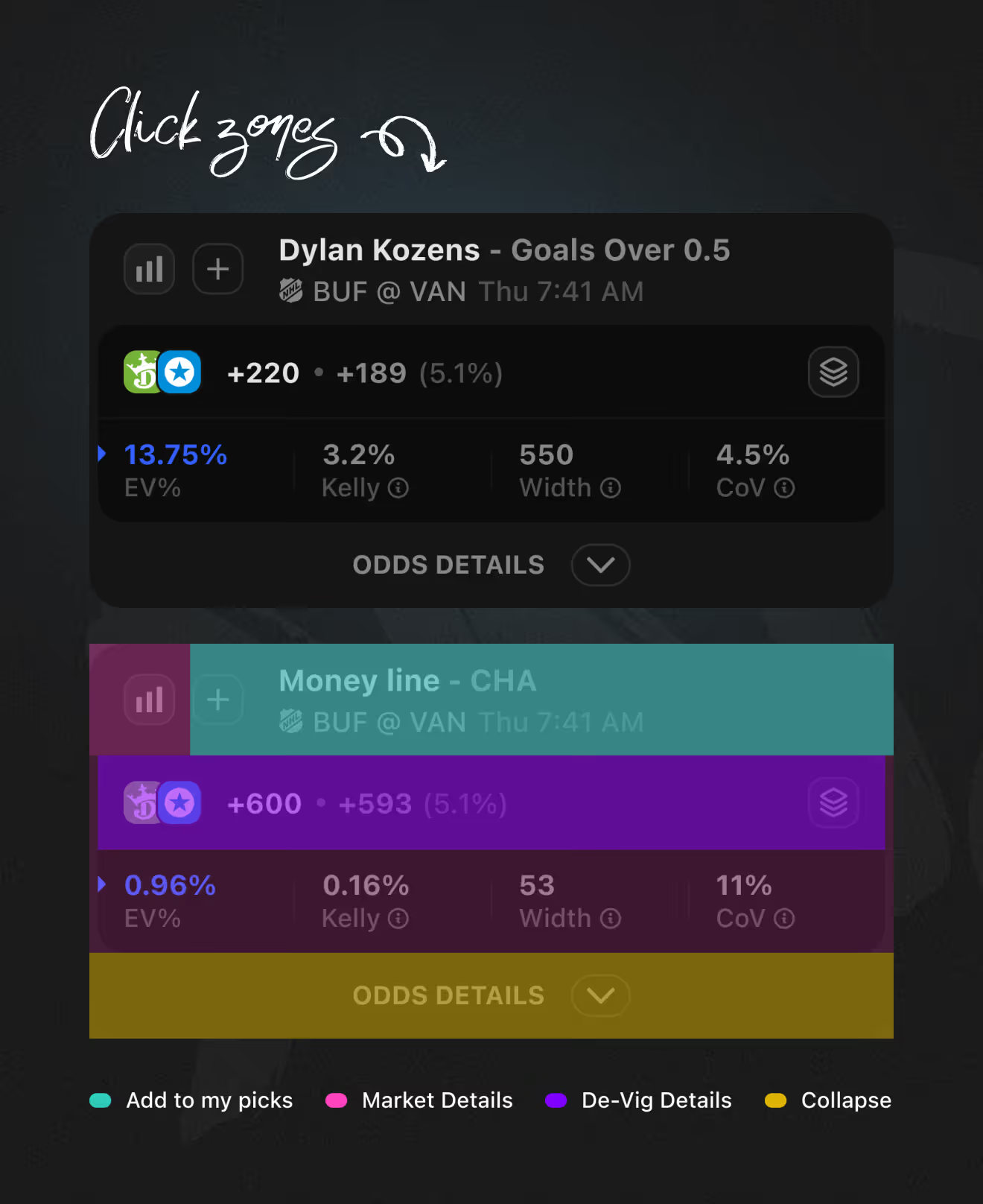
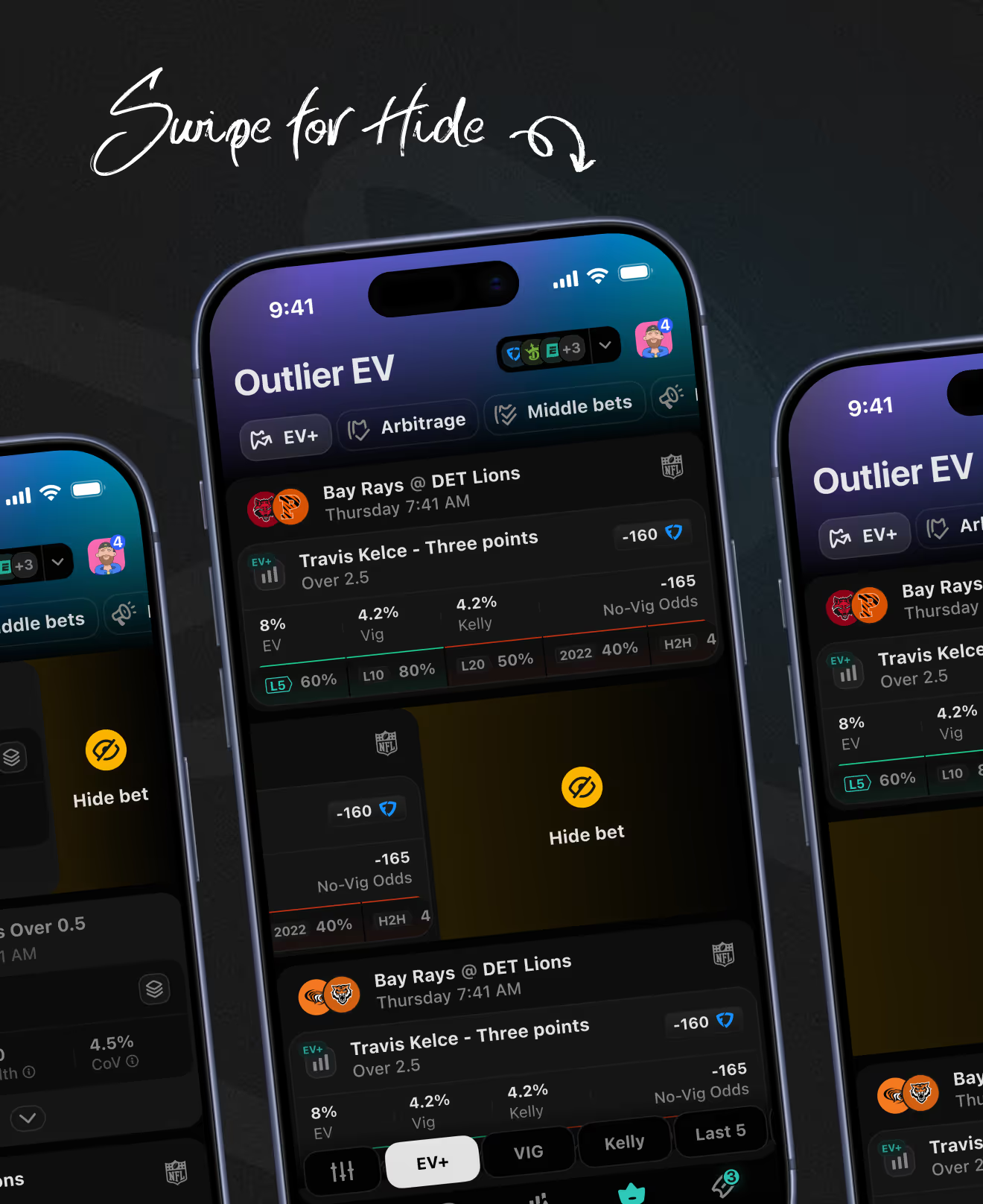
Every odds row exposes tap zones for add-to-picks, market details, de-vig details, and collapse actions. A swipe gesture hides unwanted bets directly from the list, keeping the feed focused during live odds tracking.
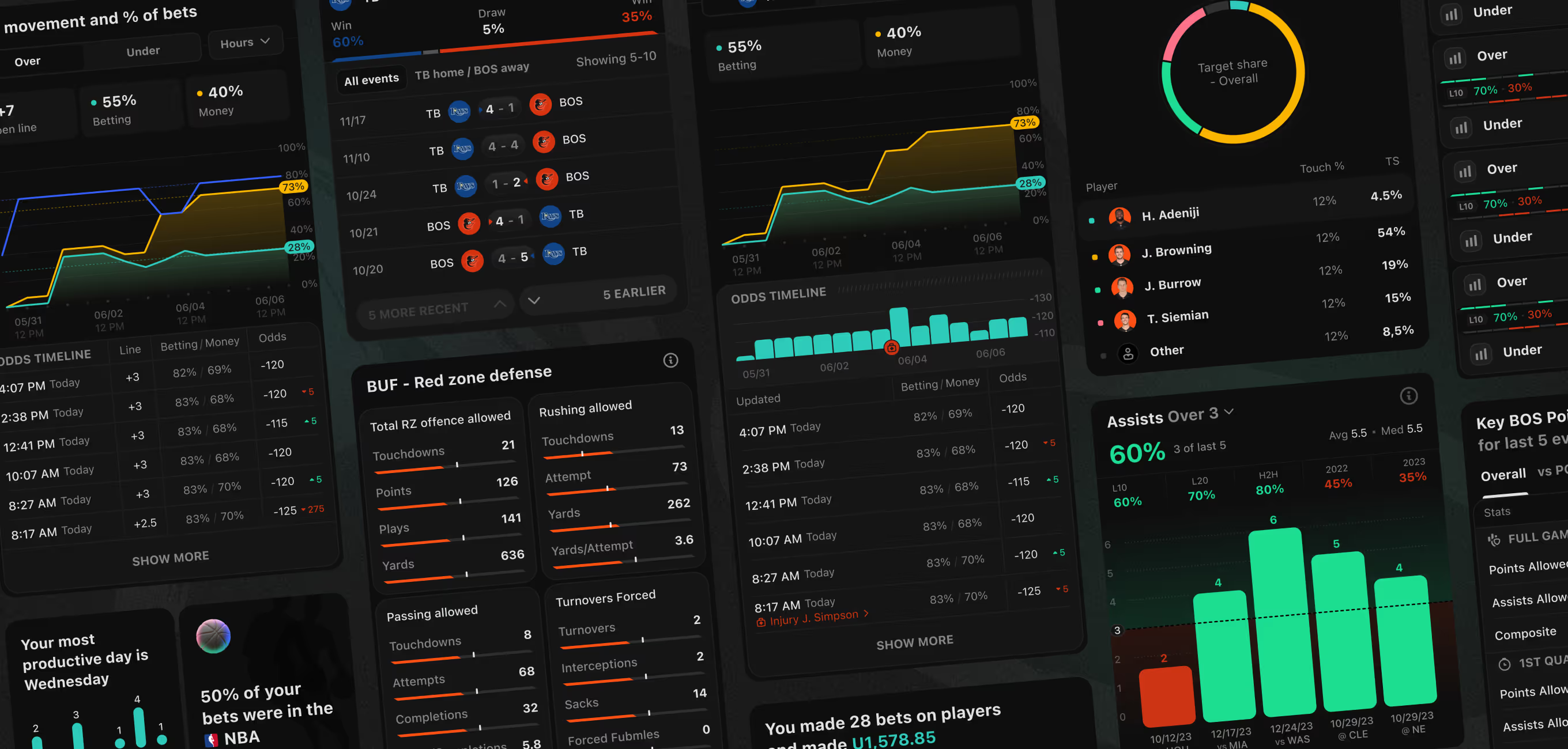
The component library behind the app holds 1,200+ elements for dense sports data – timelines, defense stats, player charts. Screens like red-zone defense breakdowns and bettor performance summaries reuse the same chart and table components.
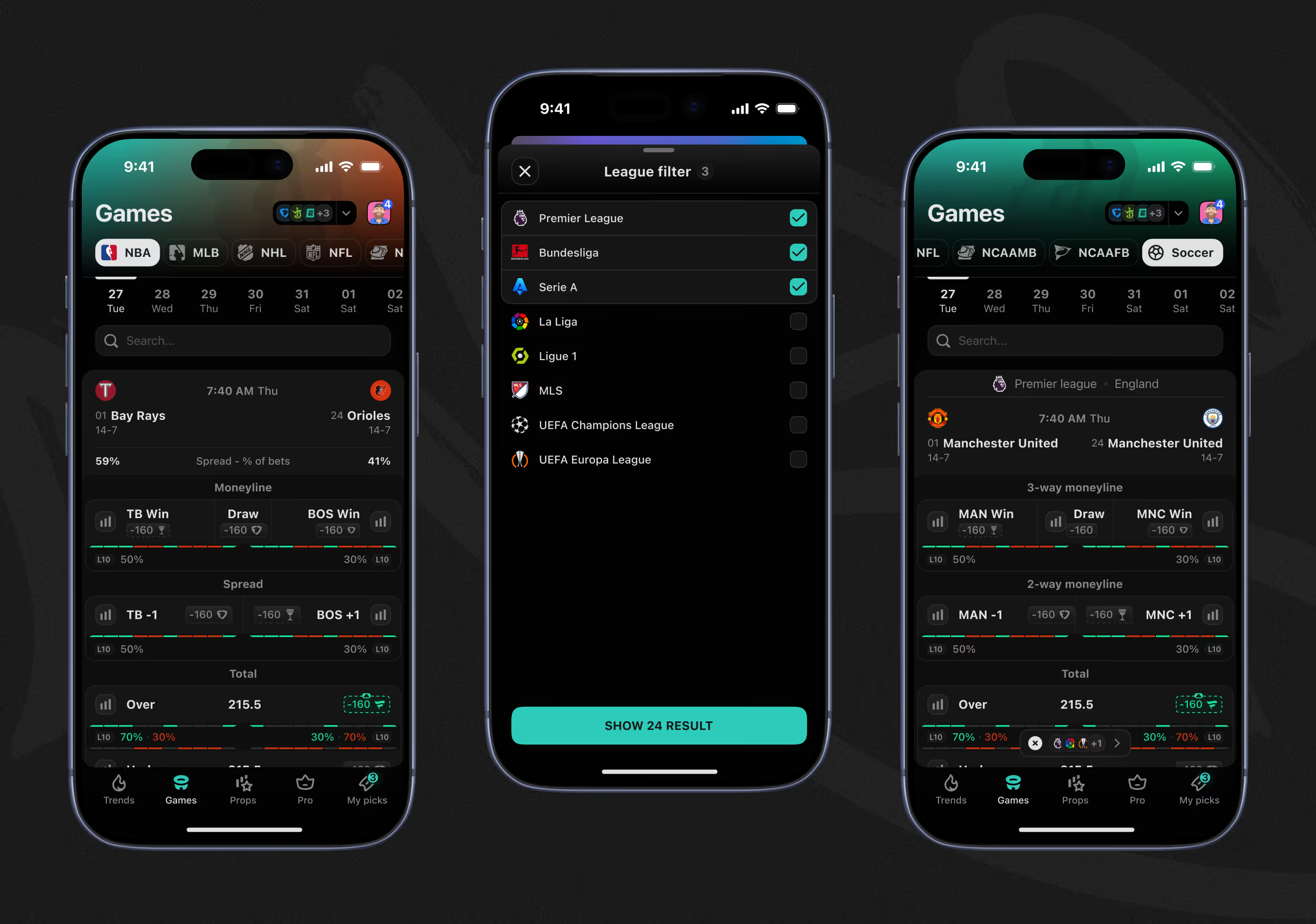
The Games tab organizes matchups across NBA, MLB, NHL, NFL, and soccer. A league filter narrows soccer fixtures to specific competitions before results load.
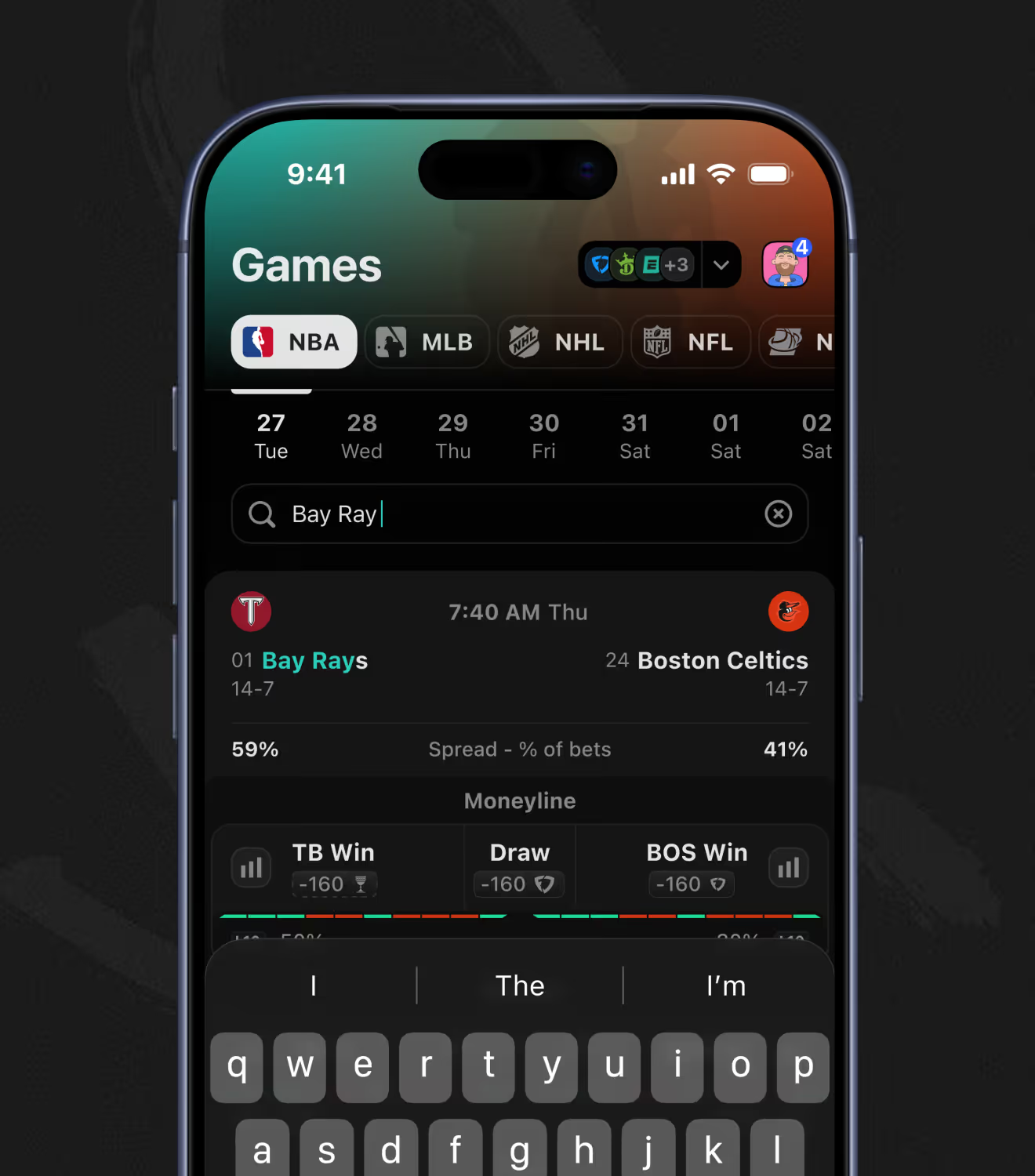
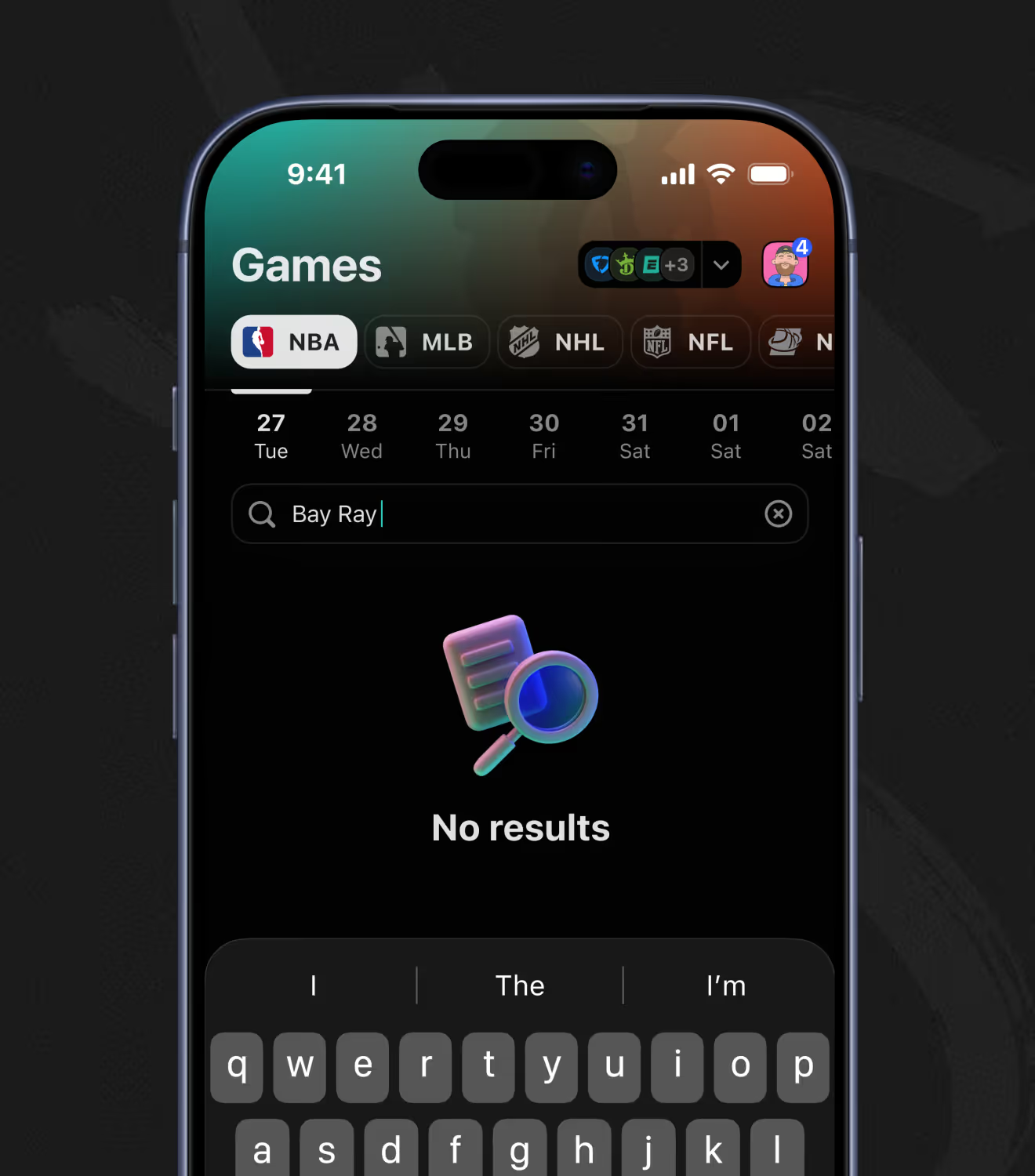
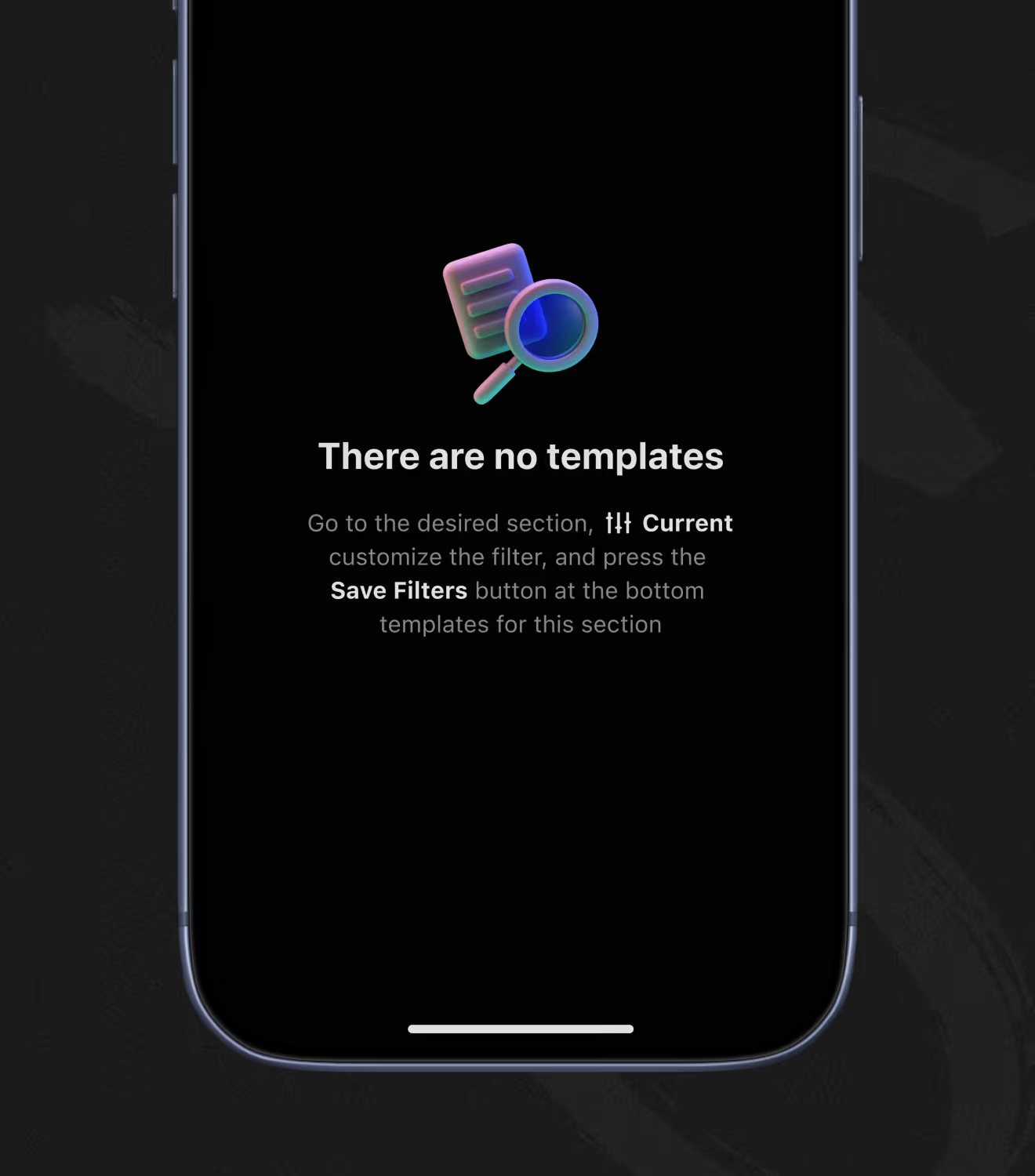
A search field on the Games tab filters matchups by team name as bettors type, surfacing results instantly. When no match exists, an illustrated empty state and message replace the list instead of leaving a blank screen.
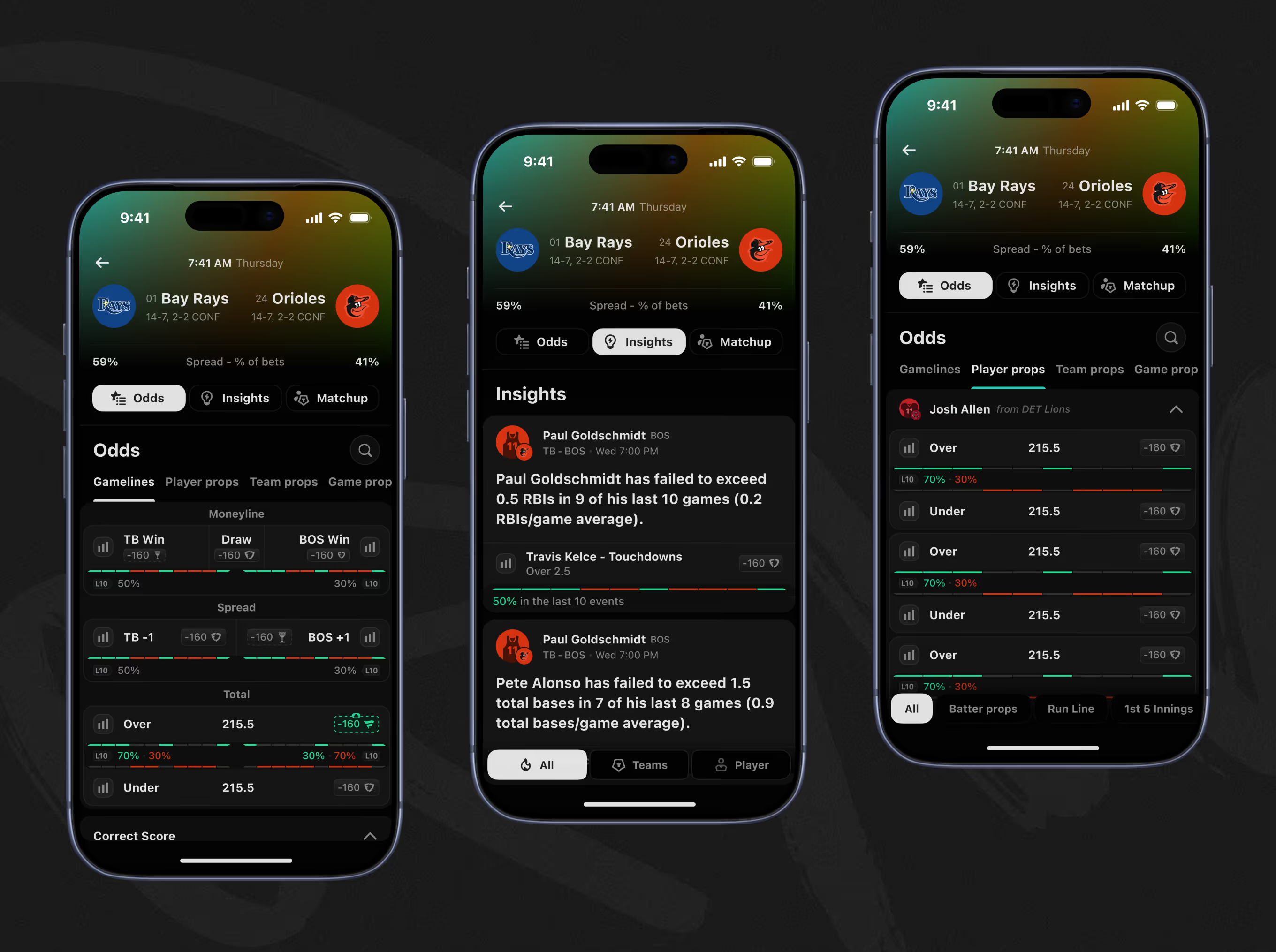
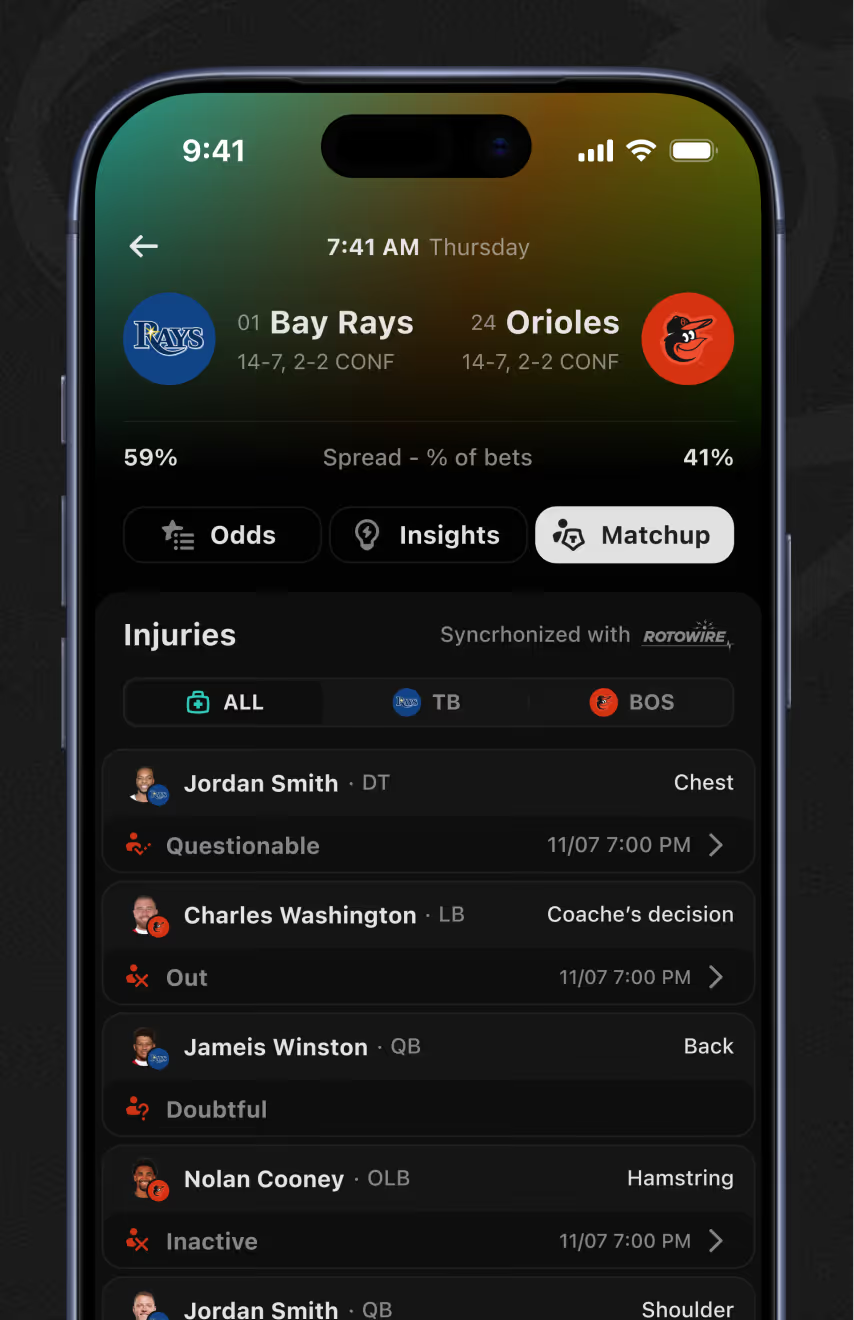
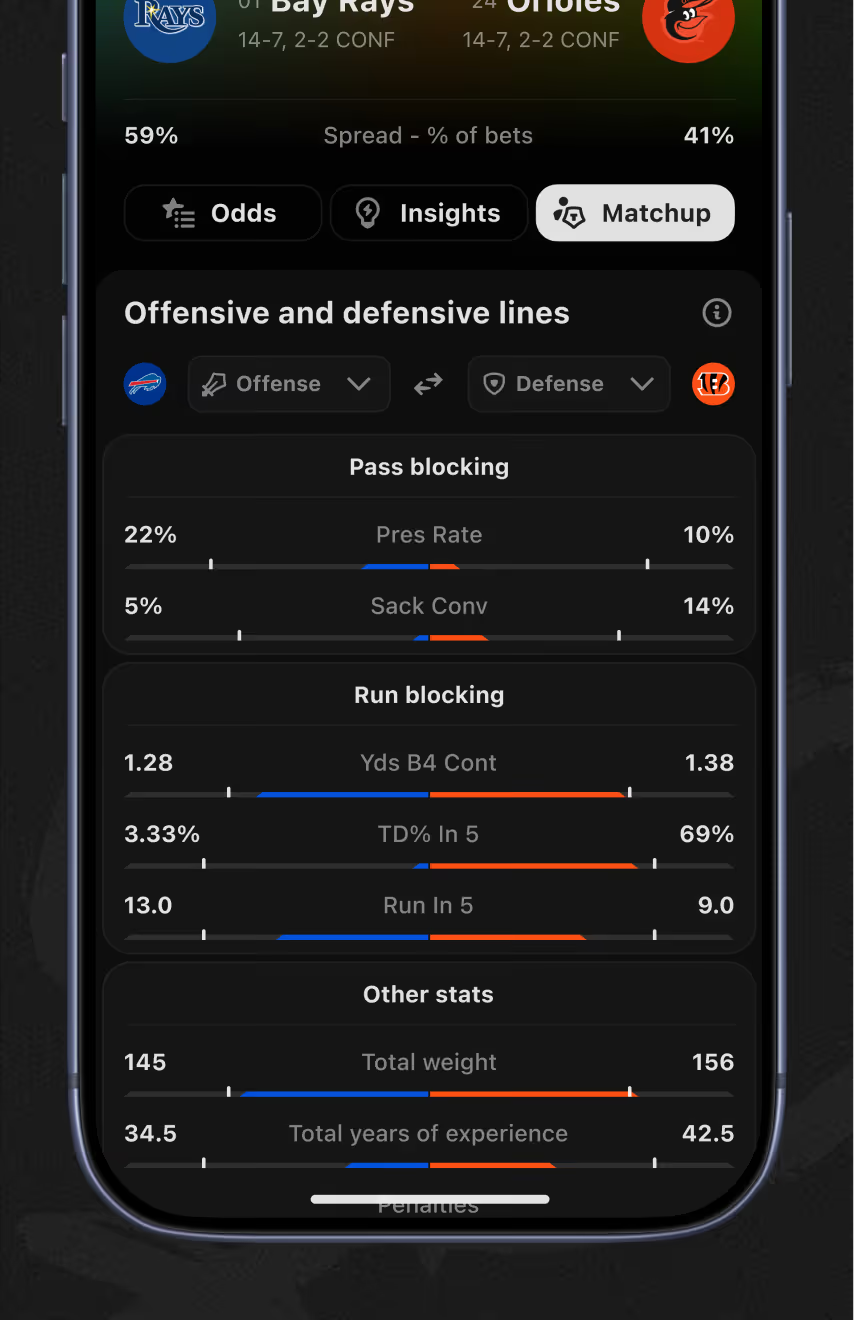
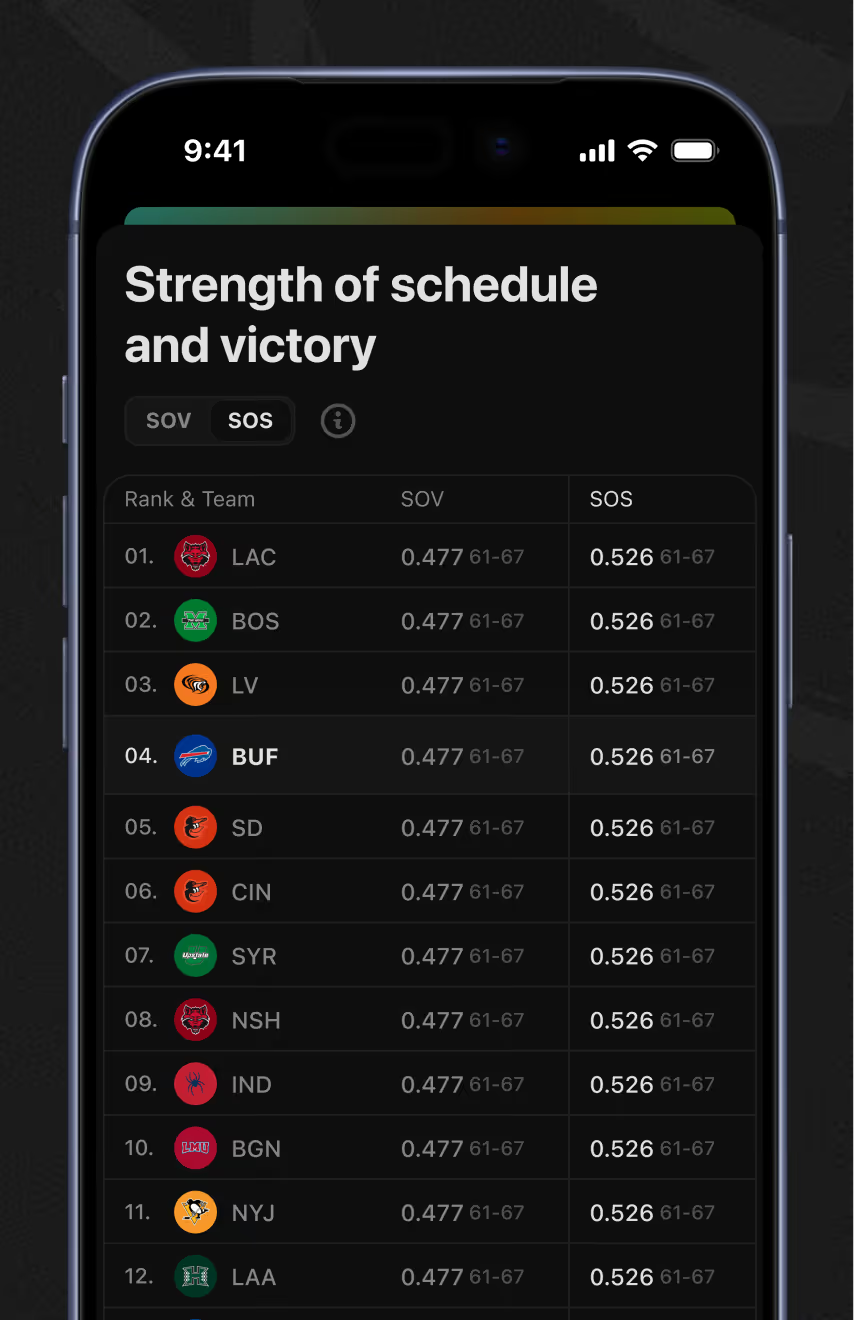
Opening a game reveals three tabs – Odds, Insights, and Matchup – for gameline, player prop, and team prop decisions. The Matchup tab layers injury statuses, offensive/defensive line stats, and strength-of-schedule rankings alongside odds.
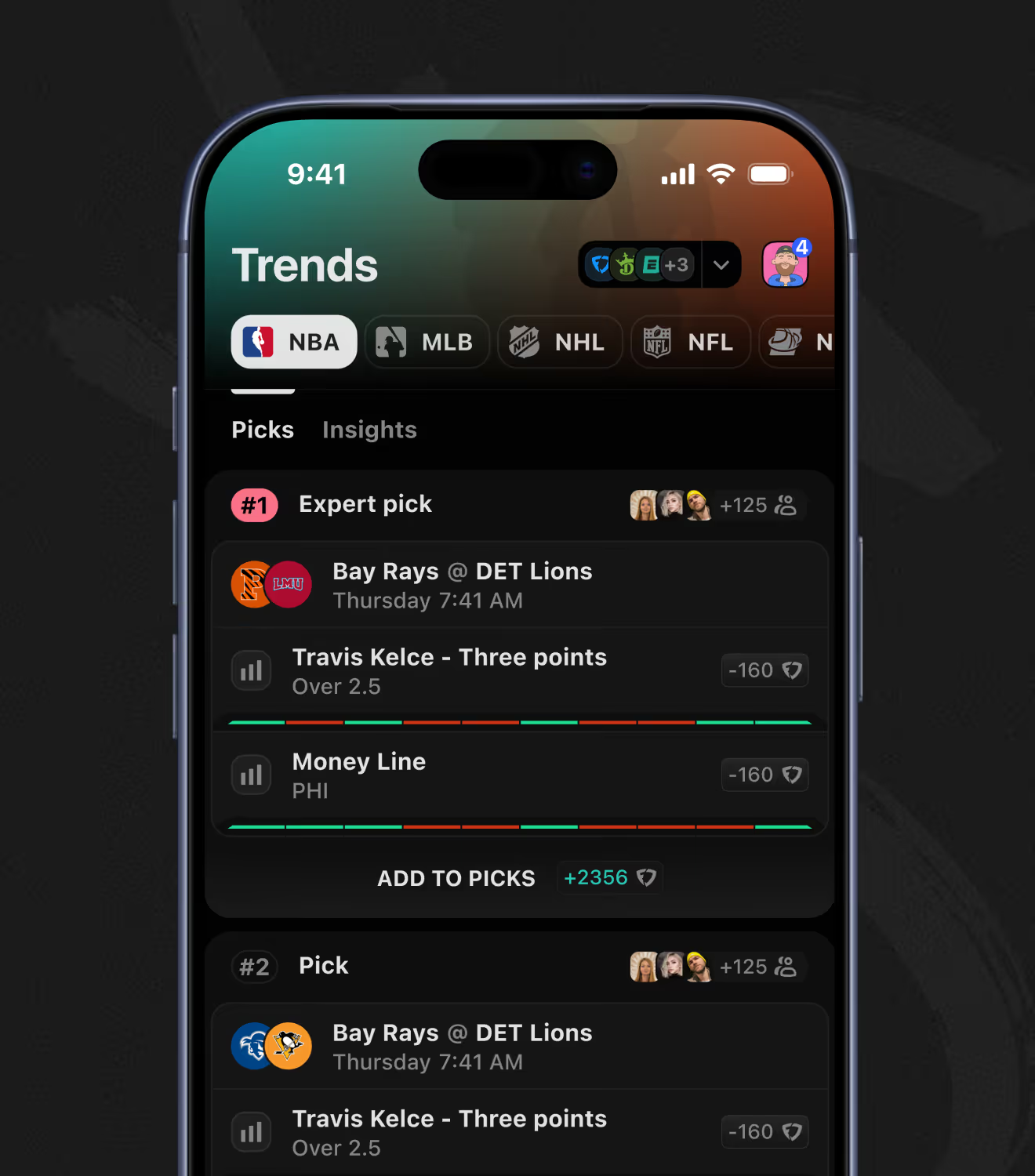
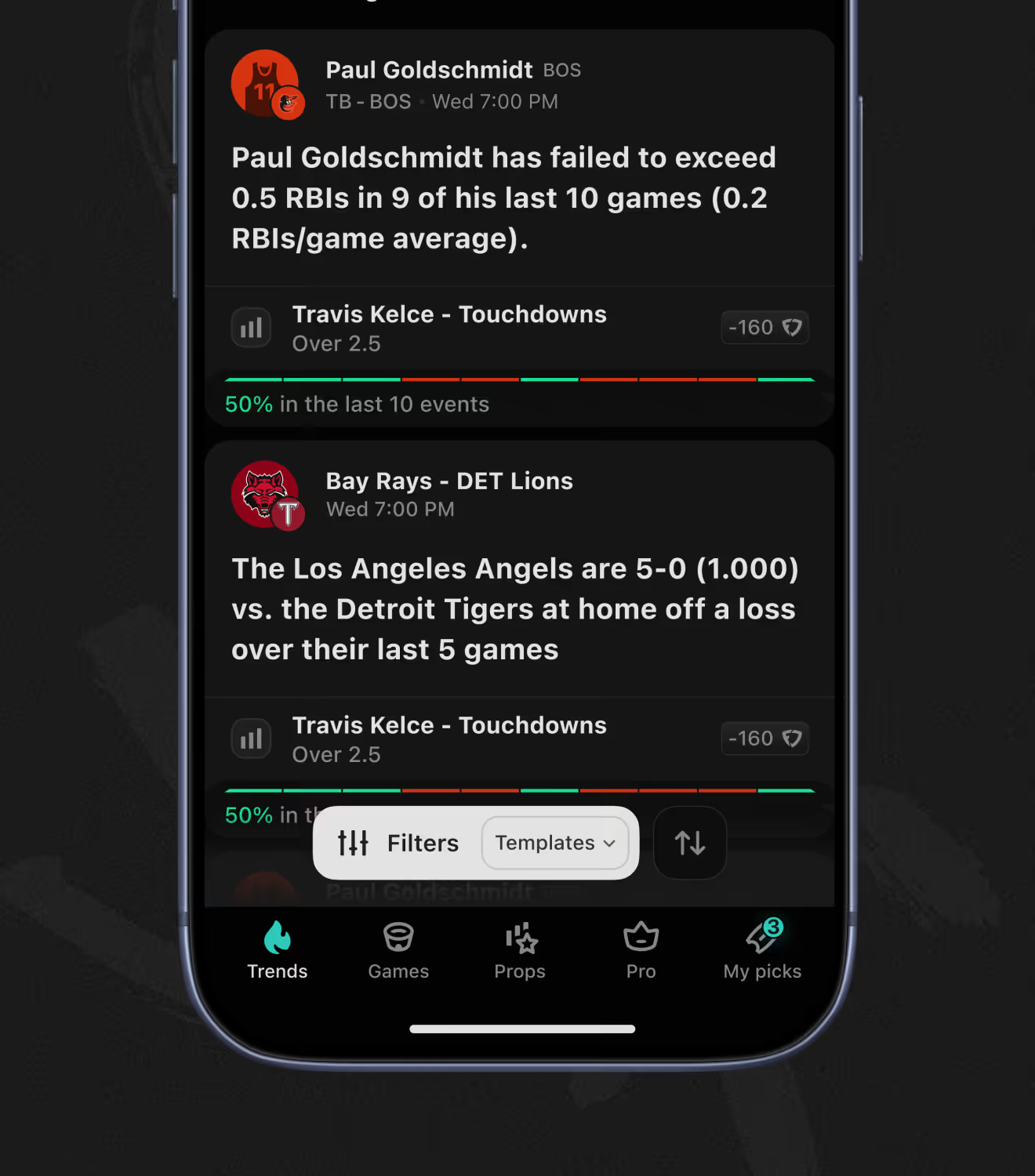
The Trends tab splits into Picks and Insights, separating expert-curated bets from data-driven callouts. Each pick lists an odds badge and an add-to-picks counter, while a filters-and-templates control sorts the insights feed.
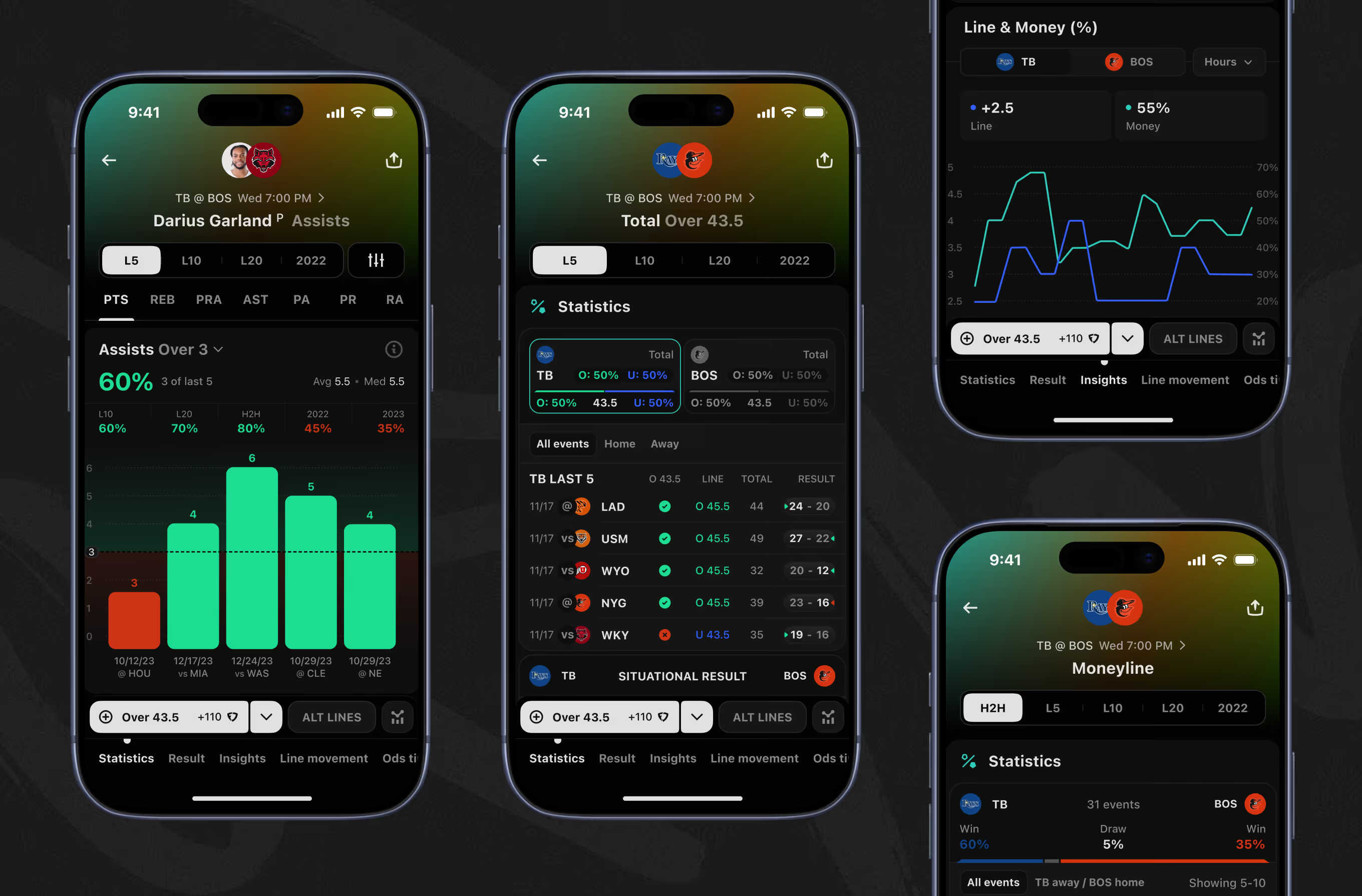
Team pages break moneyline and total lines into hit-rate percentages across the last 5, 10, and 20 games. A line-and-money percentage chart tracks how the spread moves against public betting share over time.
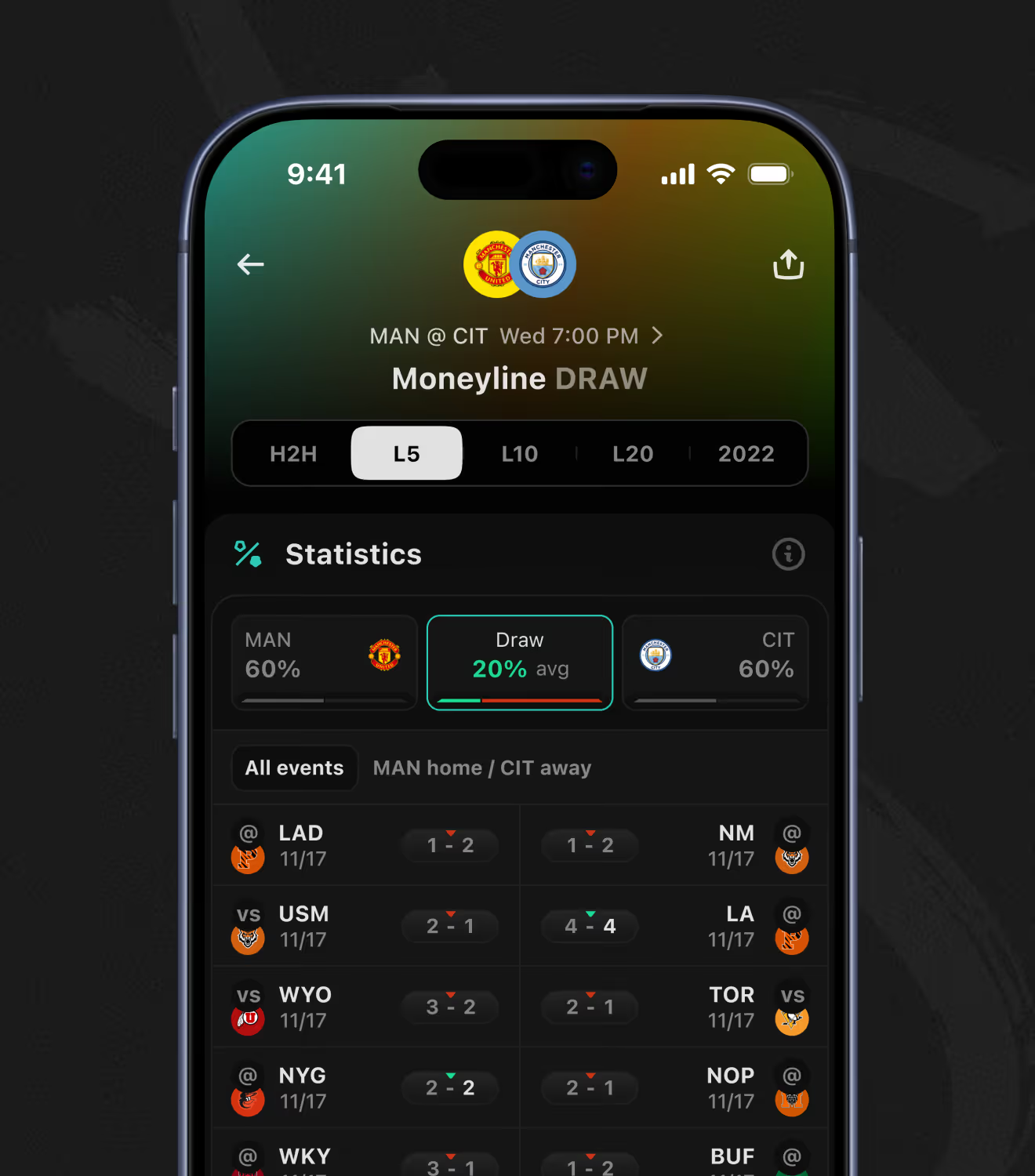
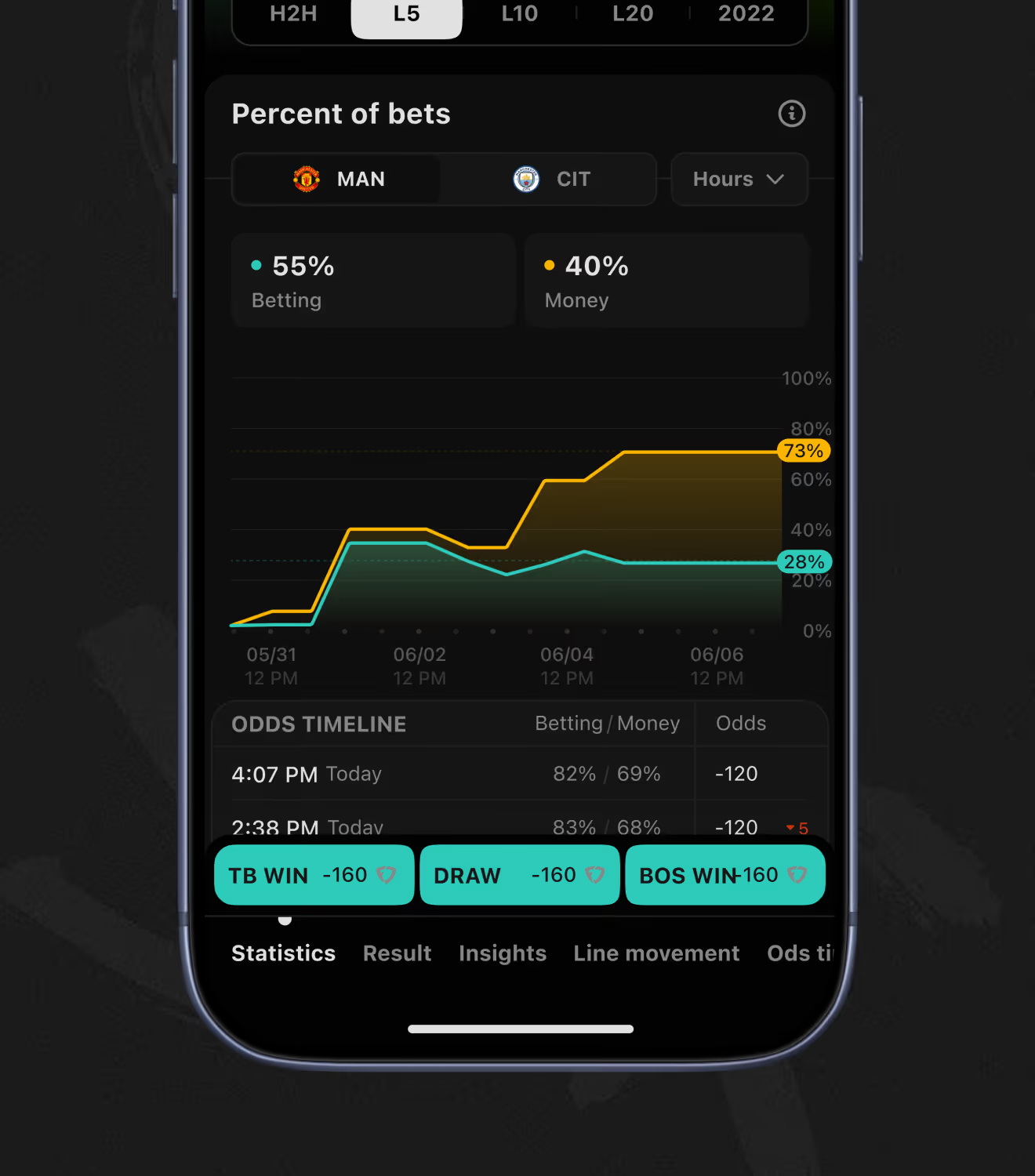
Soccer moneylines add a draw outcome that other US sports markets skip, each with its own hit-rate history. A percent-of-bets chart compares betting share against money share for a fixture to flag line moves.
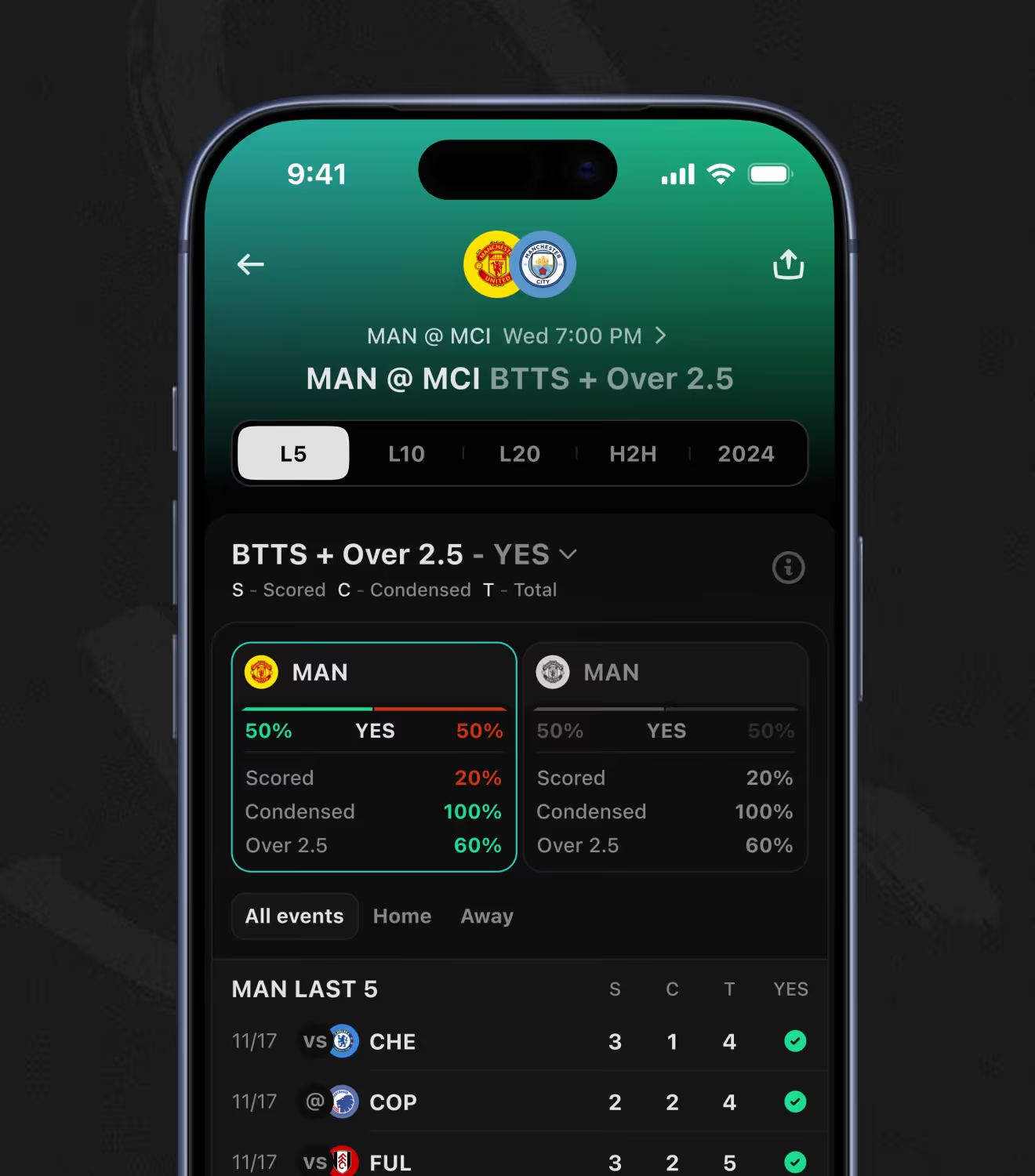
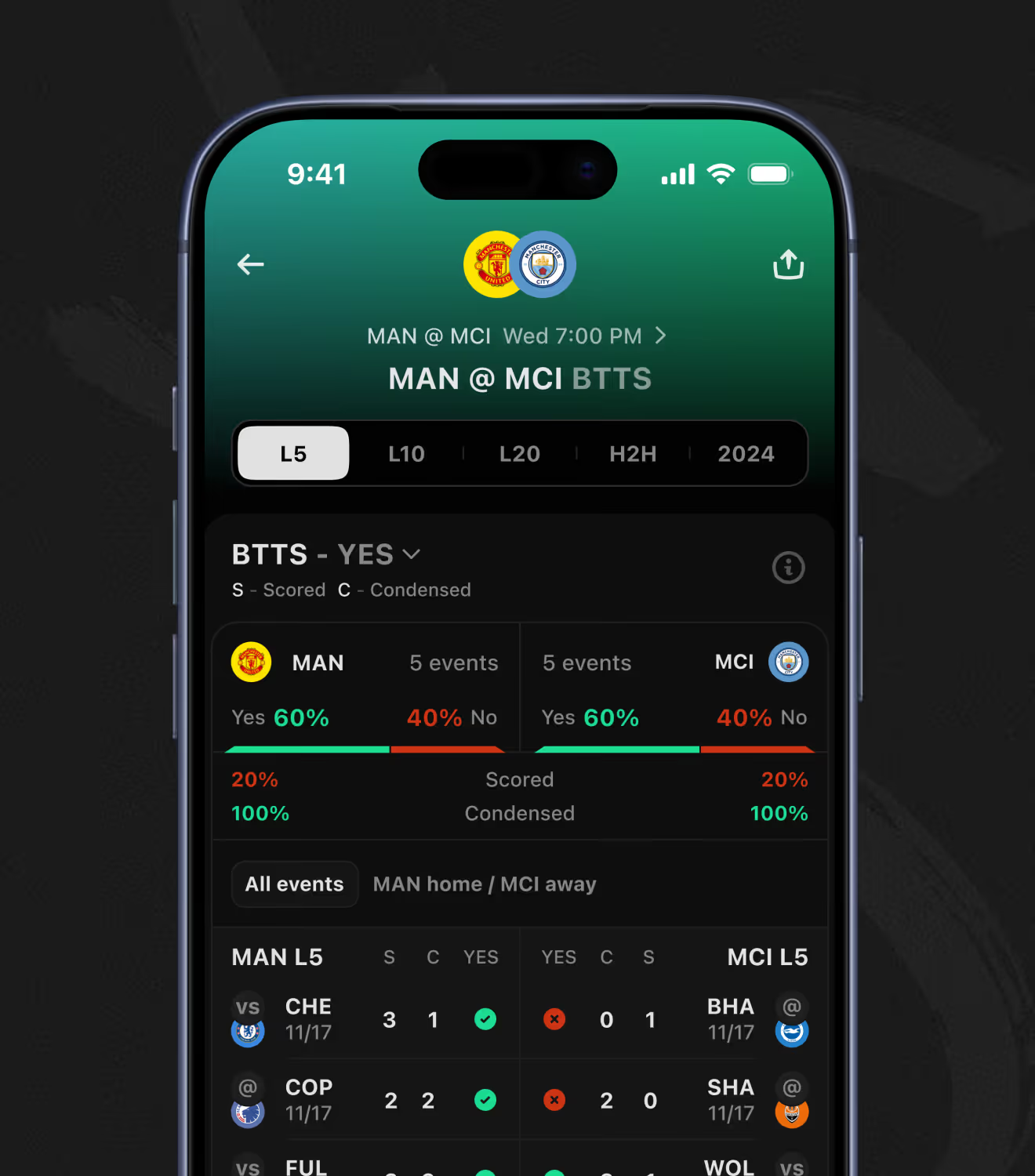
Soccer adds combination markets like BTTS + Over 2.5, pairing two bet types other sports don't combine by default. Scored, conceded, and total-goal percentages per team sit above a last results table marked yes or no for each match.
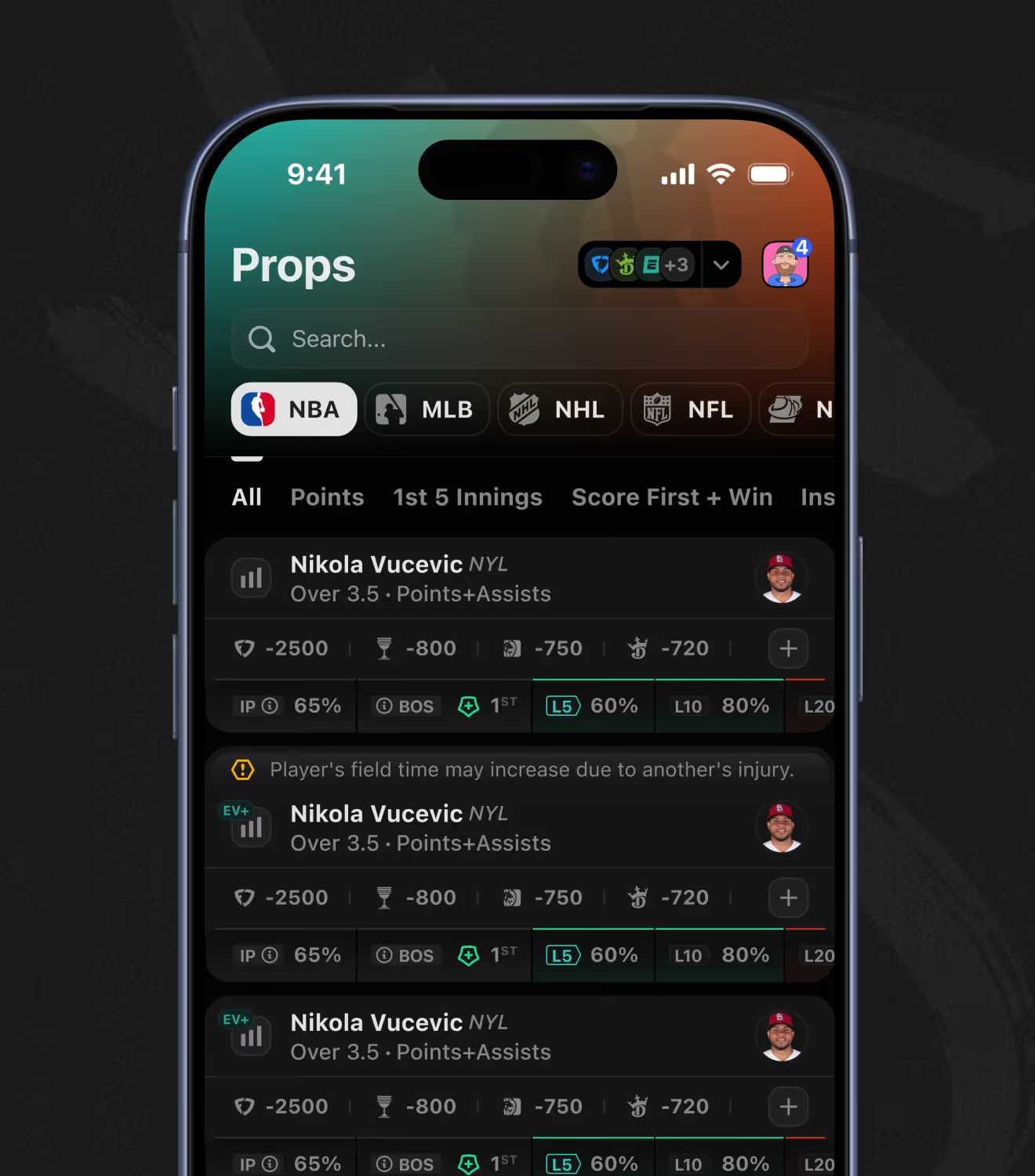
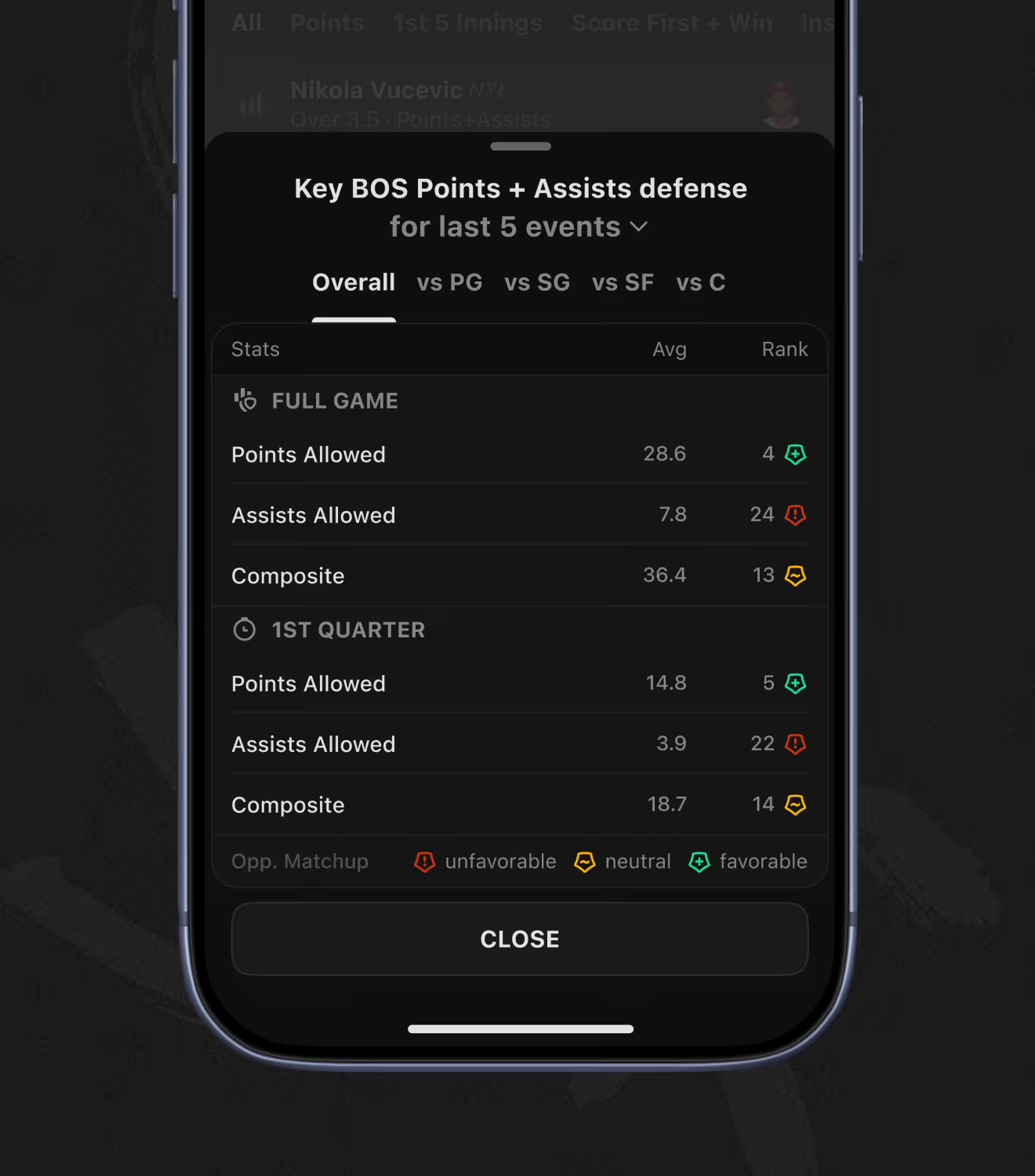
Every player prop lists odds from multiple sportsbooks side by side inside the sports betting analytics app. A market-details panel breaks down points-and-assists defense by opponent position, tagging matchups favorable, neutral, or unfavorable.
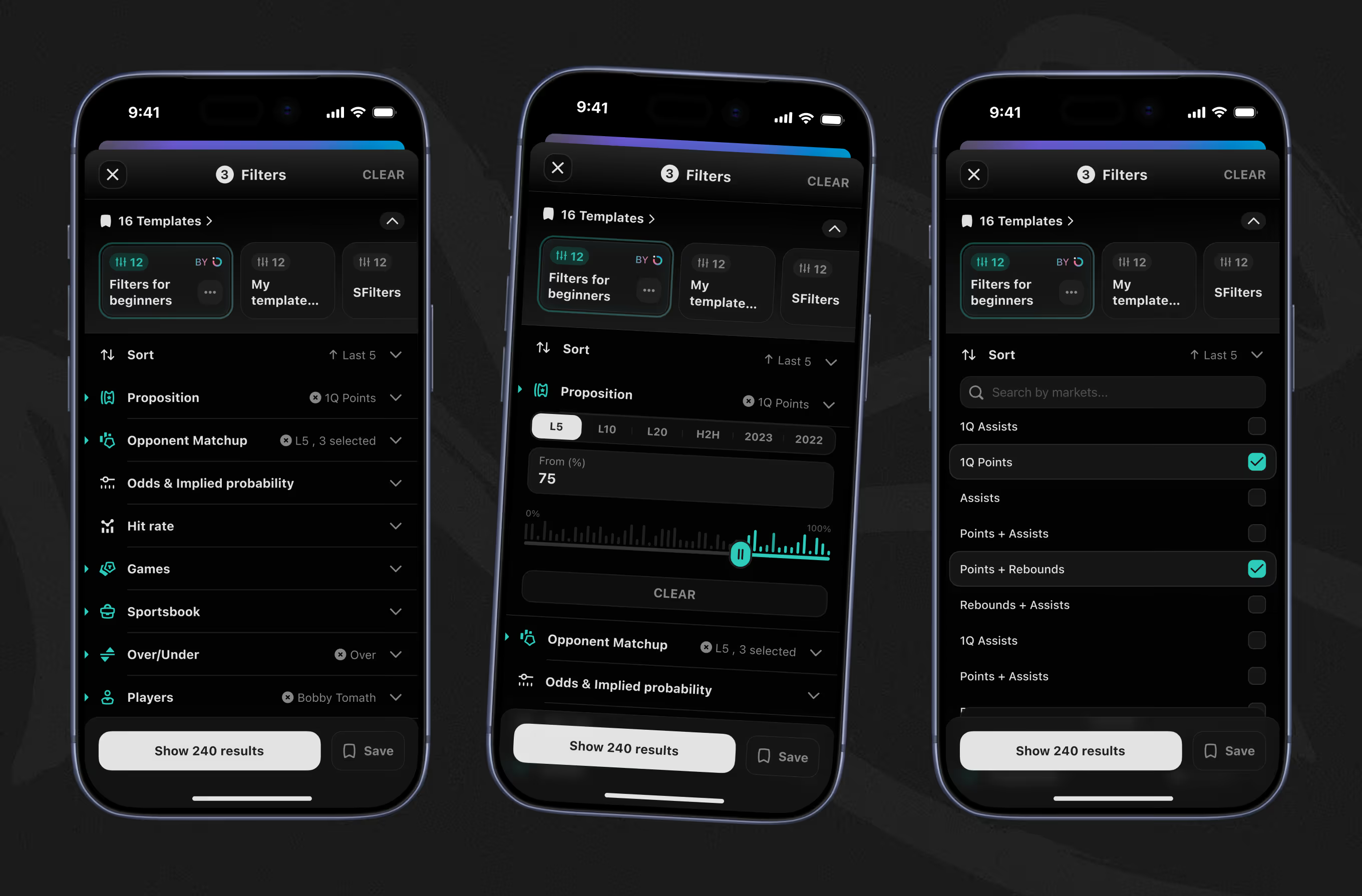
The saved templates, from beginner filters to custom sets, narrow player props before results load. Filters for hit rate, odds, sportsbook, and specific players were added over the product's ongoing Post-MVP Evolution engagement.
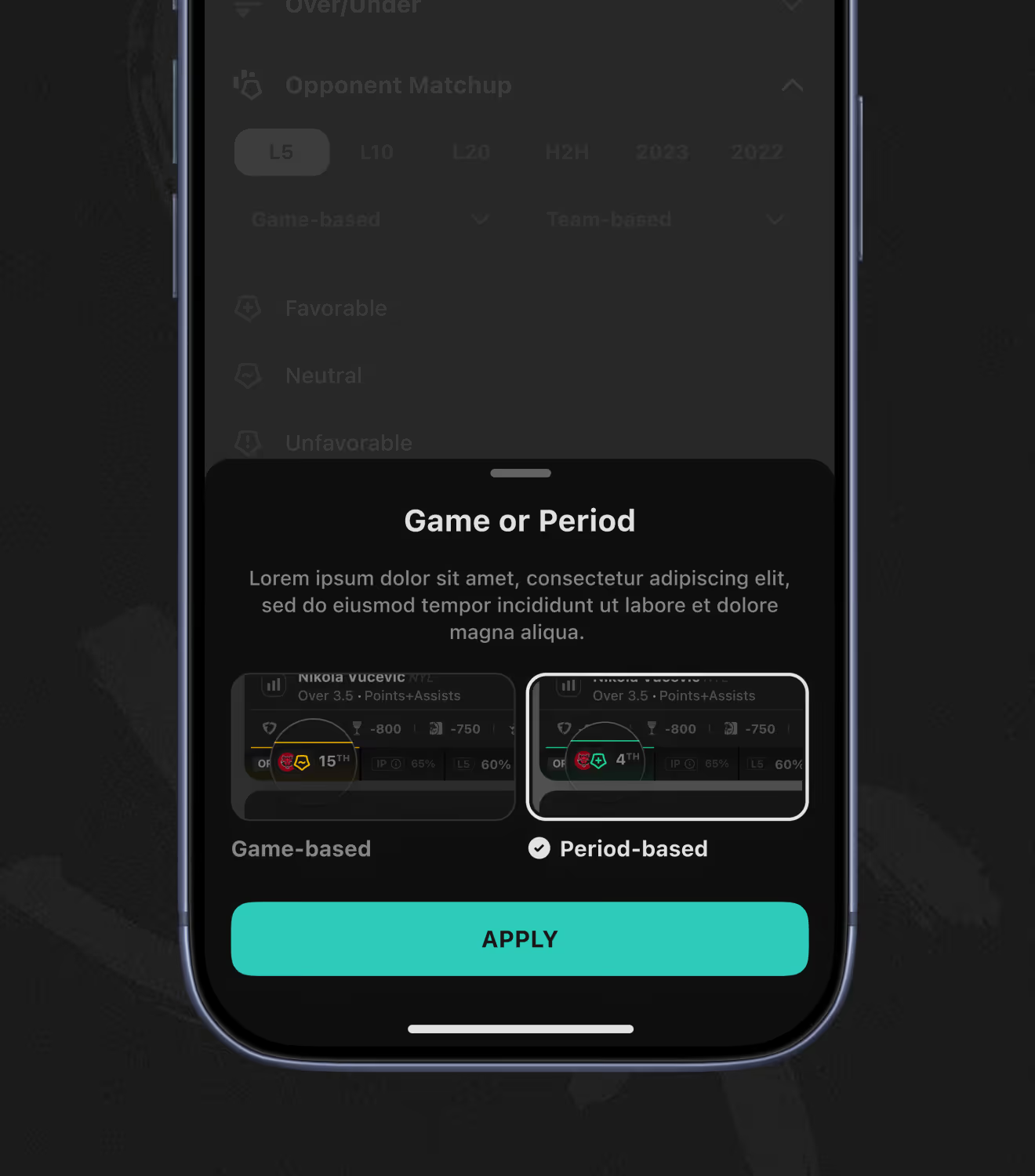
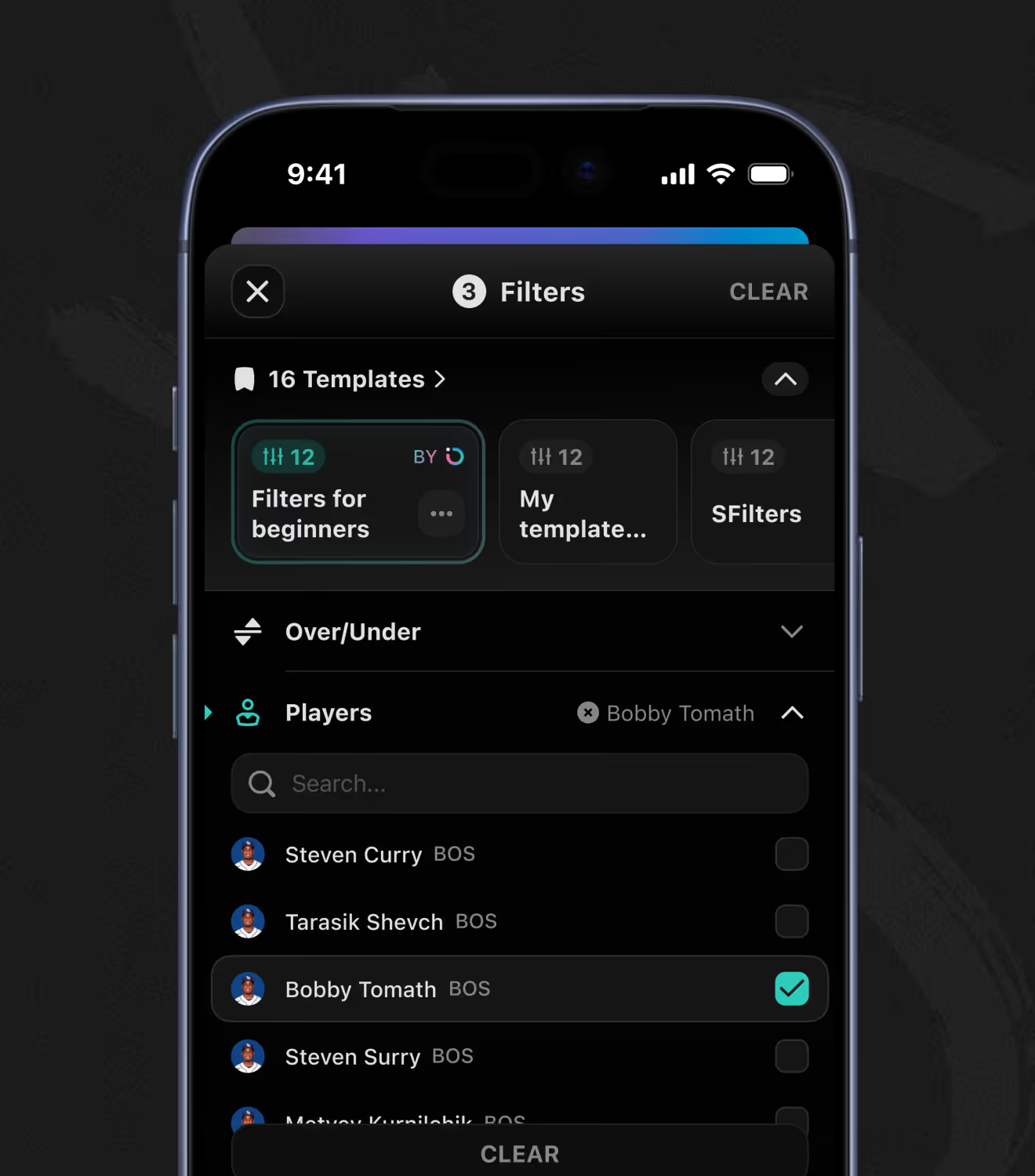
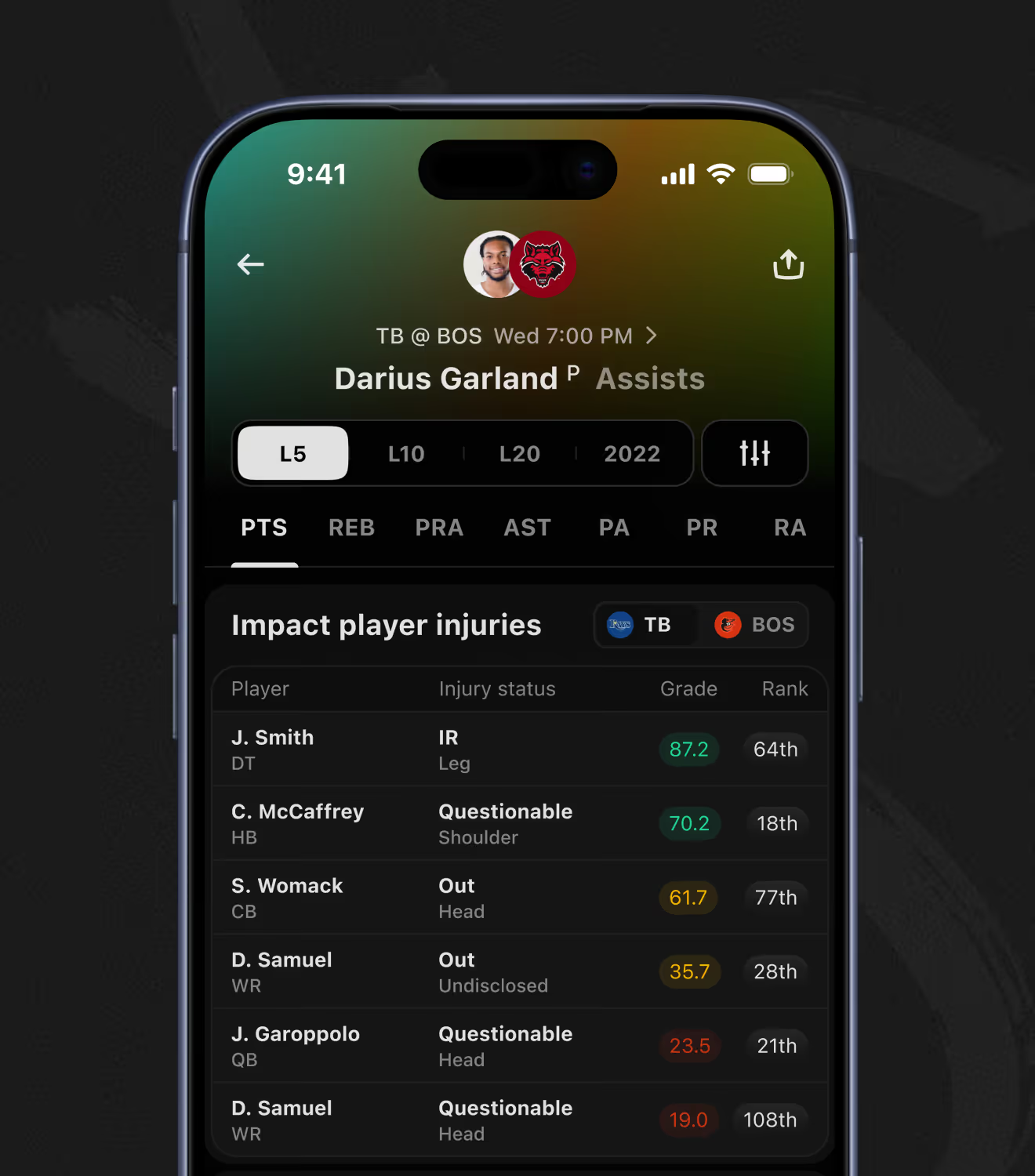
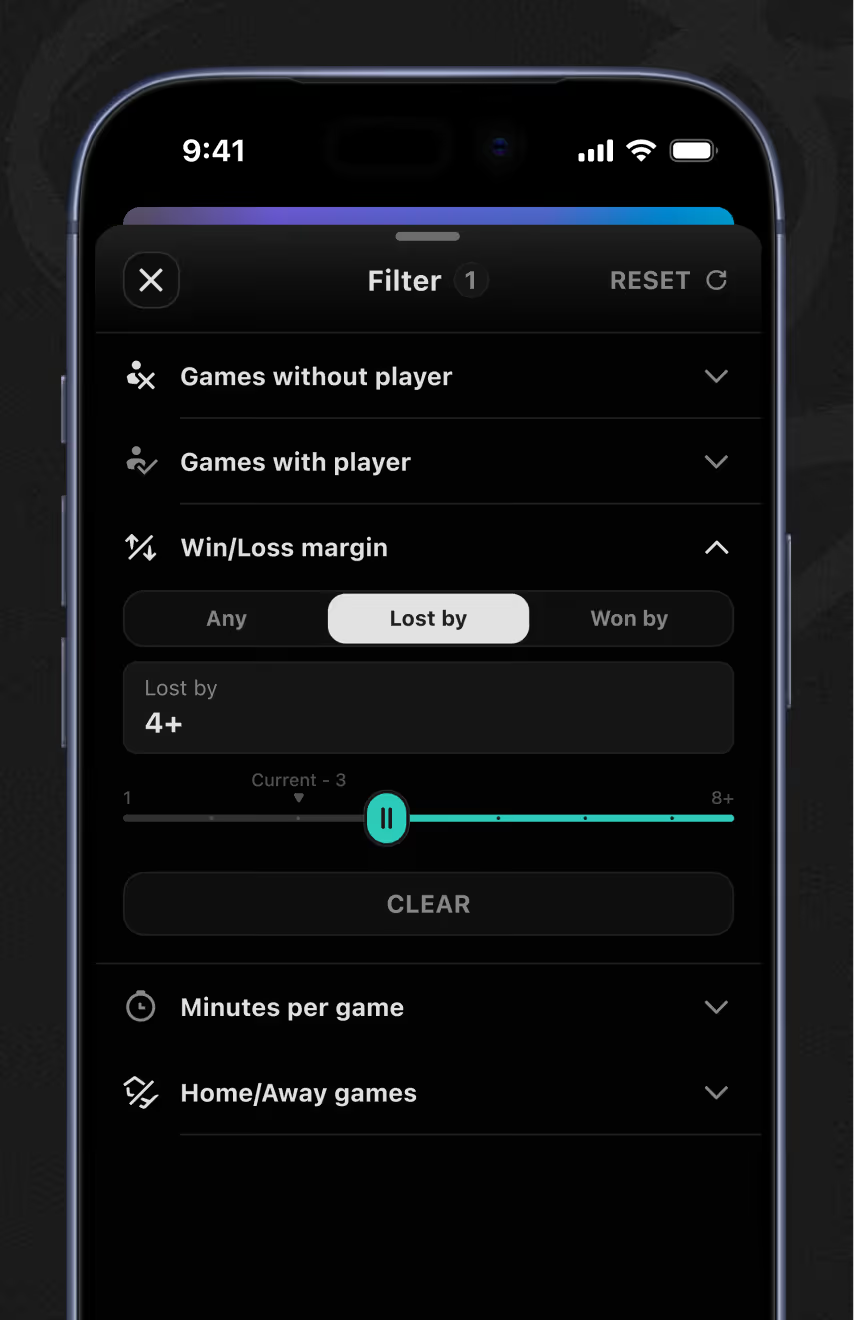
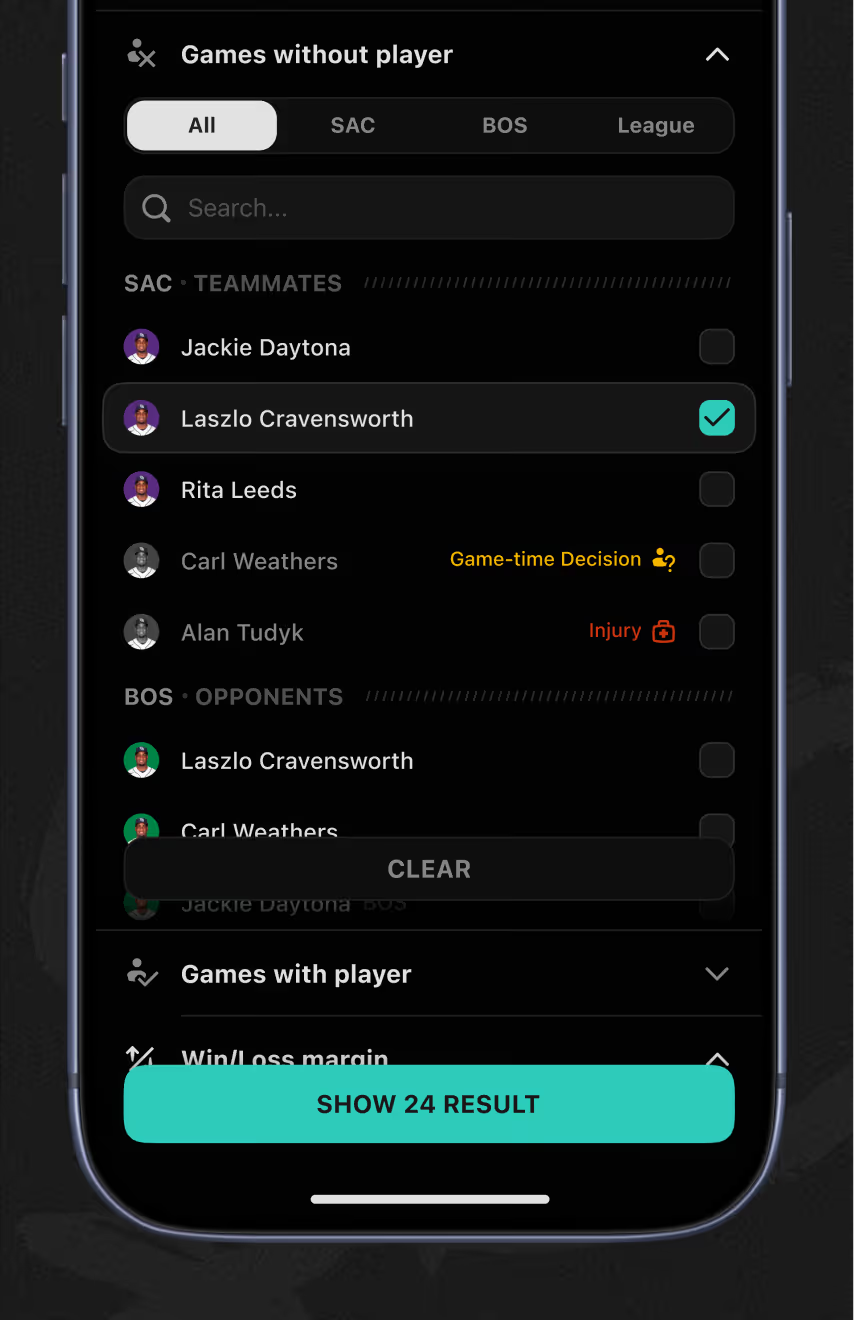
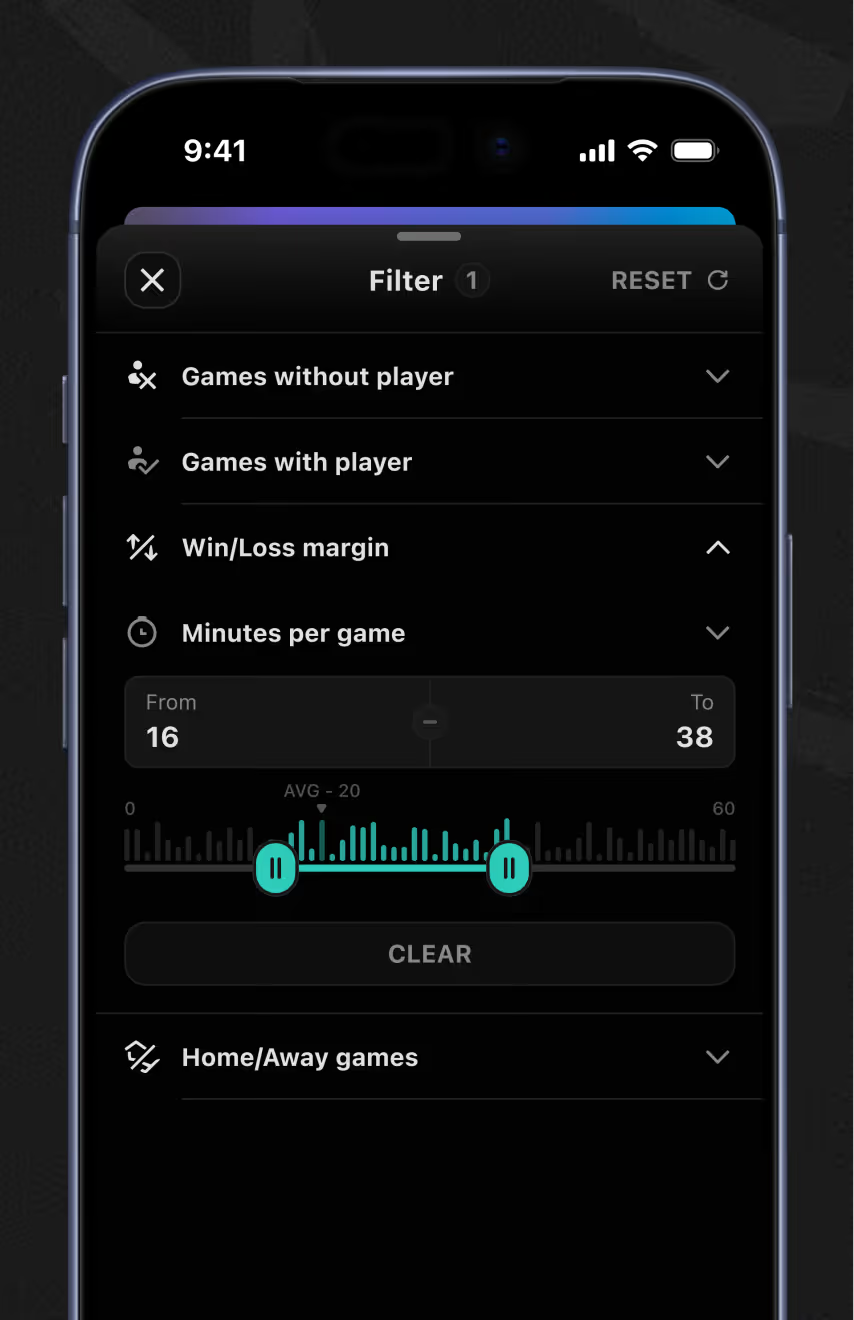
Player prop filters let bettors isolate games a specific teammate played or missed, plus win/loss margin and minutes-per-game ranges. An injuries table ranks each player's impact on the matchup by grade and rank across both rosters.
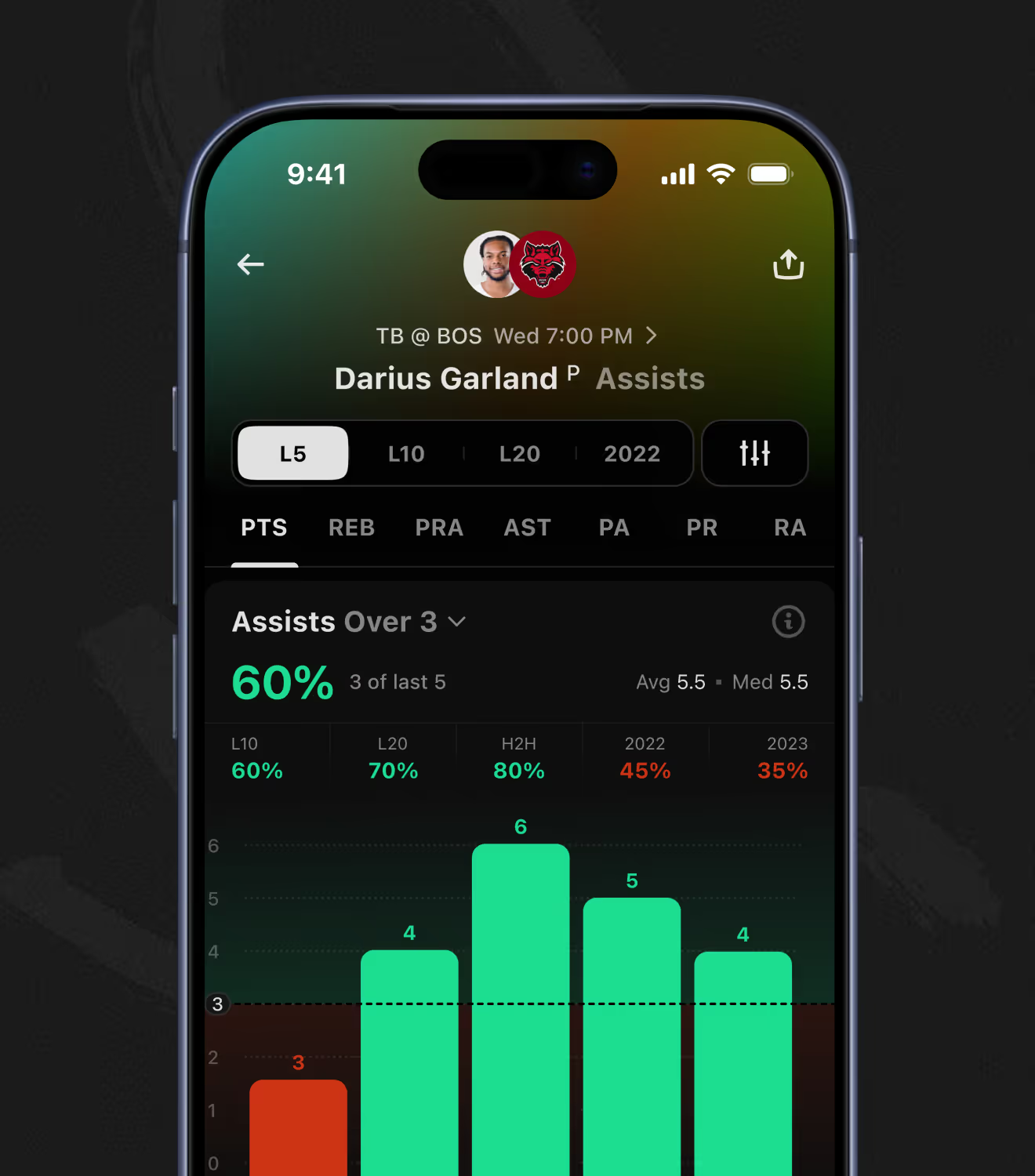
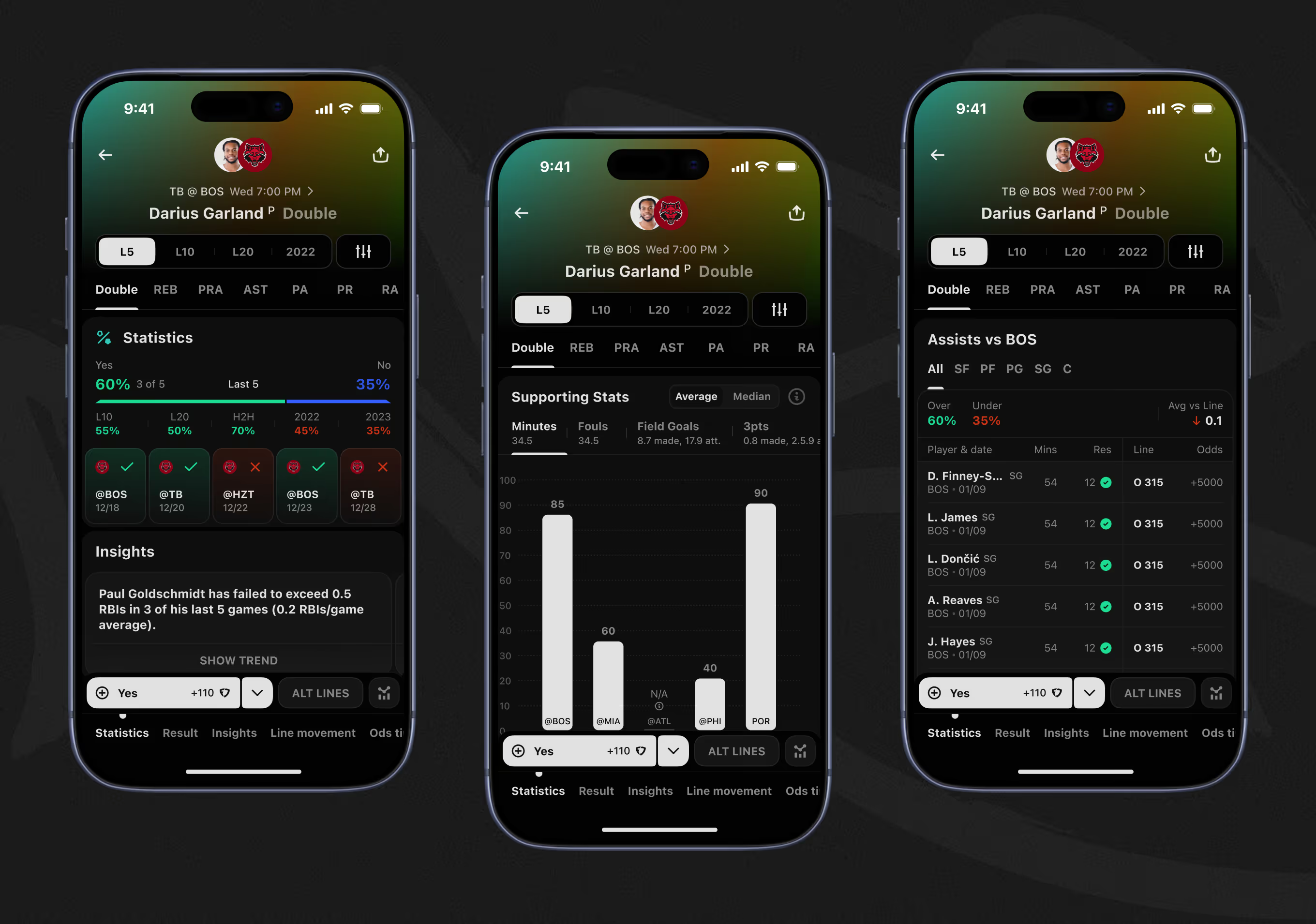
Yes/No props, like whether a player records a double, show hit rate across L5, L10, H2H, and season splits. A supporting-stats bar chart breaks down minutes, fouls, field goals, and threes, then compares the matchup by opponent position.
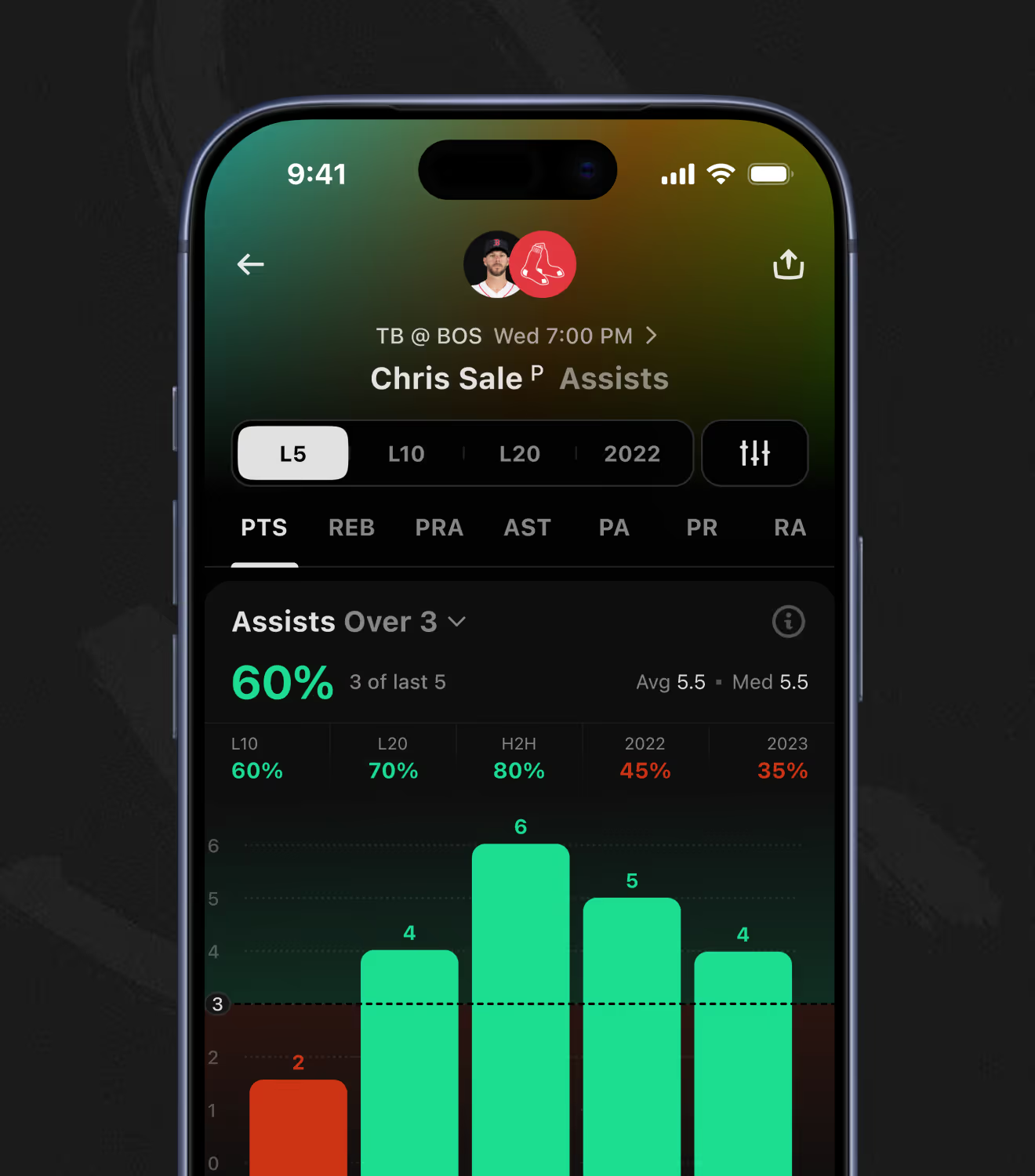
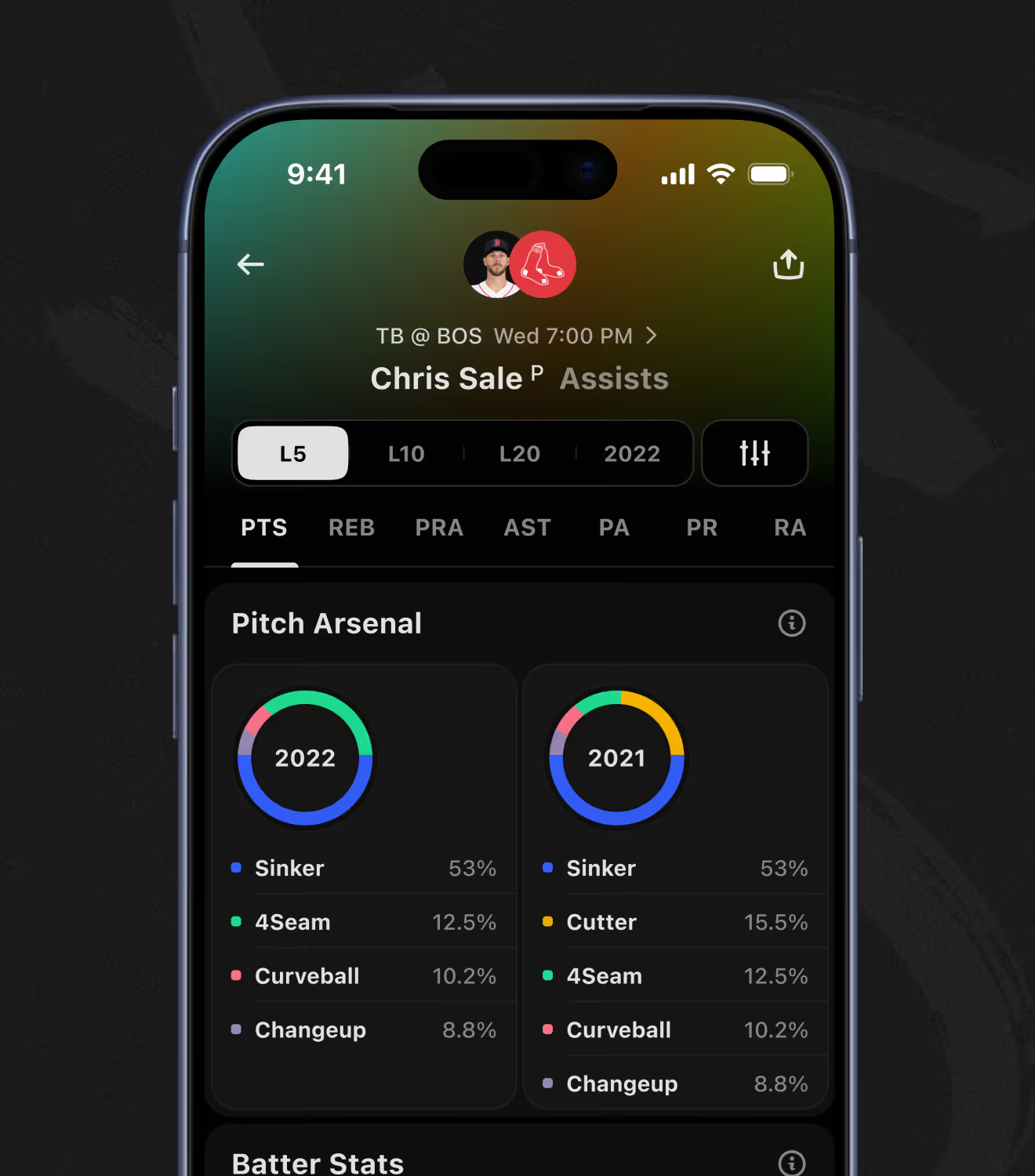
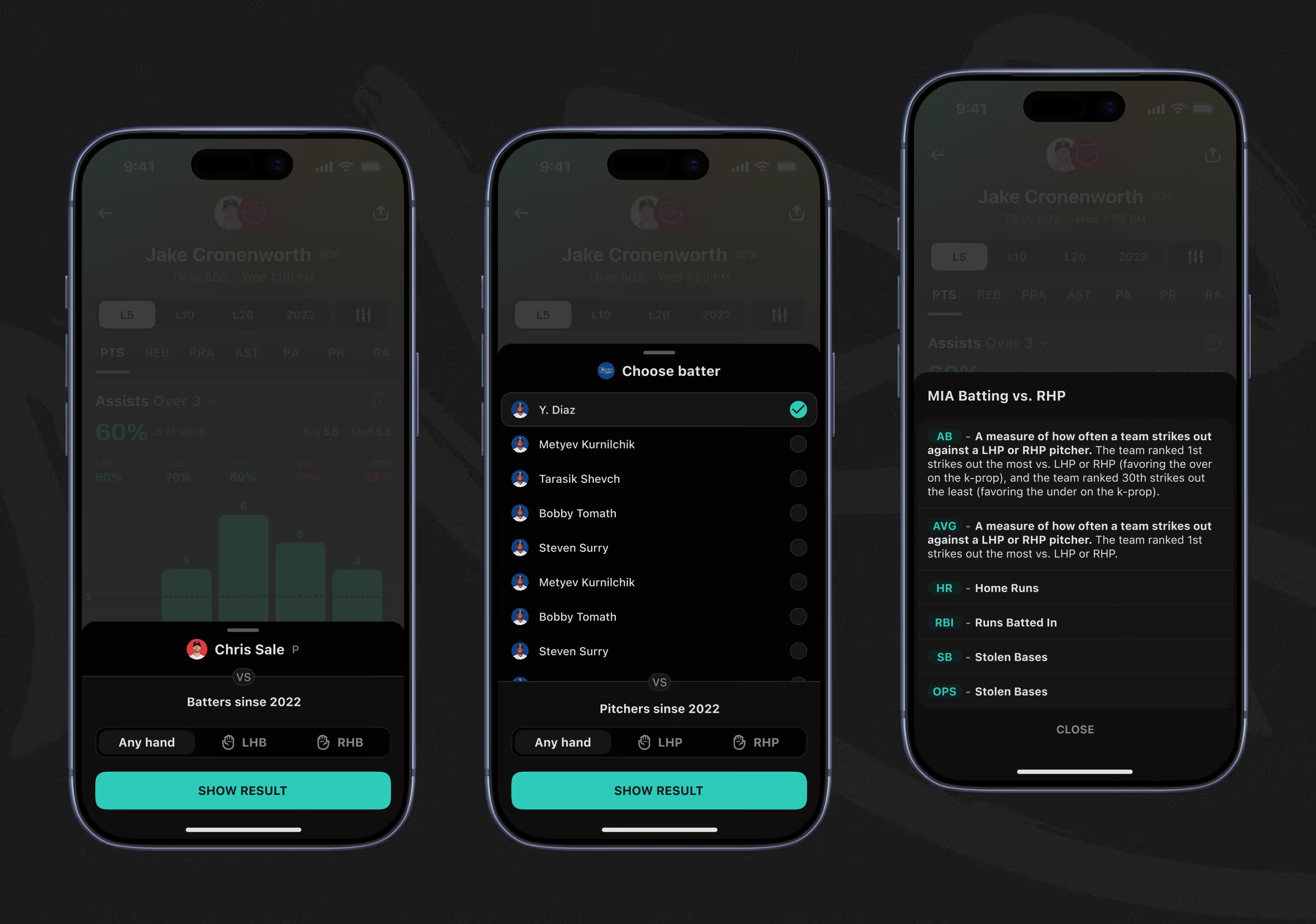
MLB player pages add a pitch-arsenal breakdown – sinker, four-seam, curveball, and changeup usage compared year over year. A batter selector then filters matchup stats like strikeout rate and home runs by handedness, right- or left-handed pitching.
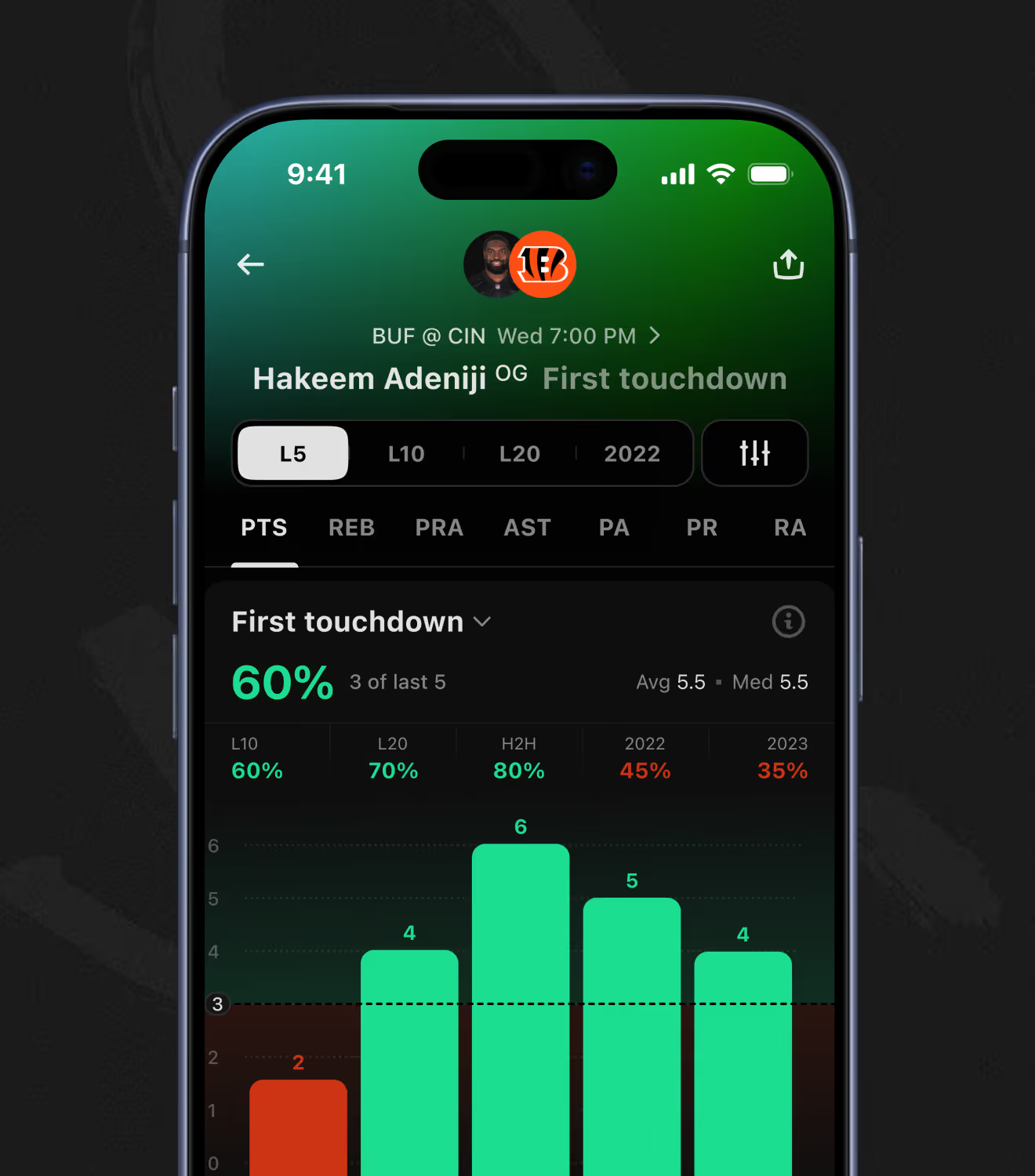
NFL touchdown props pull in coin-toss tendencies, team scoring-first rates, and red-zone target share for the player in question. A red-zone defense table then adds the opponent's allowed touchdowns, yards, and turnovers forced to weigh the matchup.
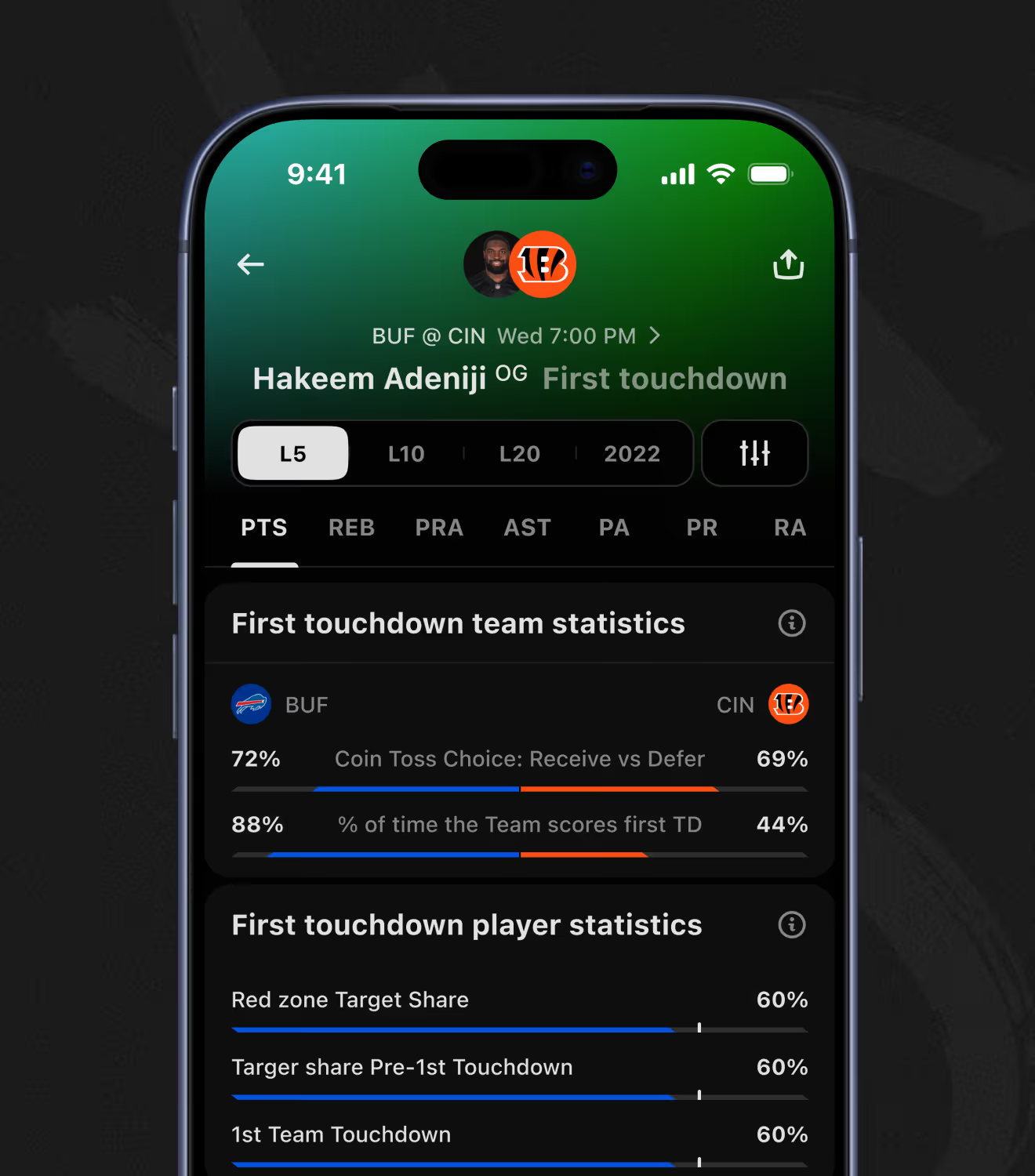
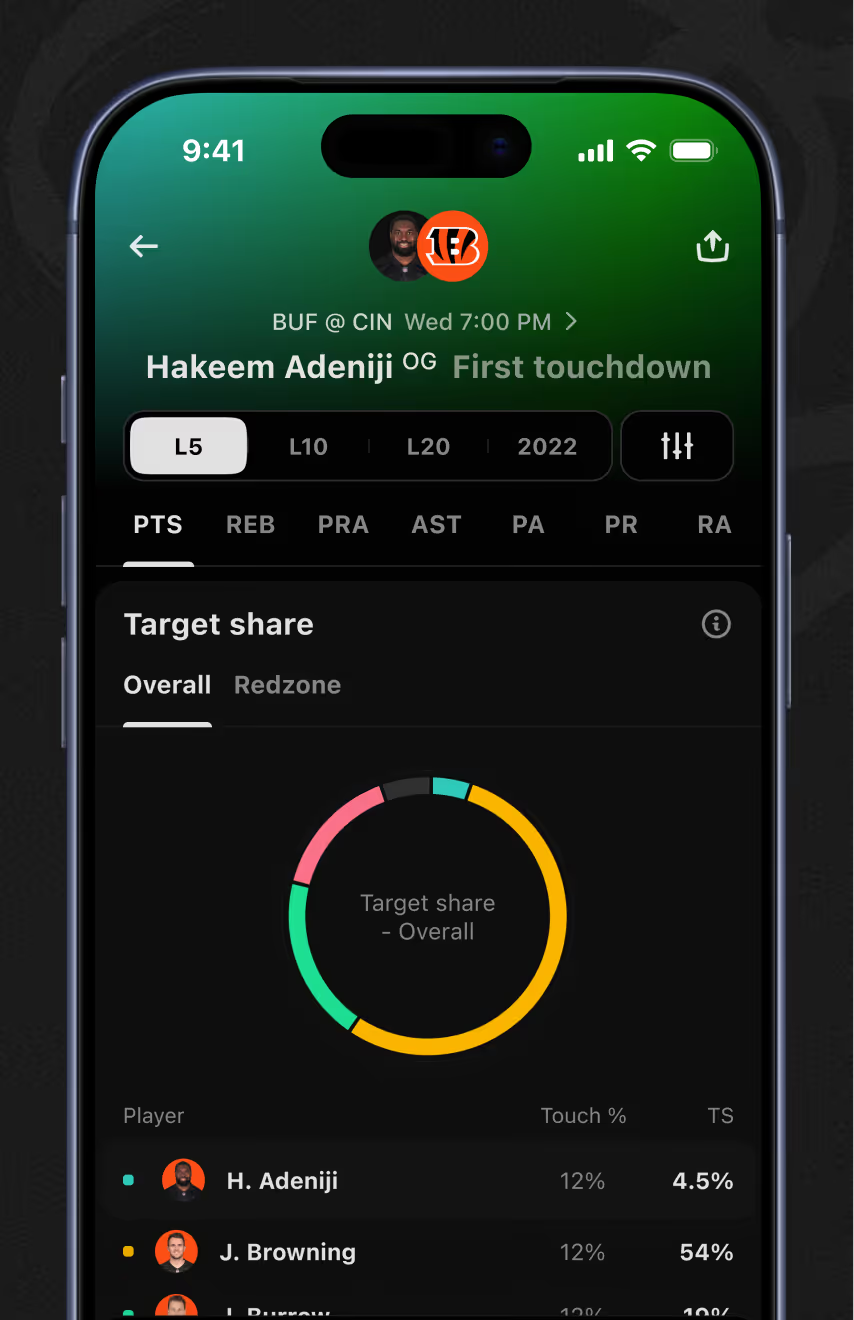
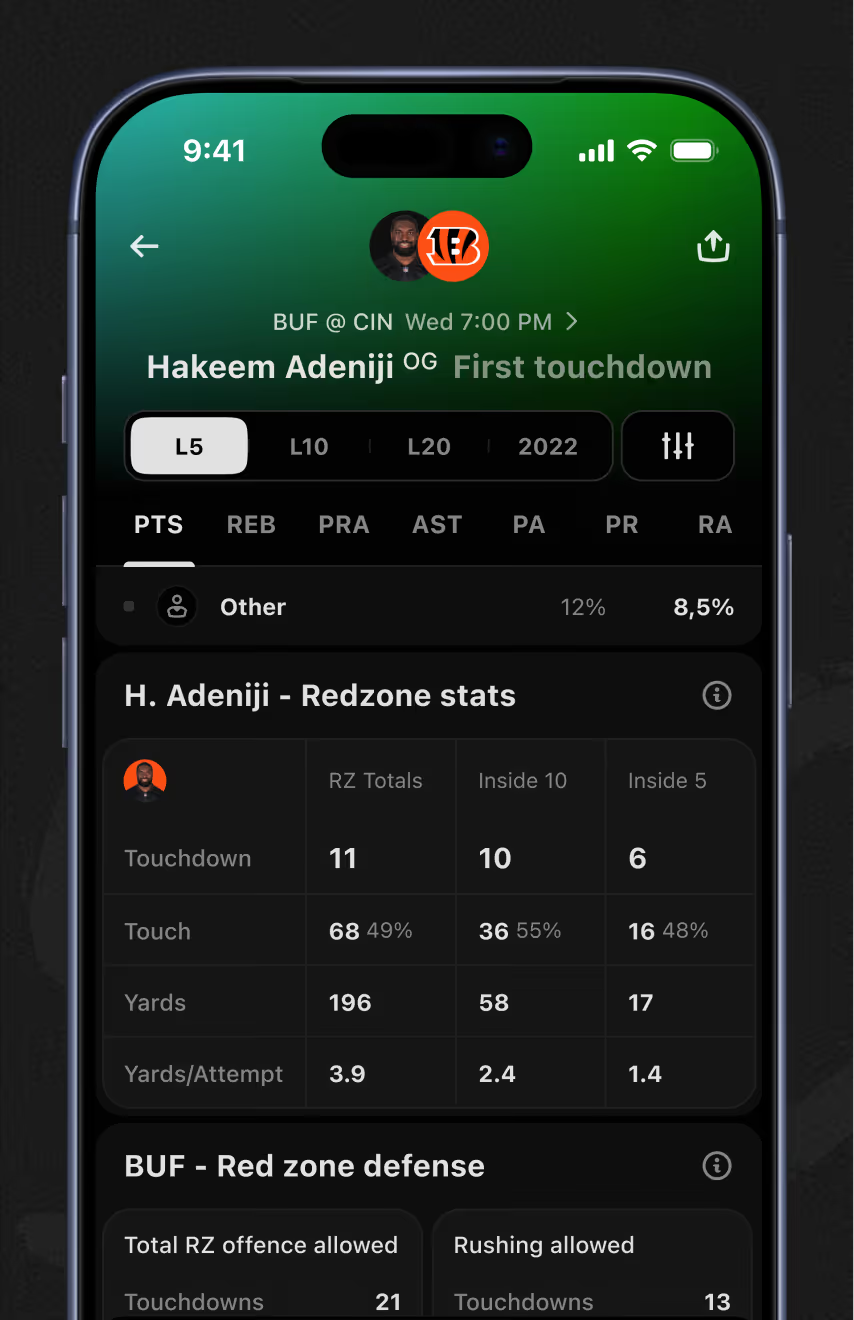
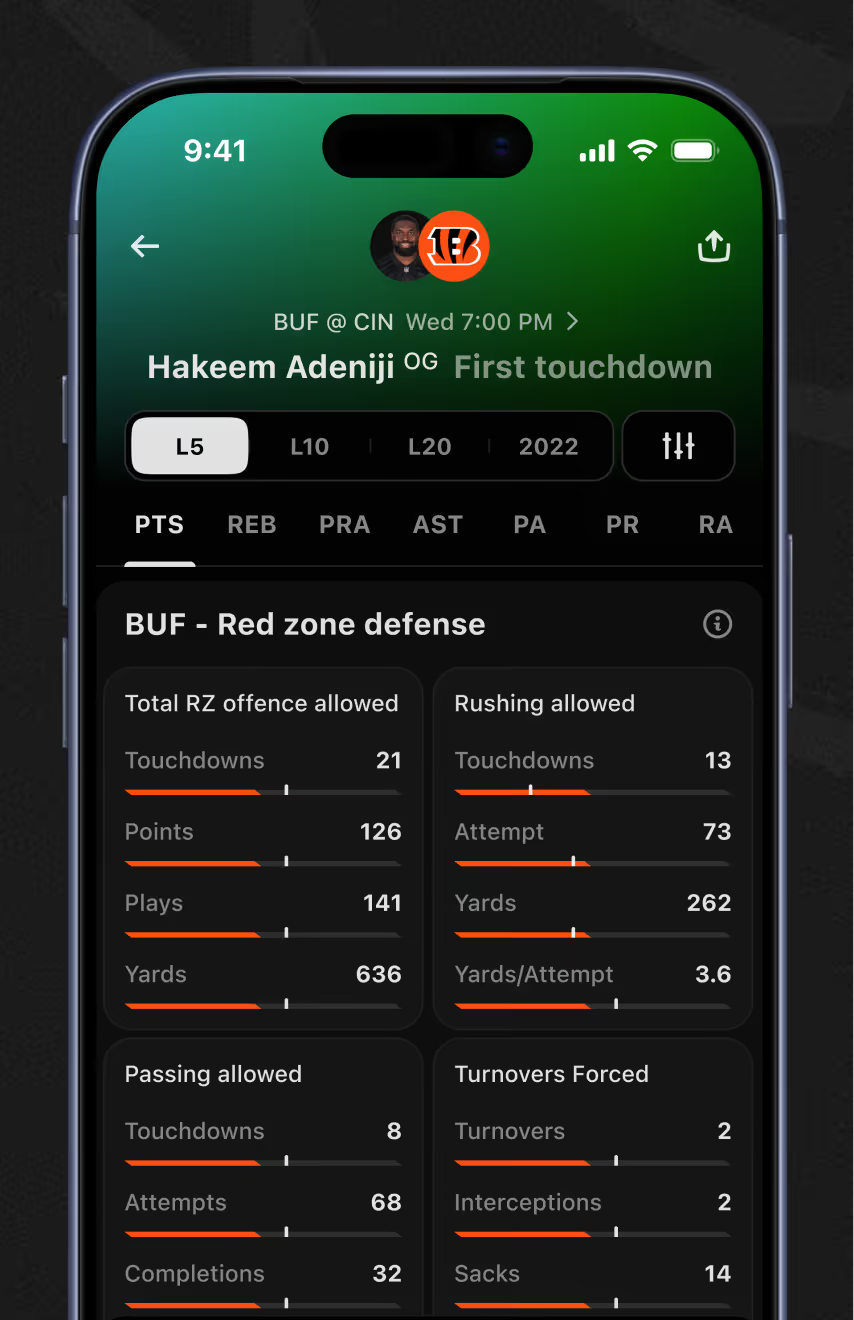
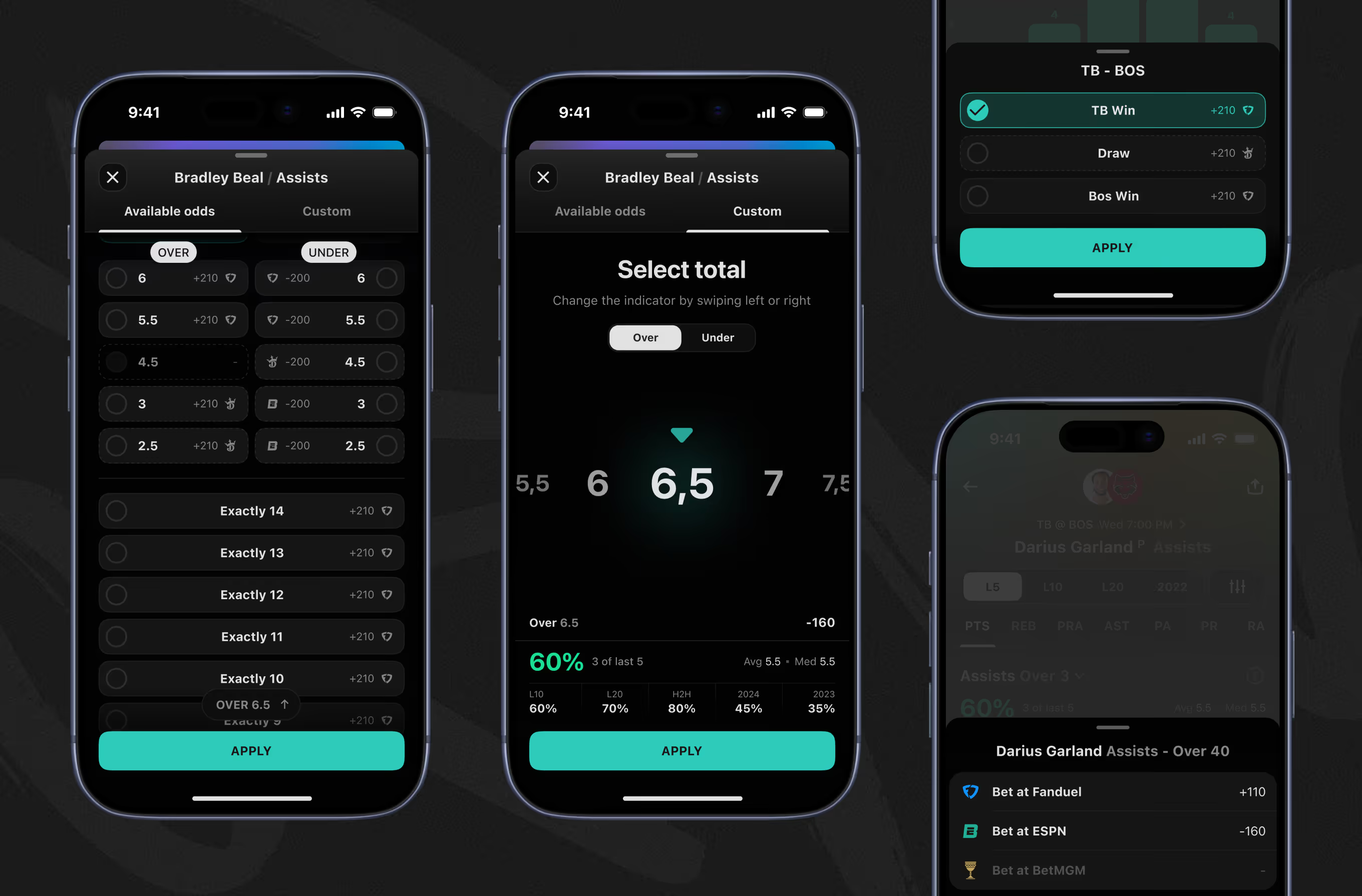
A custom-total slider lets bettors set any line by swiping instead of choosing from a fixed list. Available Odds and Moneyline tabs then compare per-sportsbook pricing for the same prop.
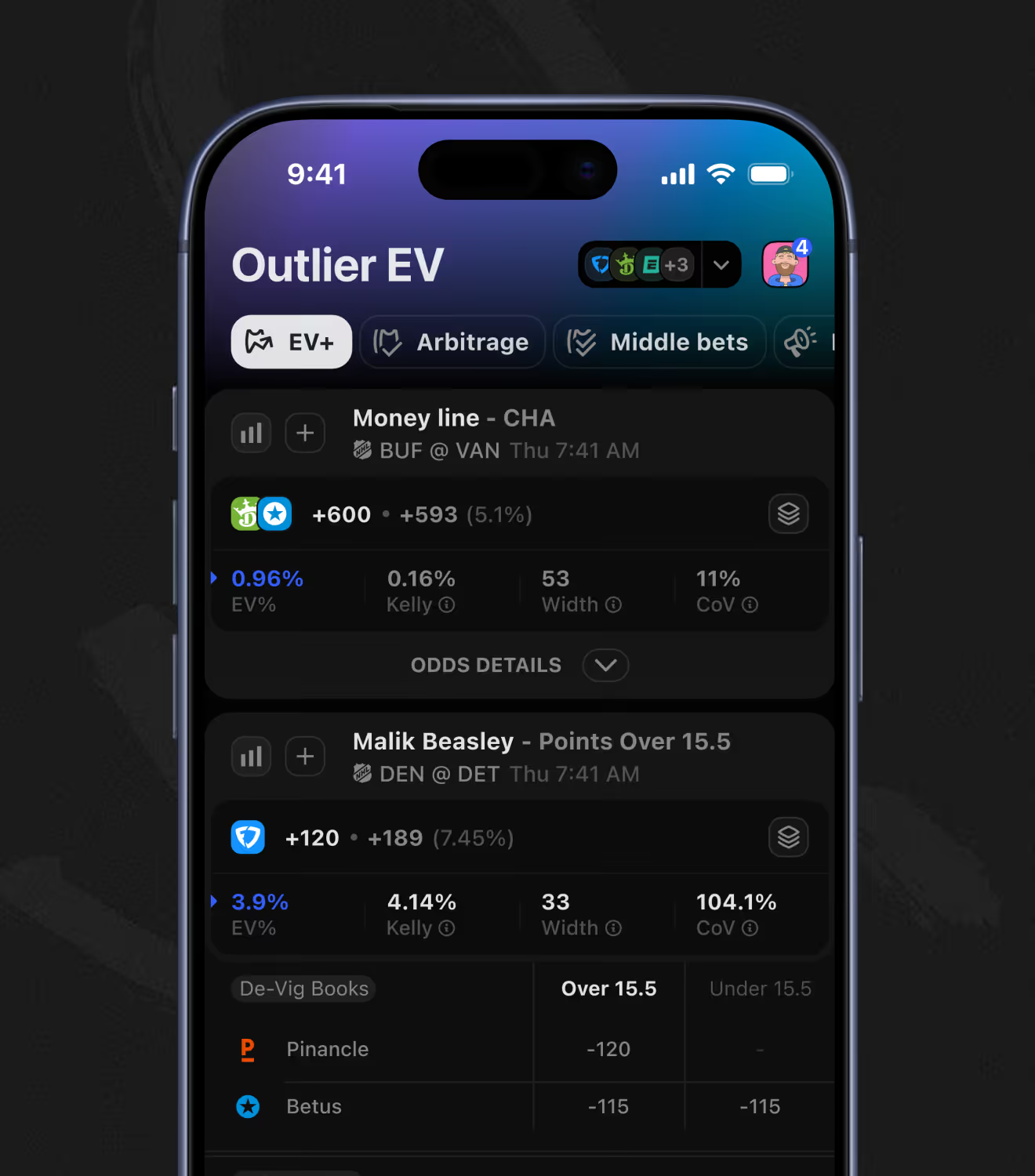
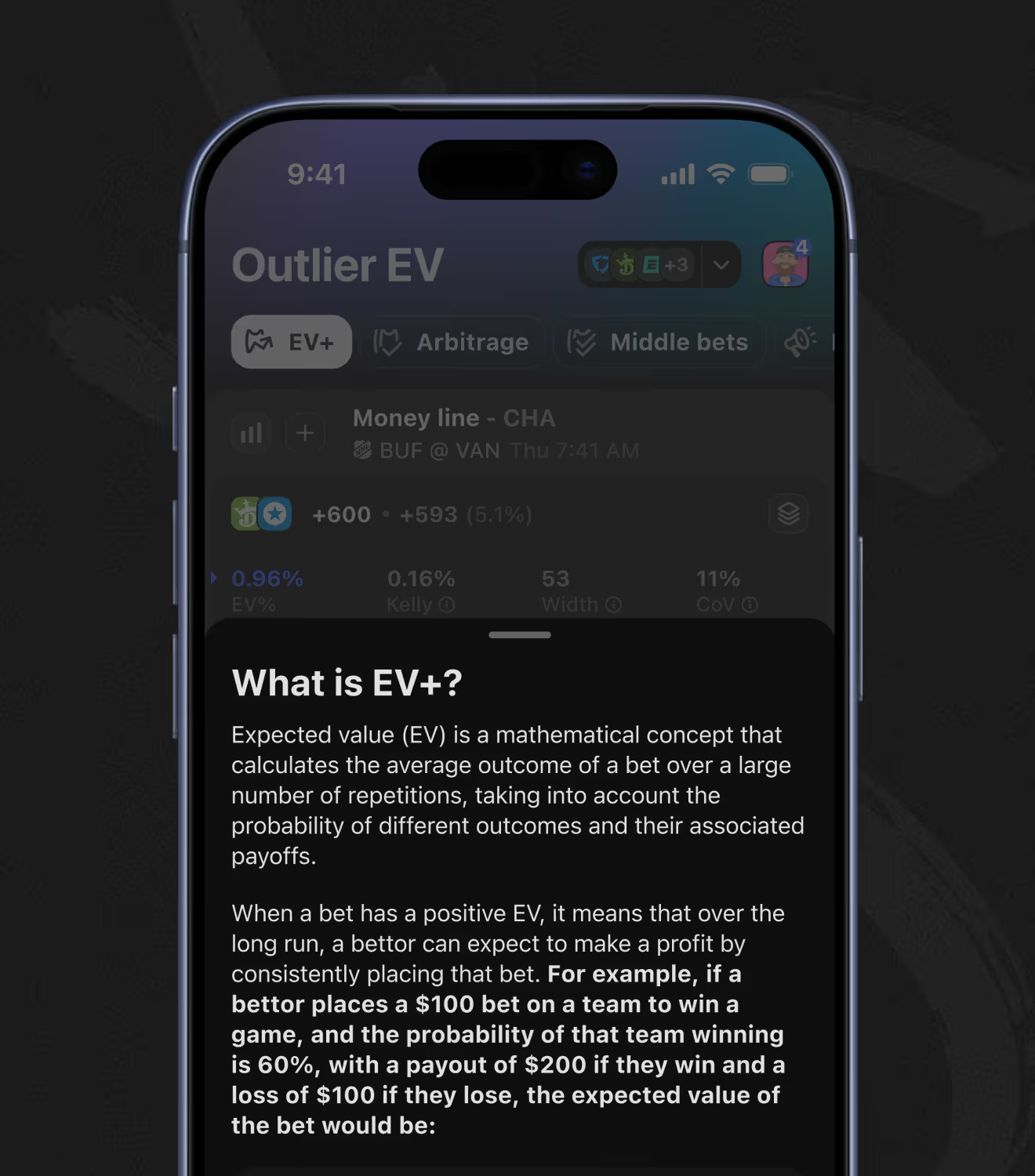
The Pro tab groups three tools – EV+, Arbitrage, and Middle Bets – built around finding mathematically favorable lines. A built-in explainer walks through the Expected Value formula with a worked example, so newer bettors can follow the math
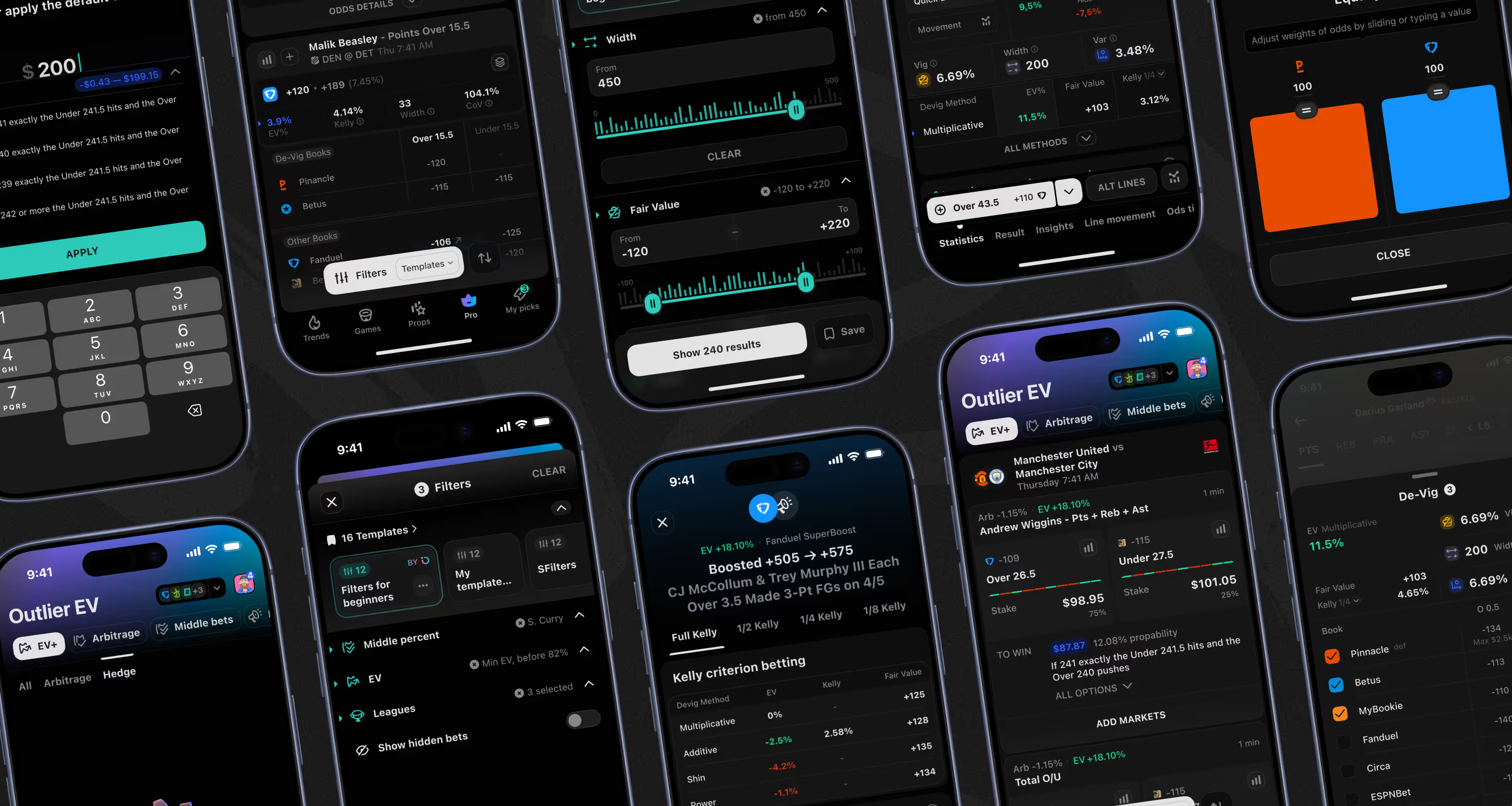
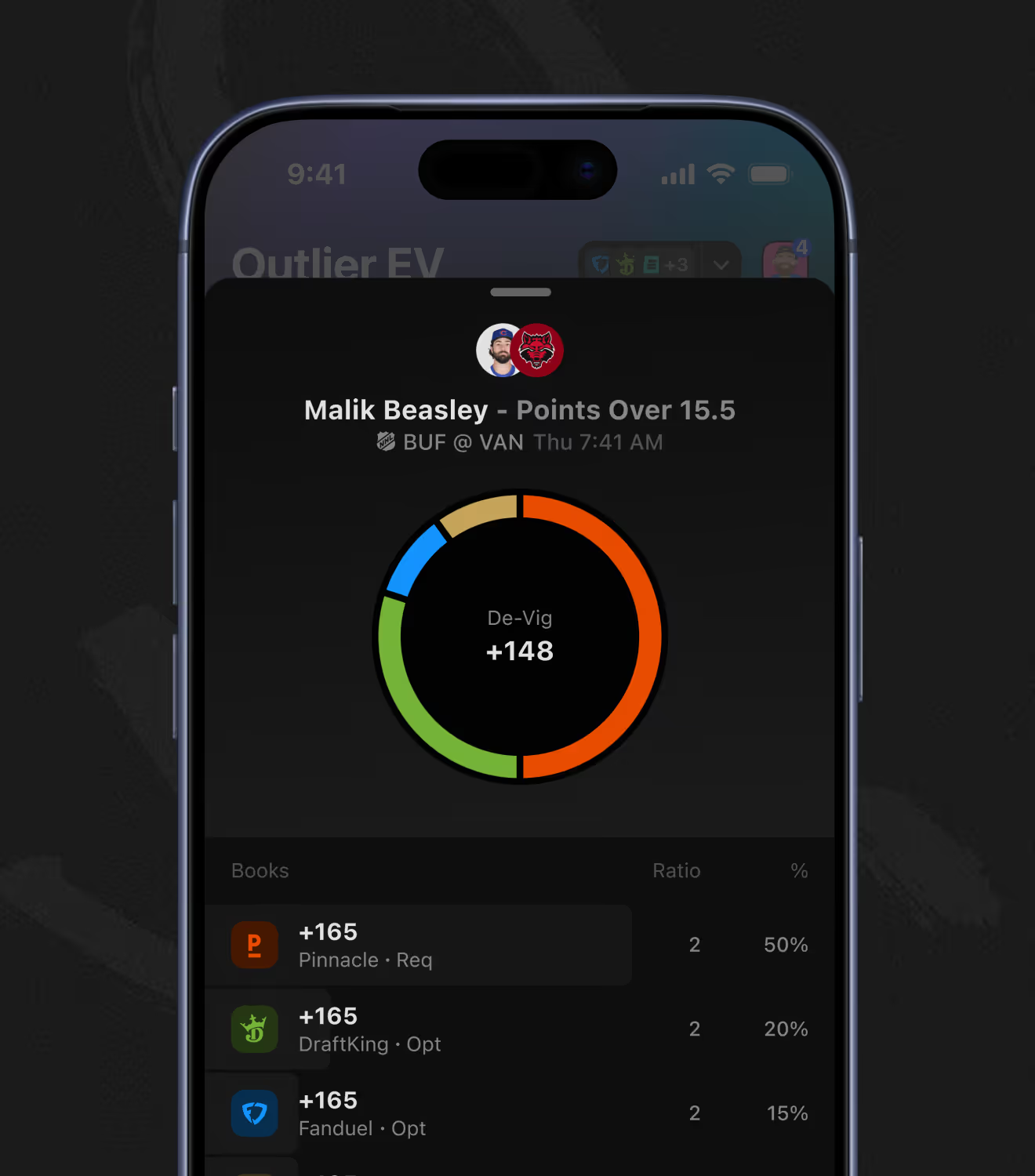
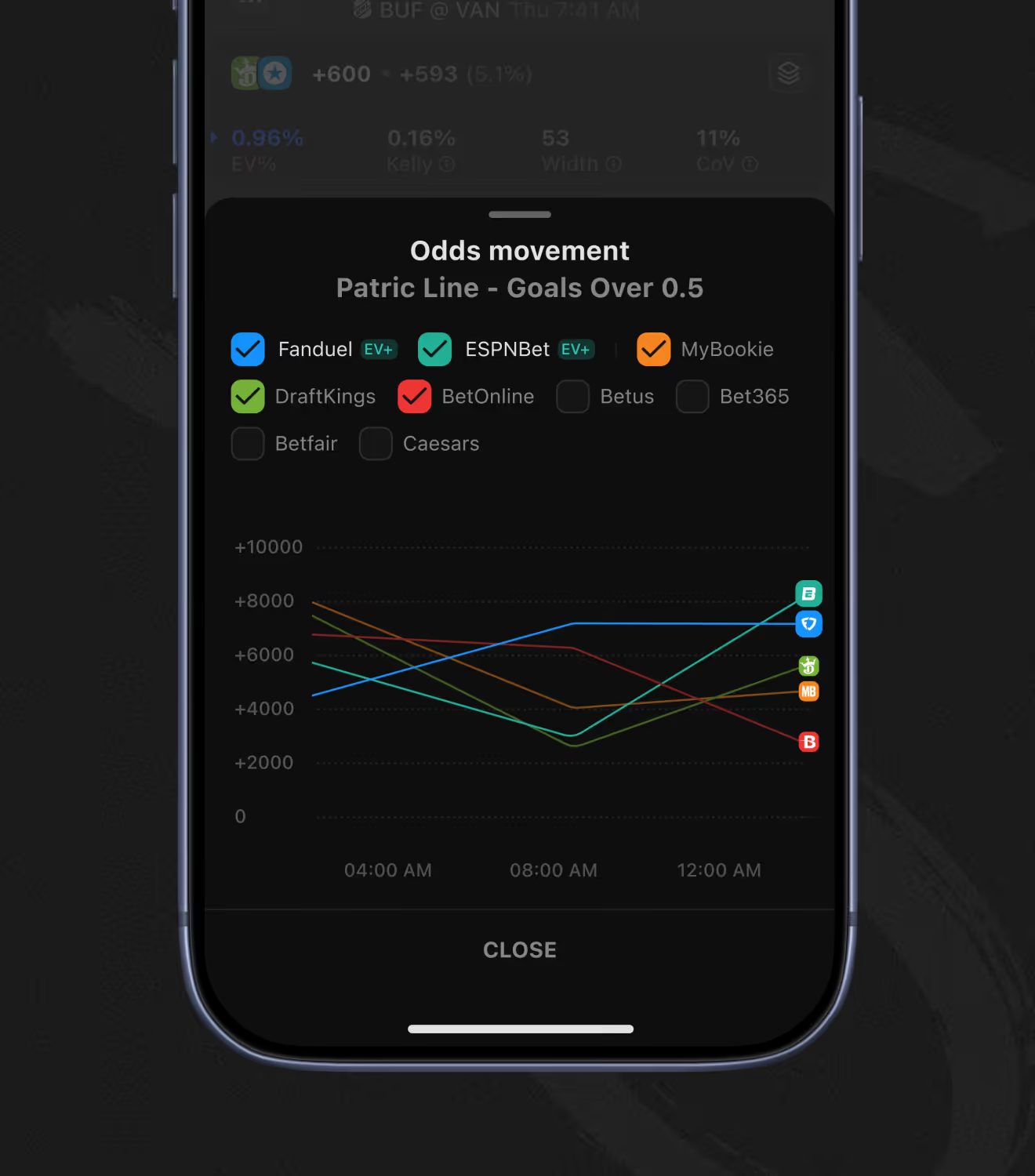
A de-vig donut shows how required and optional sportsbooks are weighted into one fair-value number. An odds-movement chart then tracks the same prop across up to nine books over time to flag which lines moved.
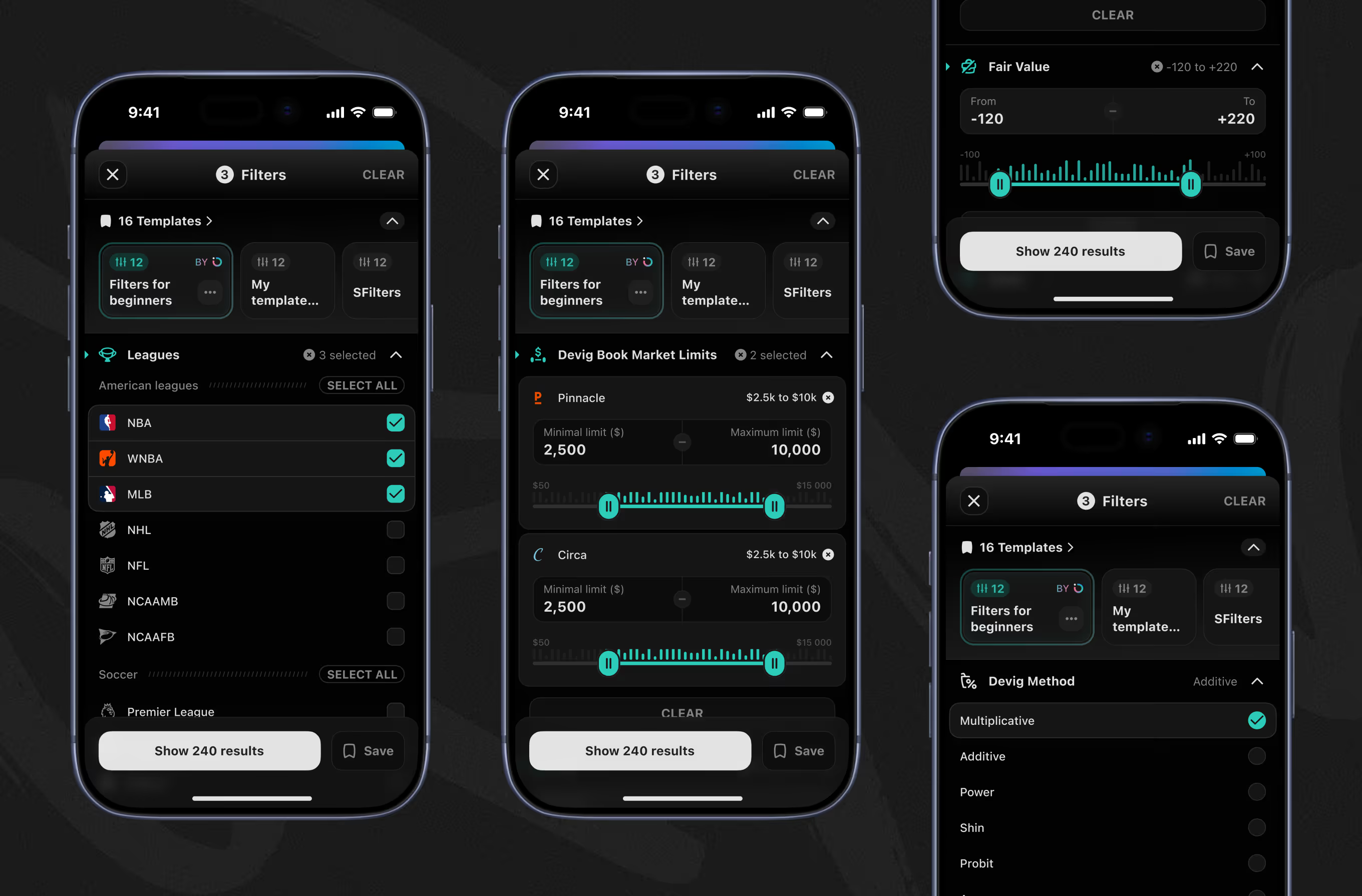
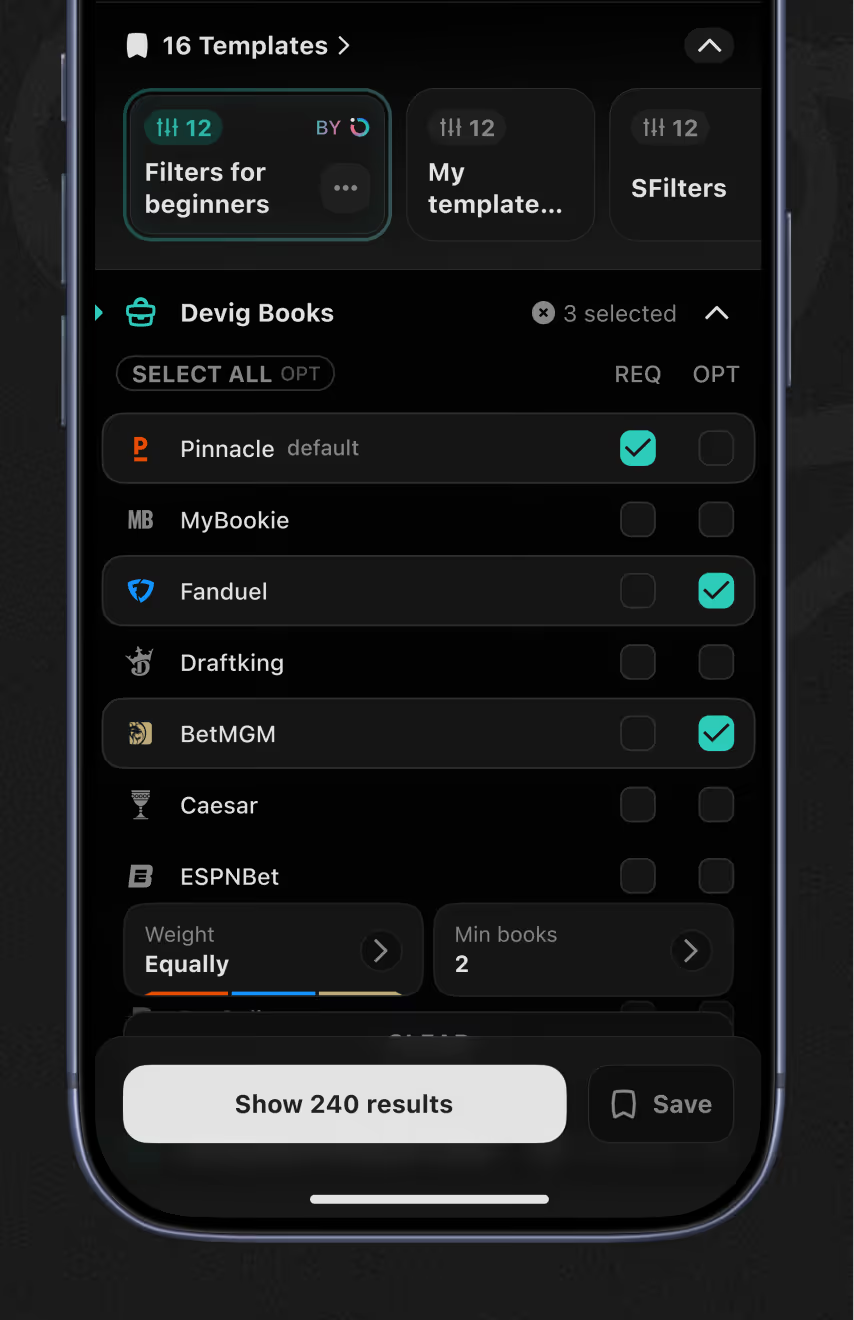
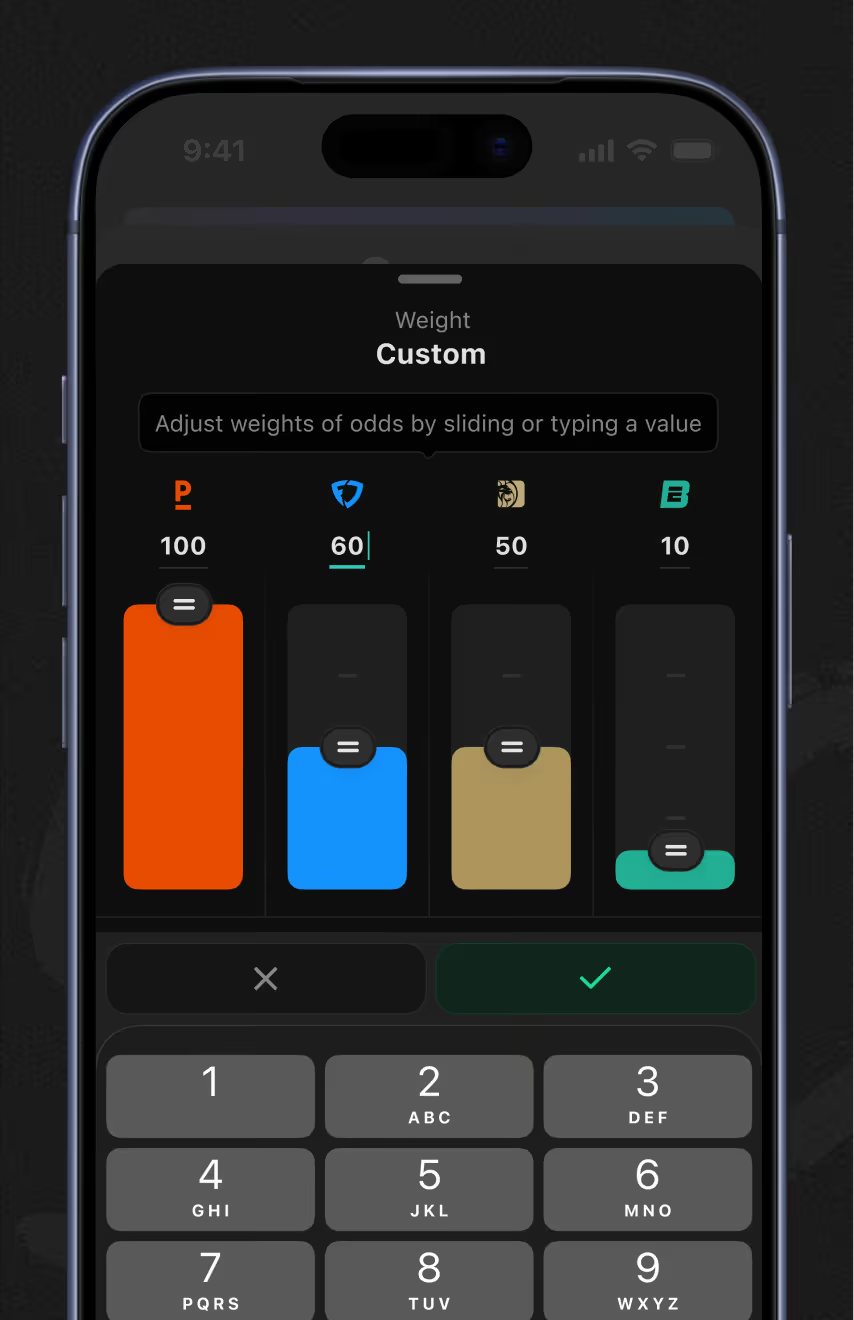
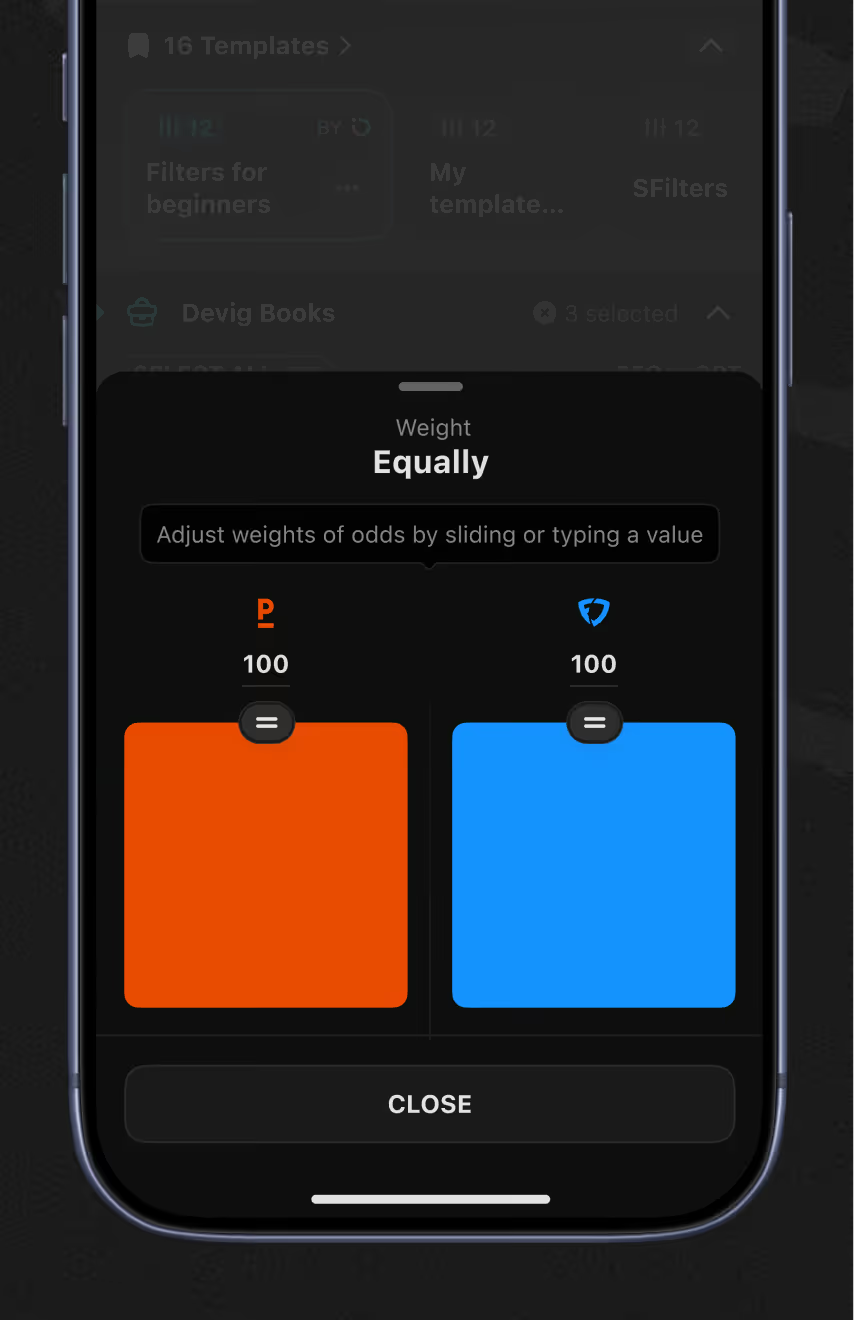
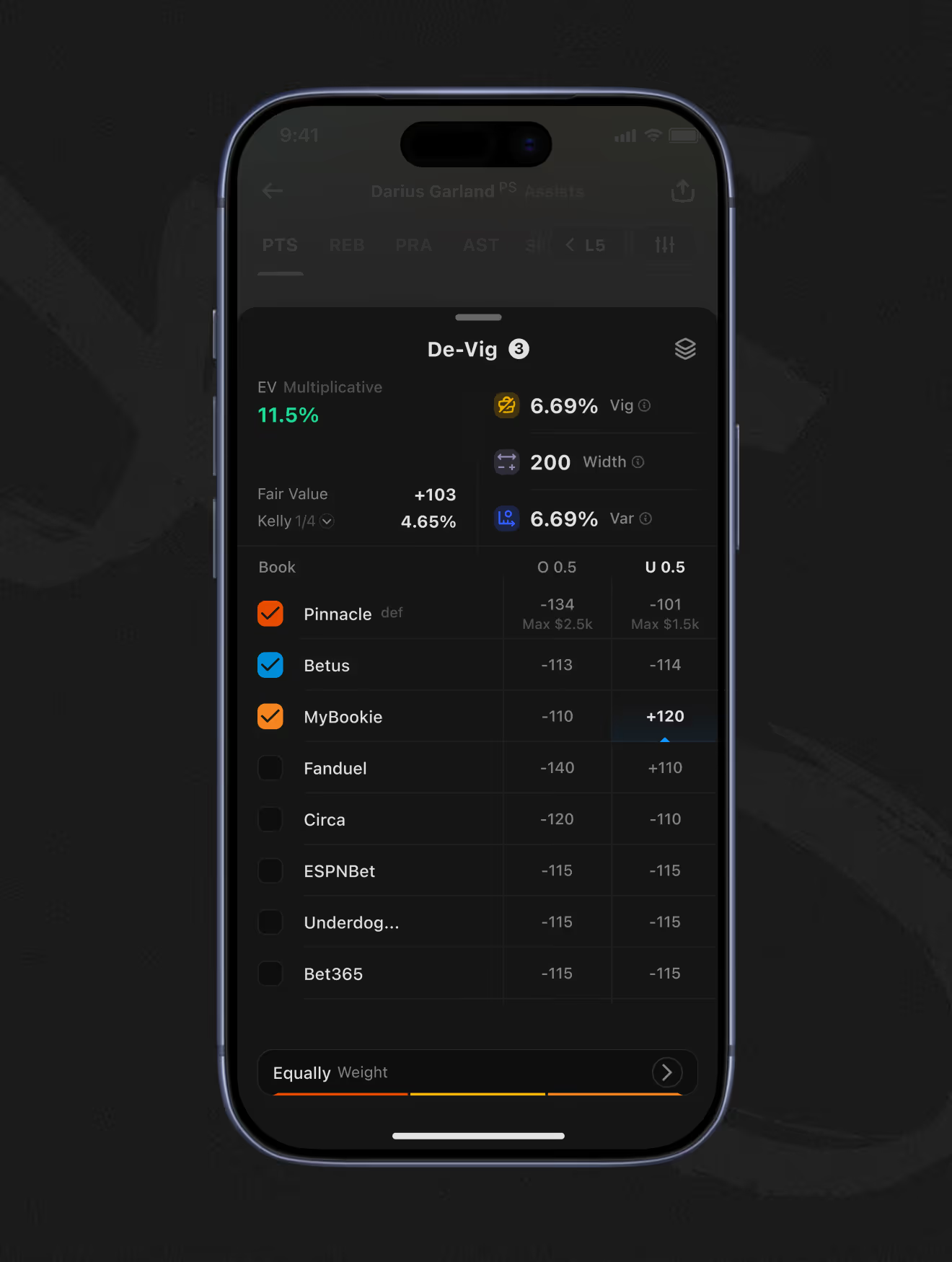
EV filters choose which sportsbooks feed the fair-value calculation and which de-vig method – Multiplicative, Additive, Power, Shin, or Probit – applies. A weighting screen then lets each book count equally or by a custom value, alongside league filters.
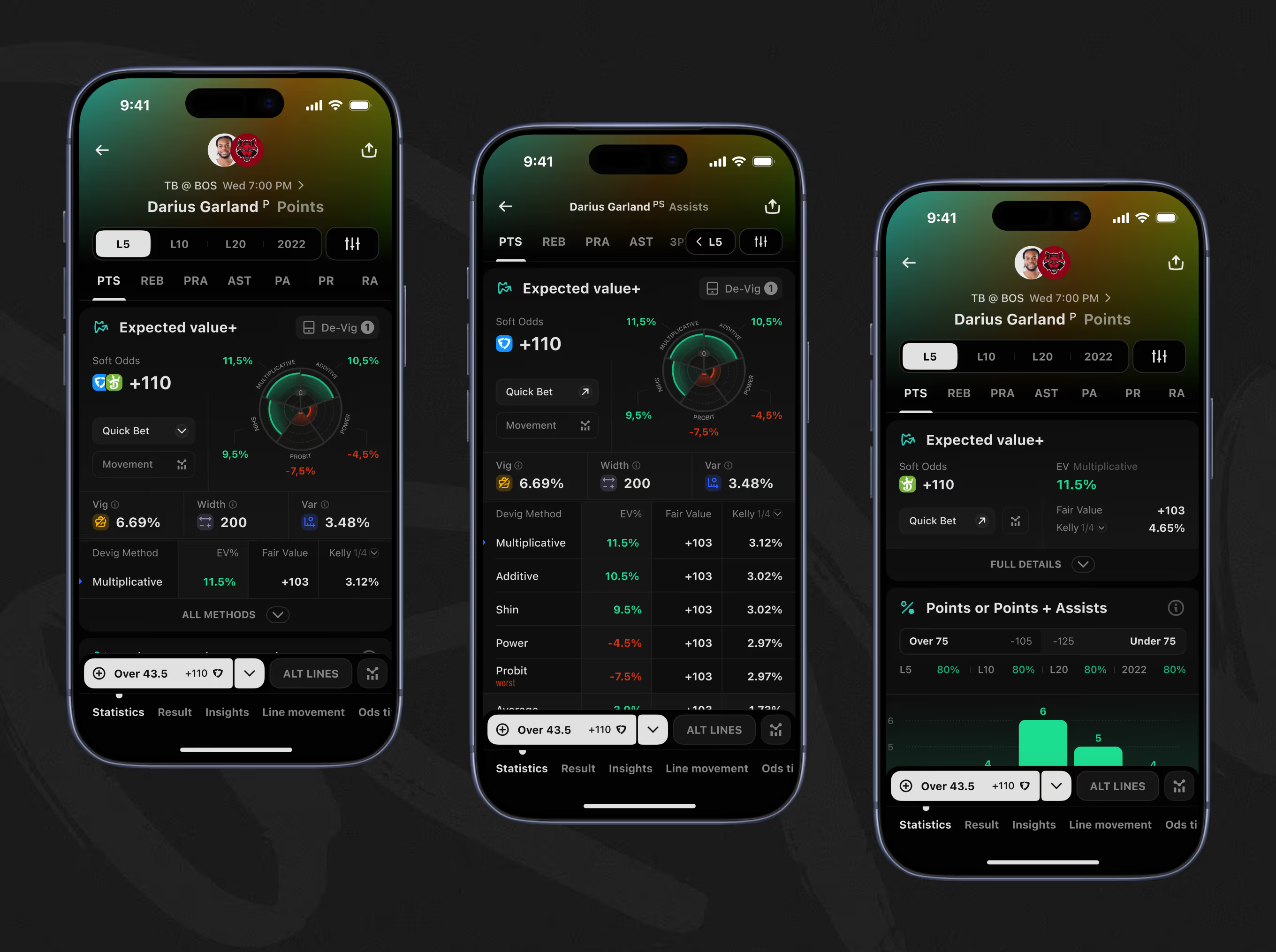
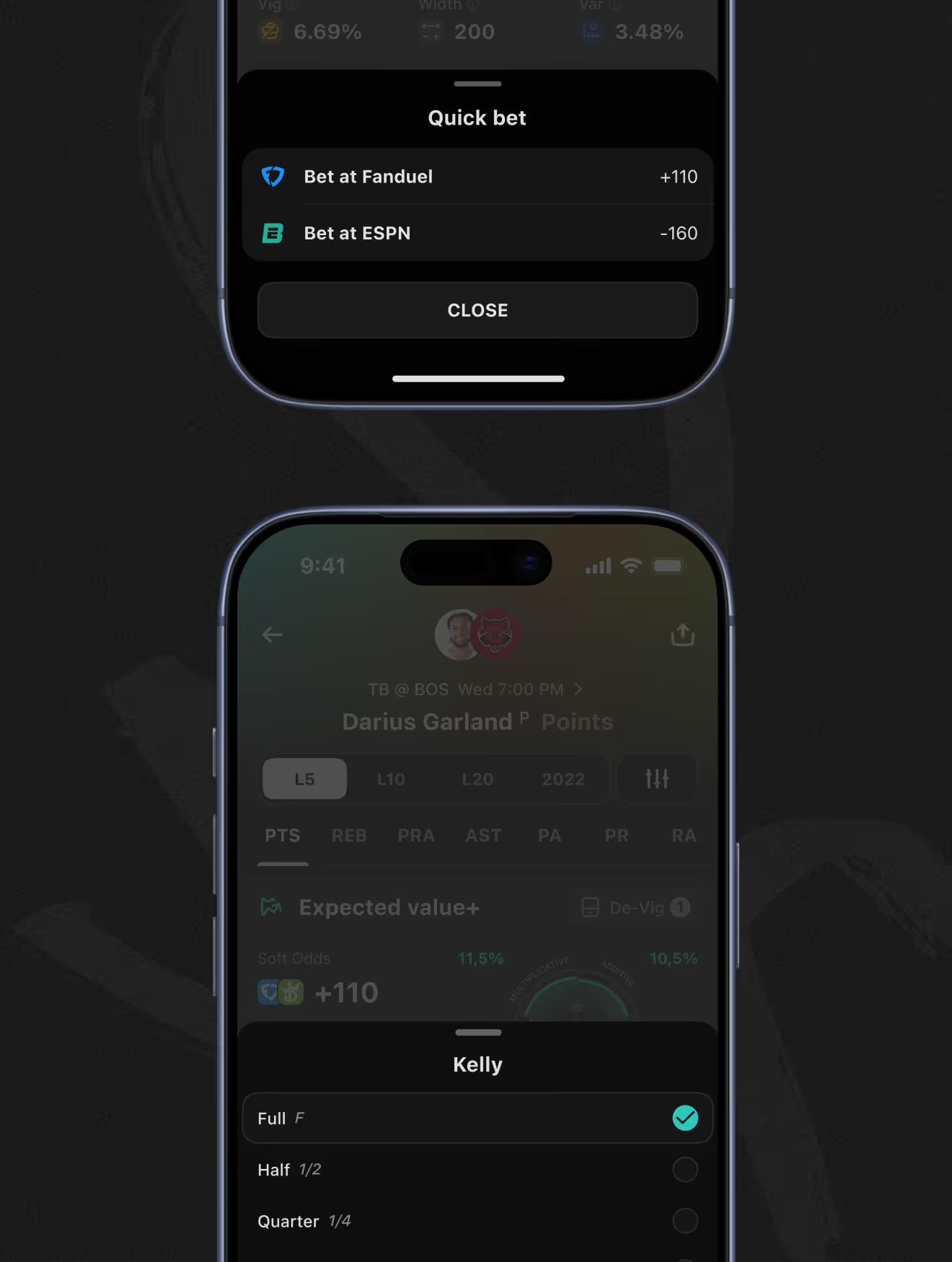
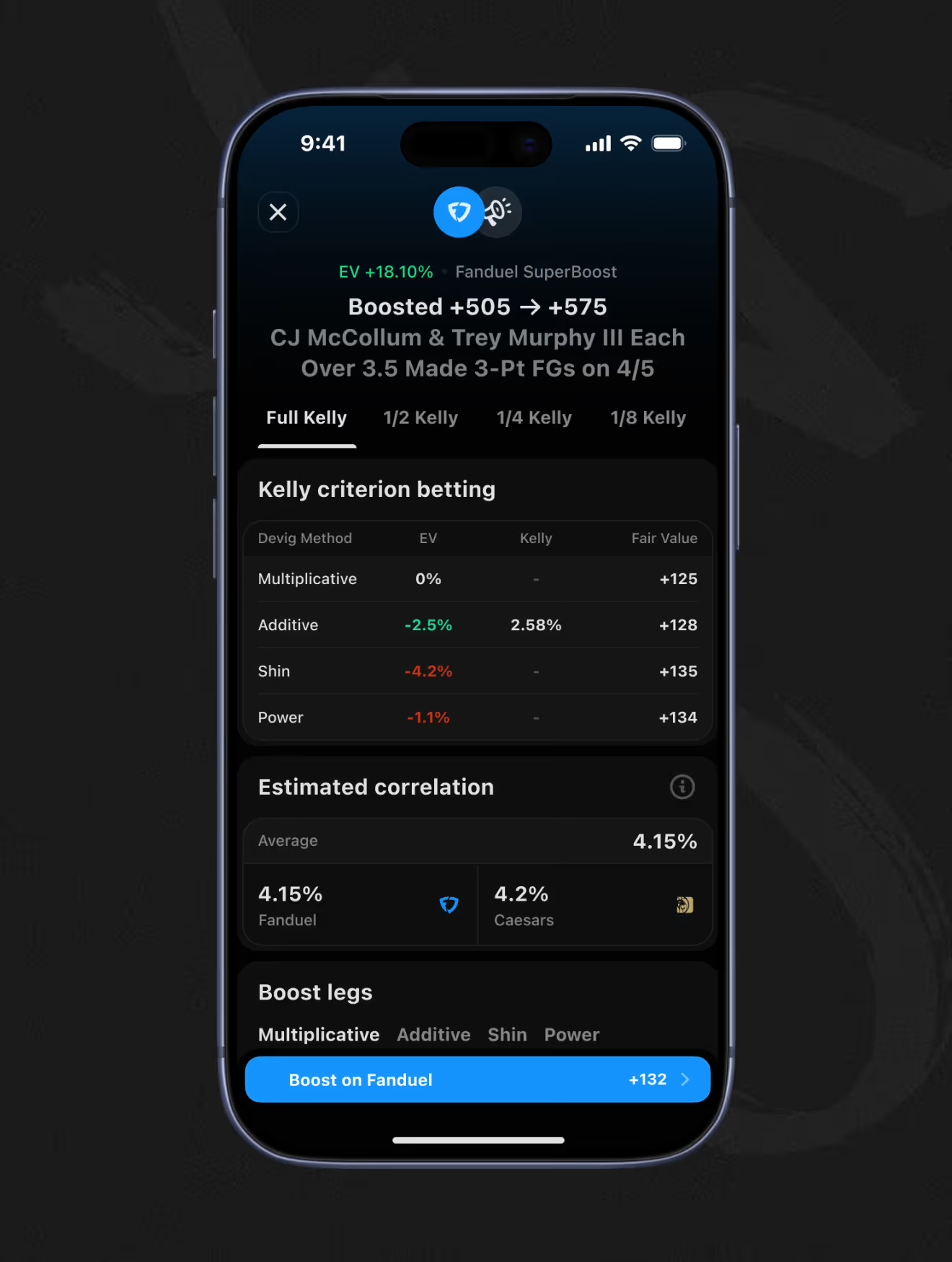
Each market-details view lists EV across five de-vig methods – Multiplicative to Probit – with fair value and Kelly percent for each. A quick-bet action and Full/Half/Quarter Kelly sizing sit next to a full odds table across eight-plus sportsbooks.
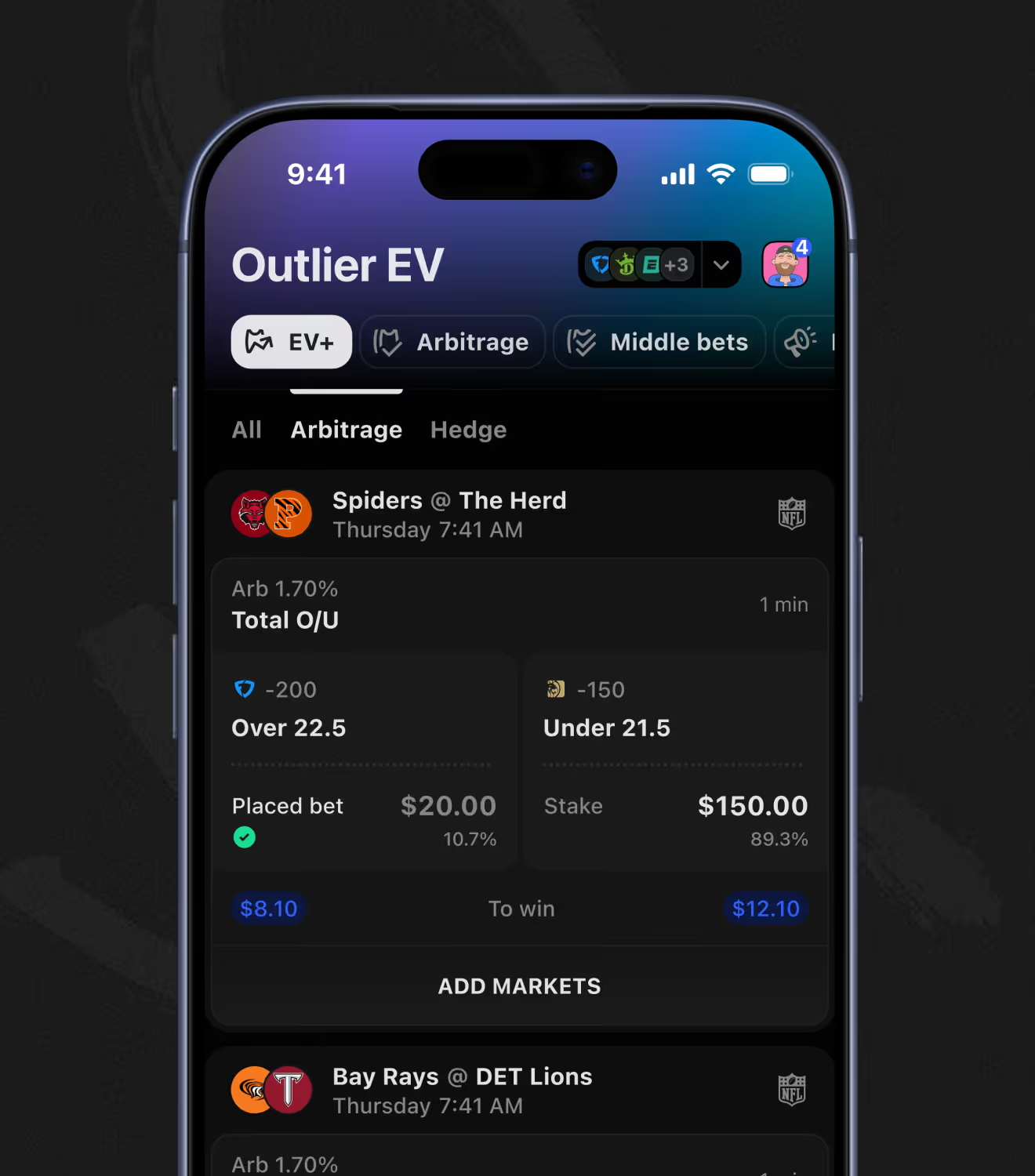
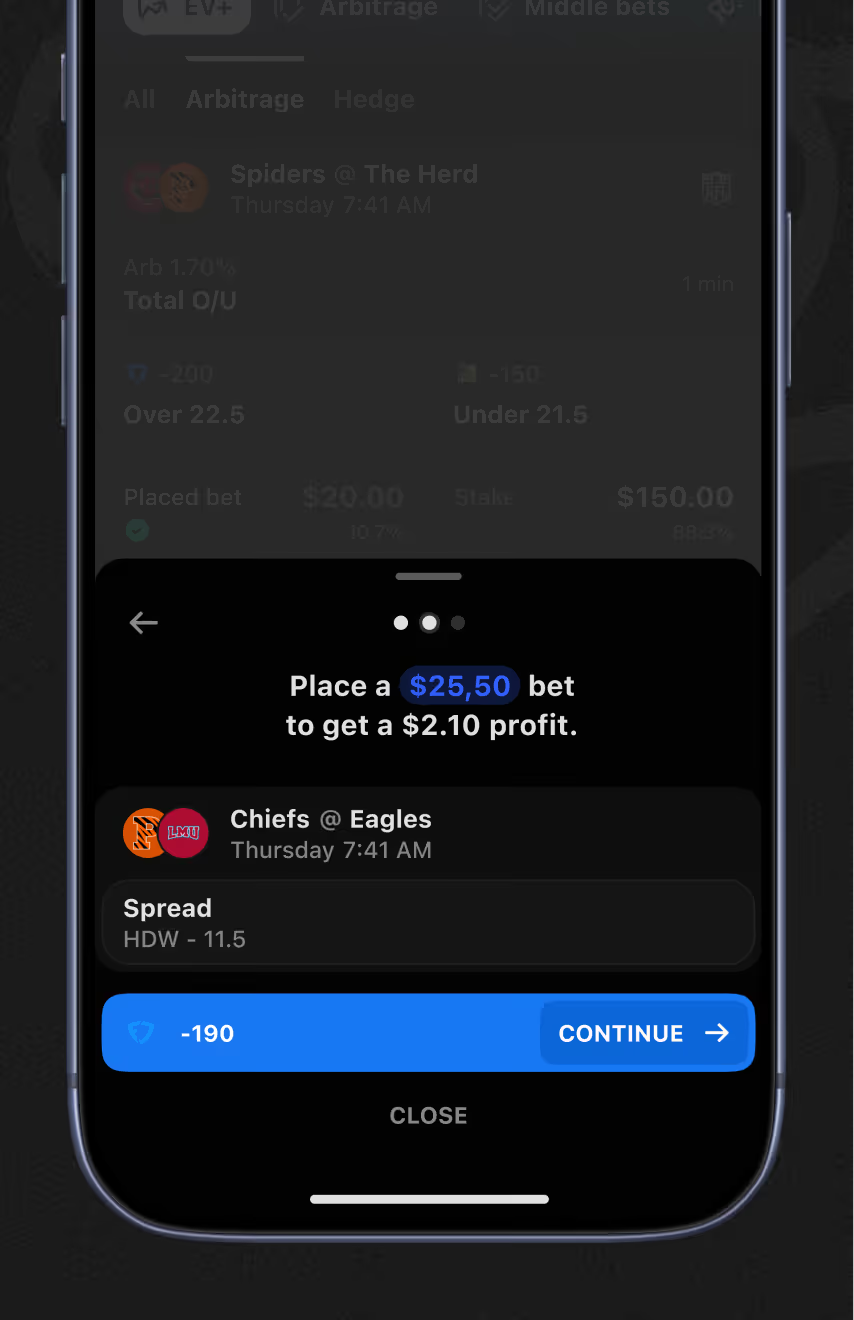
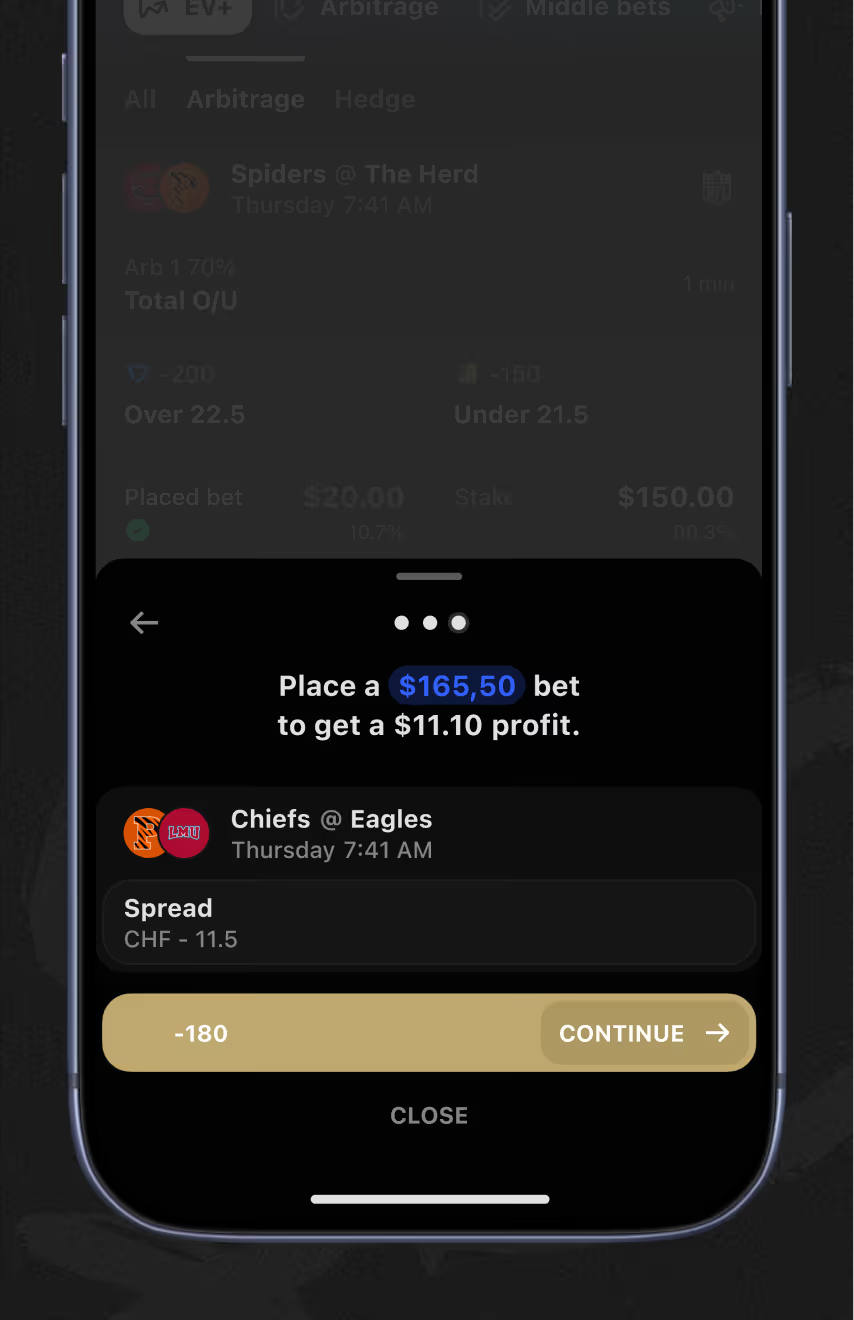
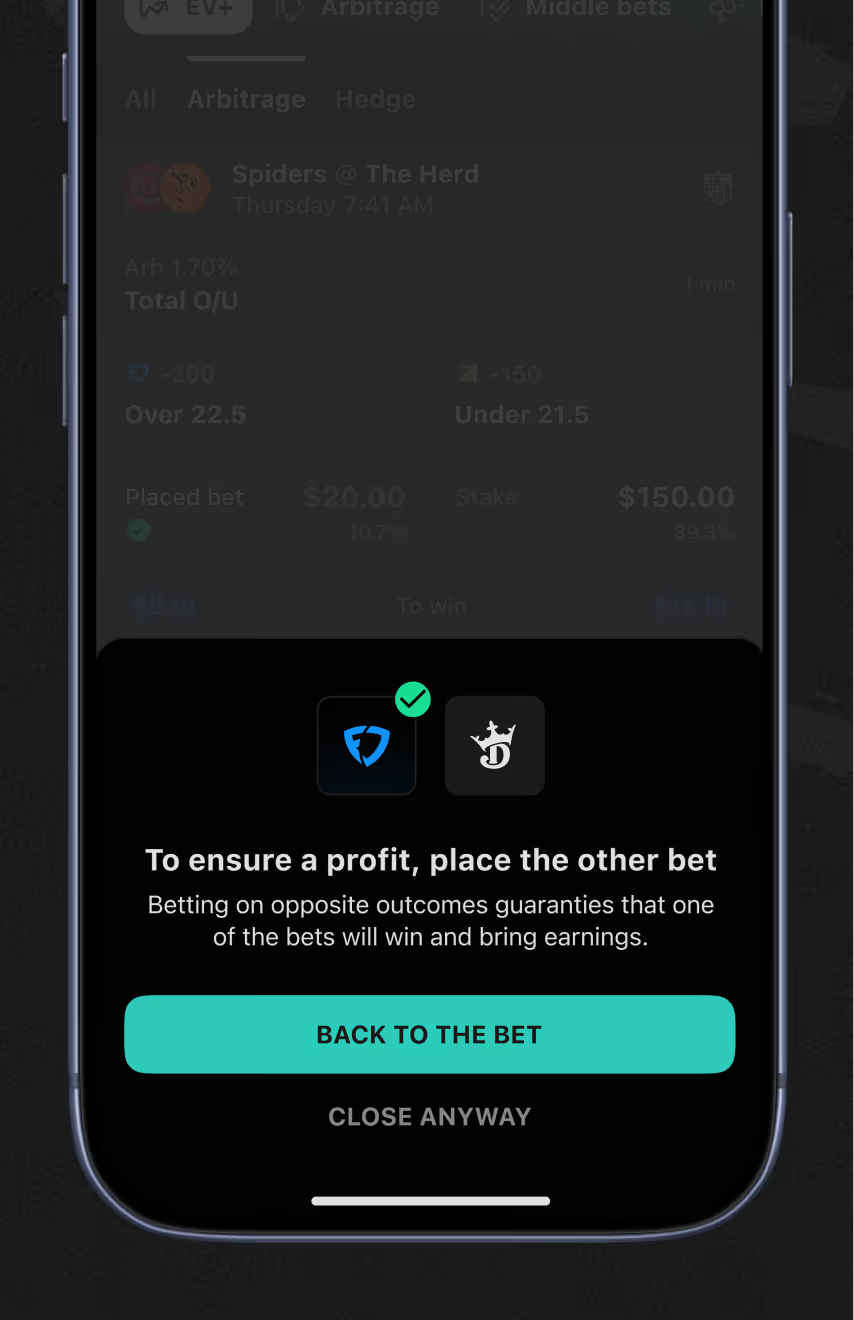
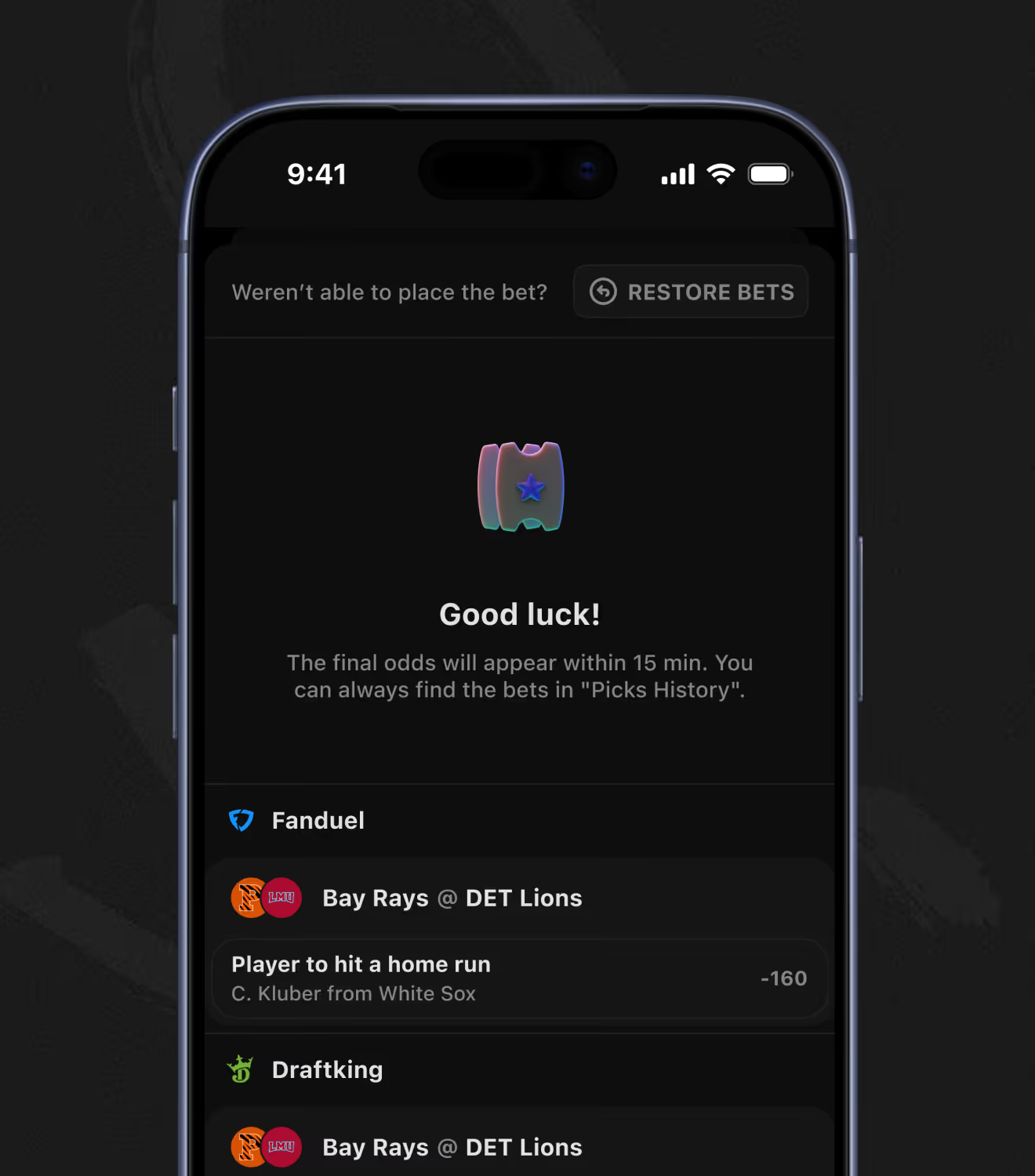
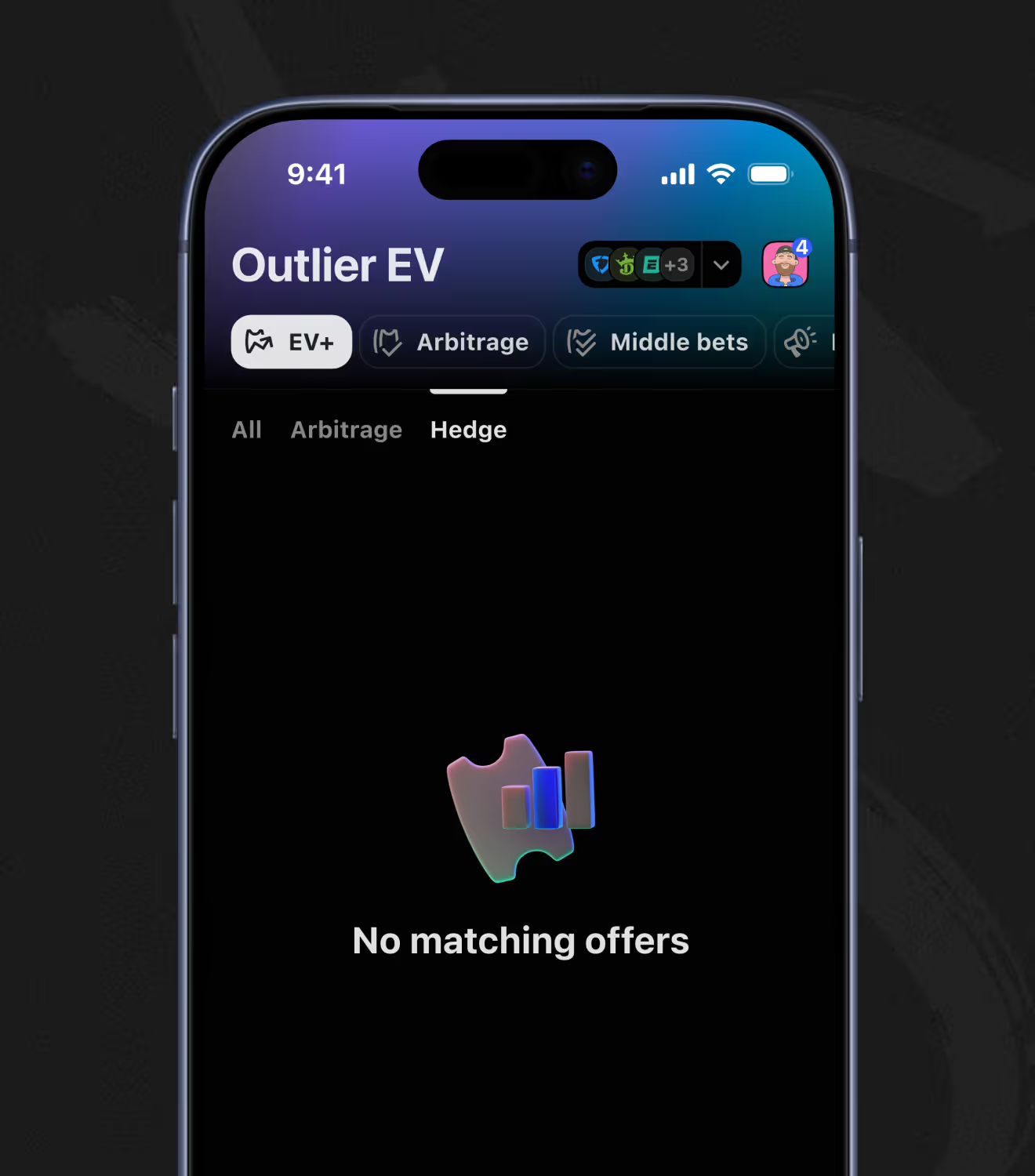
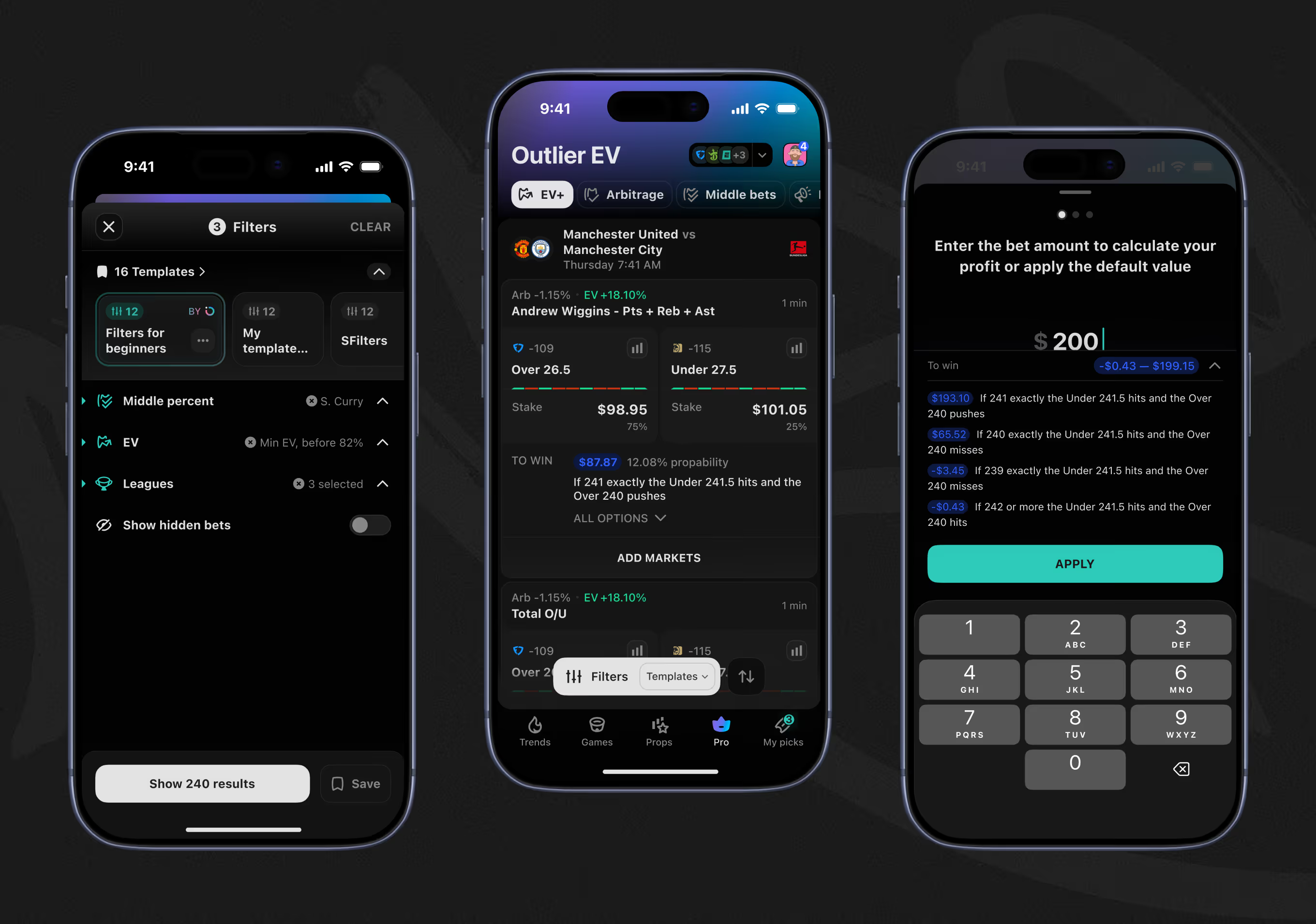
The Arbitrage tab splits one stake across two sportsbooks at opposing odds, guaranteeing a profit either way. A guided flow confirms each leg in sequence, warns if only one side lands, and offers a restore option when a bet doesn't go through.
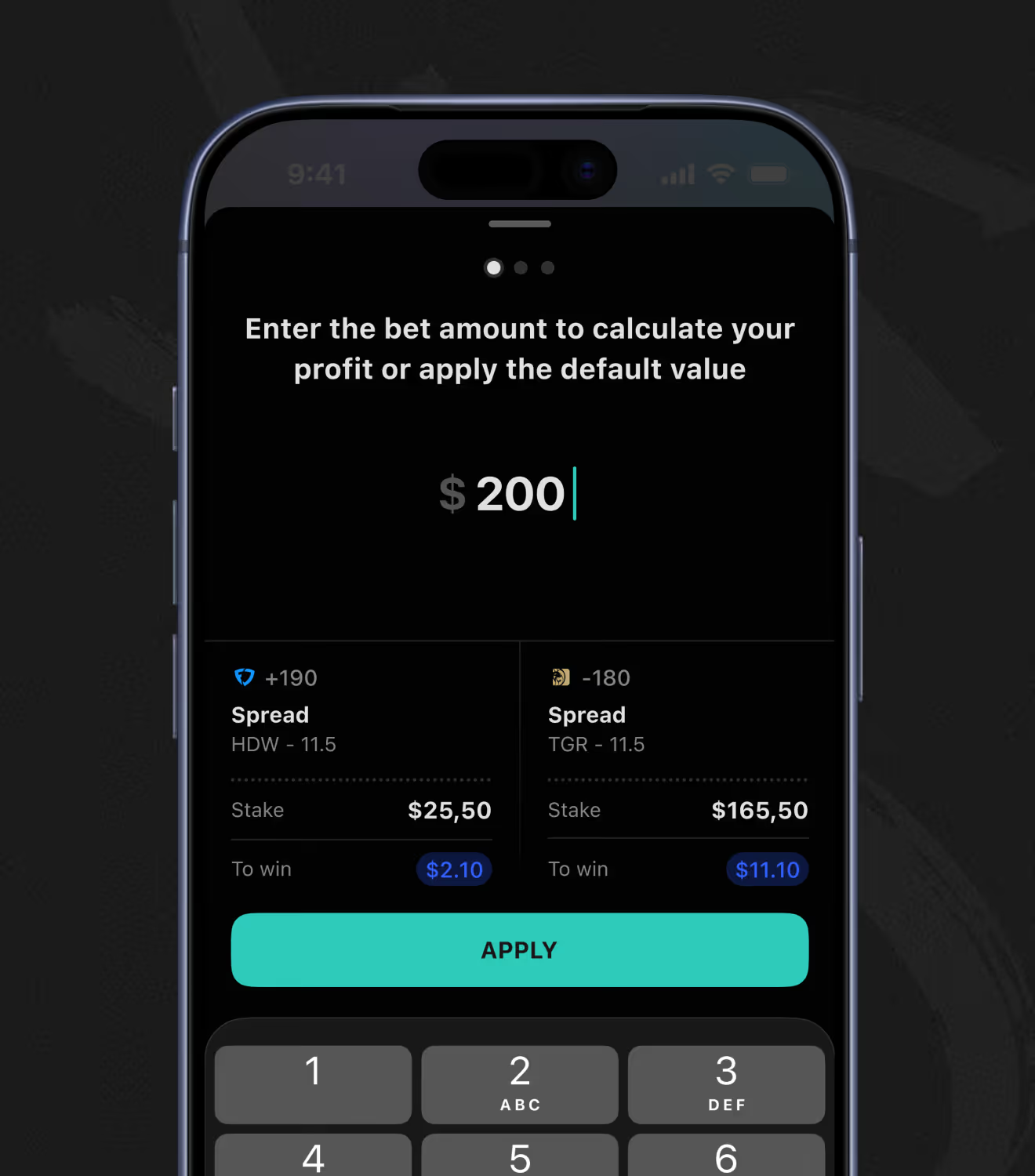
Middle bets place two overlapping lines – so a stat landing in between pays both sides. A payout breakdown lists probability and dollar result for every possible outcome before the bettor confirms the amount.
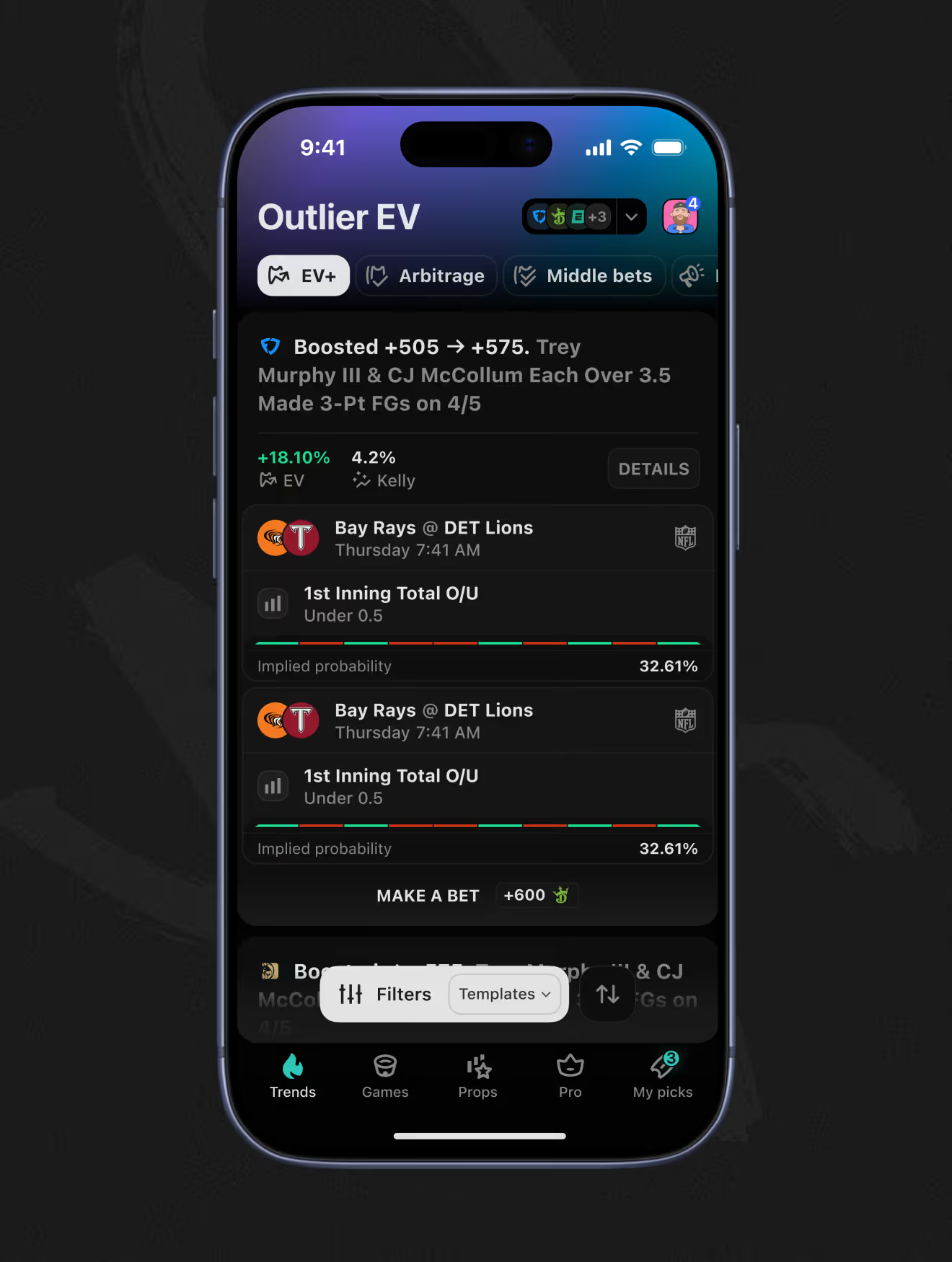
Promo boosts on a parlay, get the same EV and Kelly math as any other bet. An estimated-correlation figure flags when boosted legs move together, since correlated parlays don't pay like independent bets.
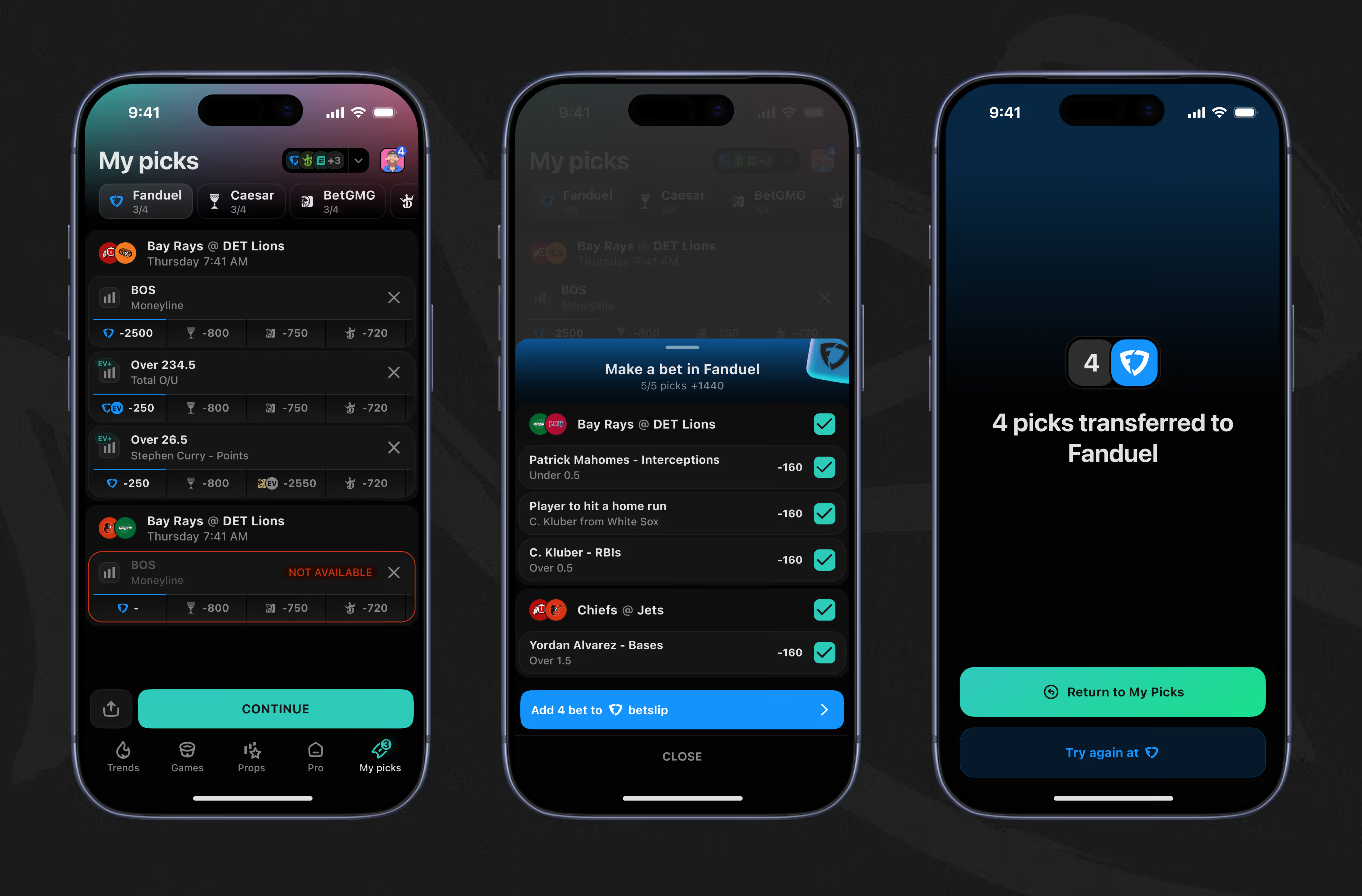
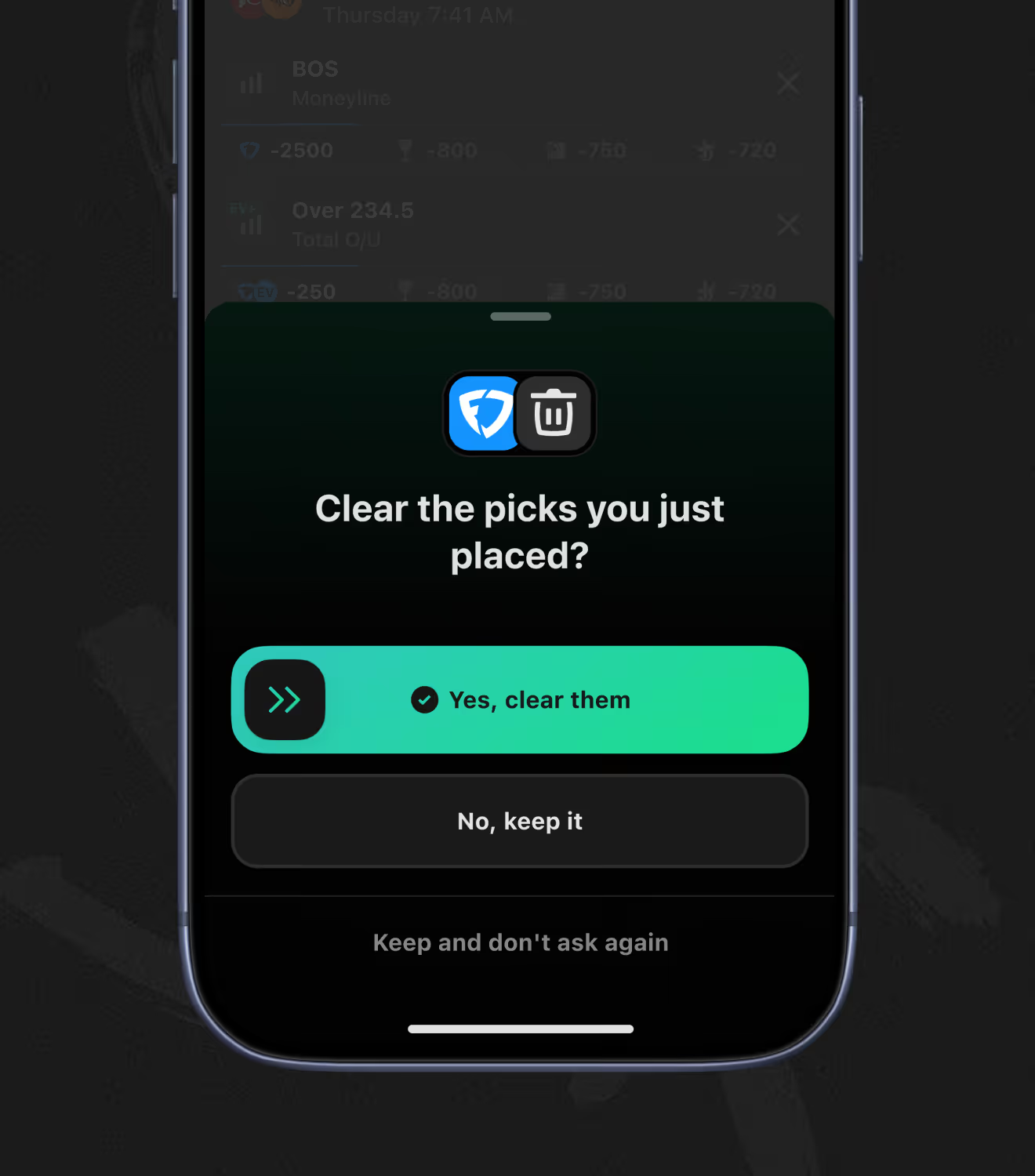
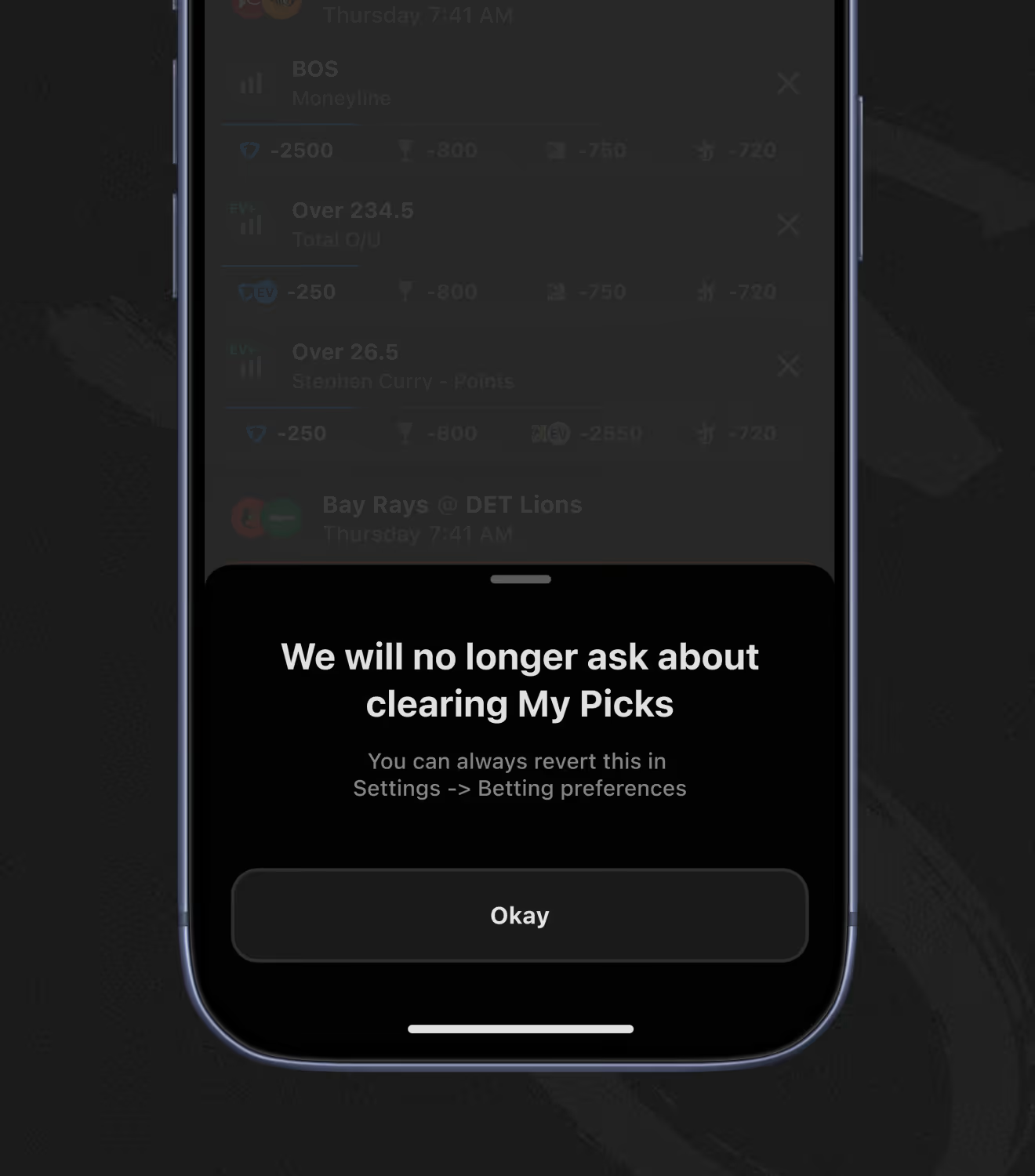
My Picks collects bets across sportsbooks – and flags any pick that's no longer available before checkout. A one-tap transfer pushes picks into the sportsbook's own betslip, with confirmation and clear-picks prompts along the way.
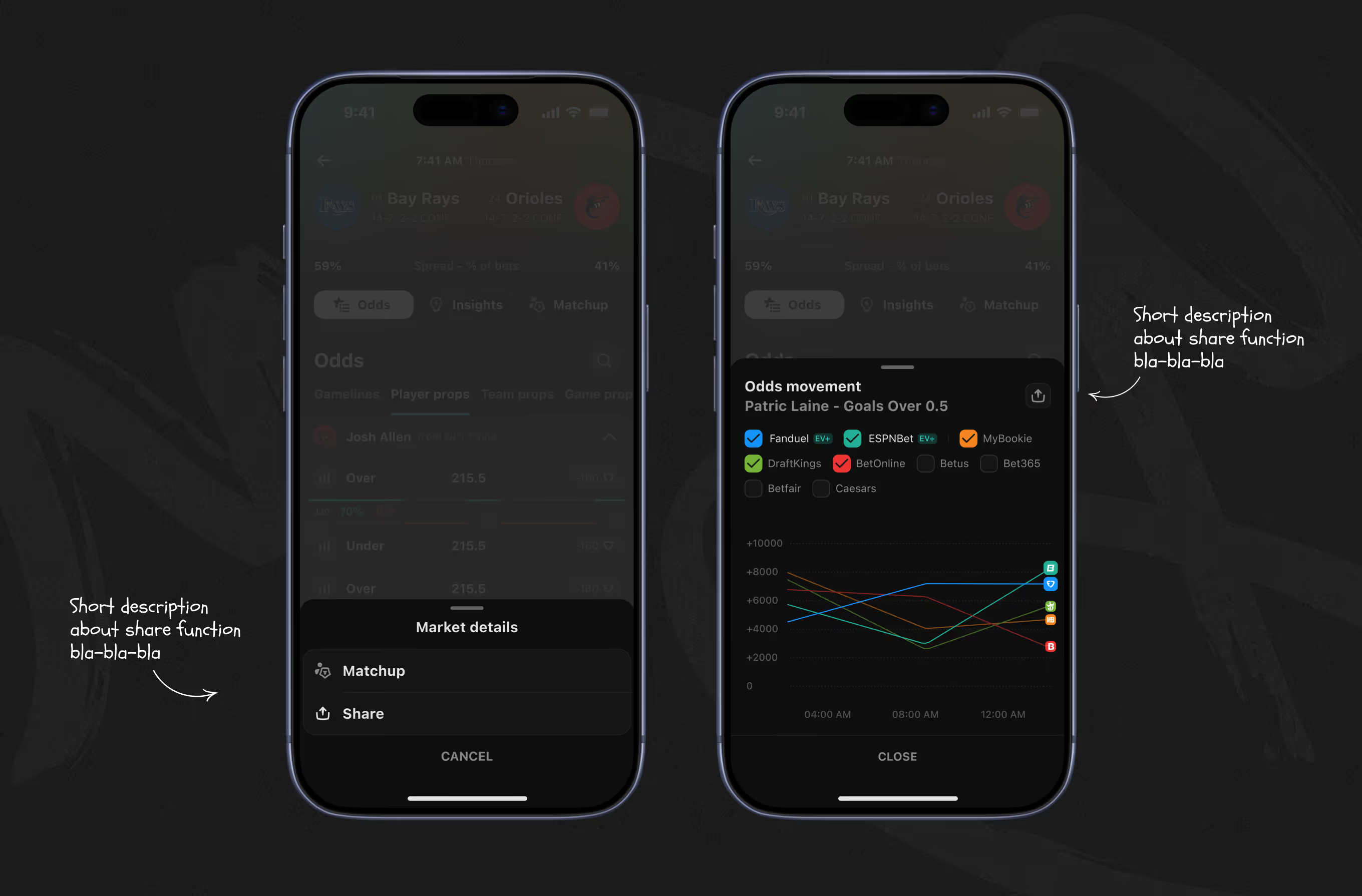
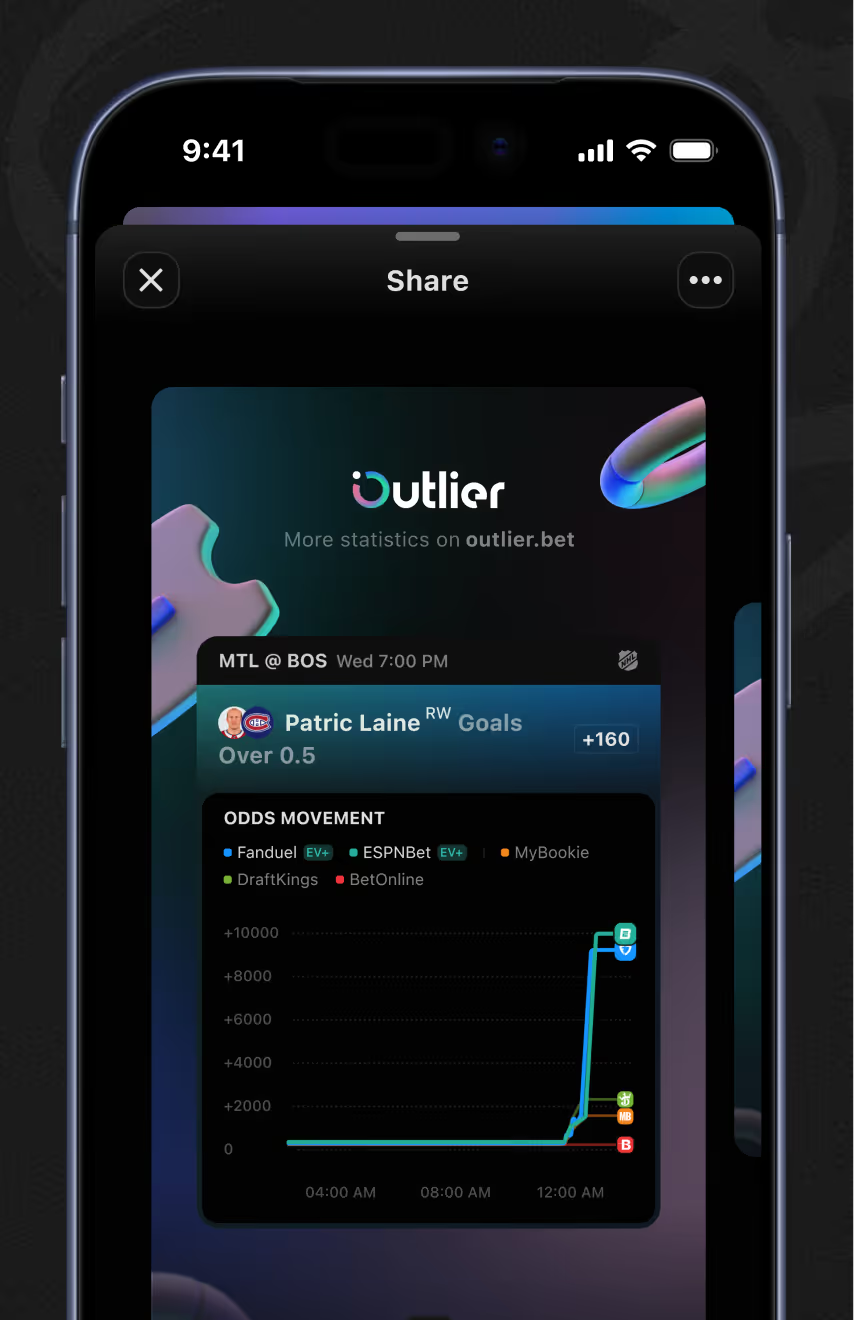
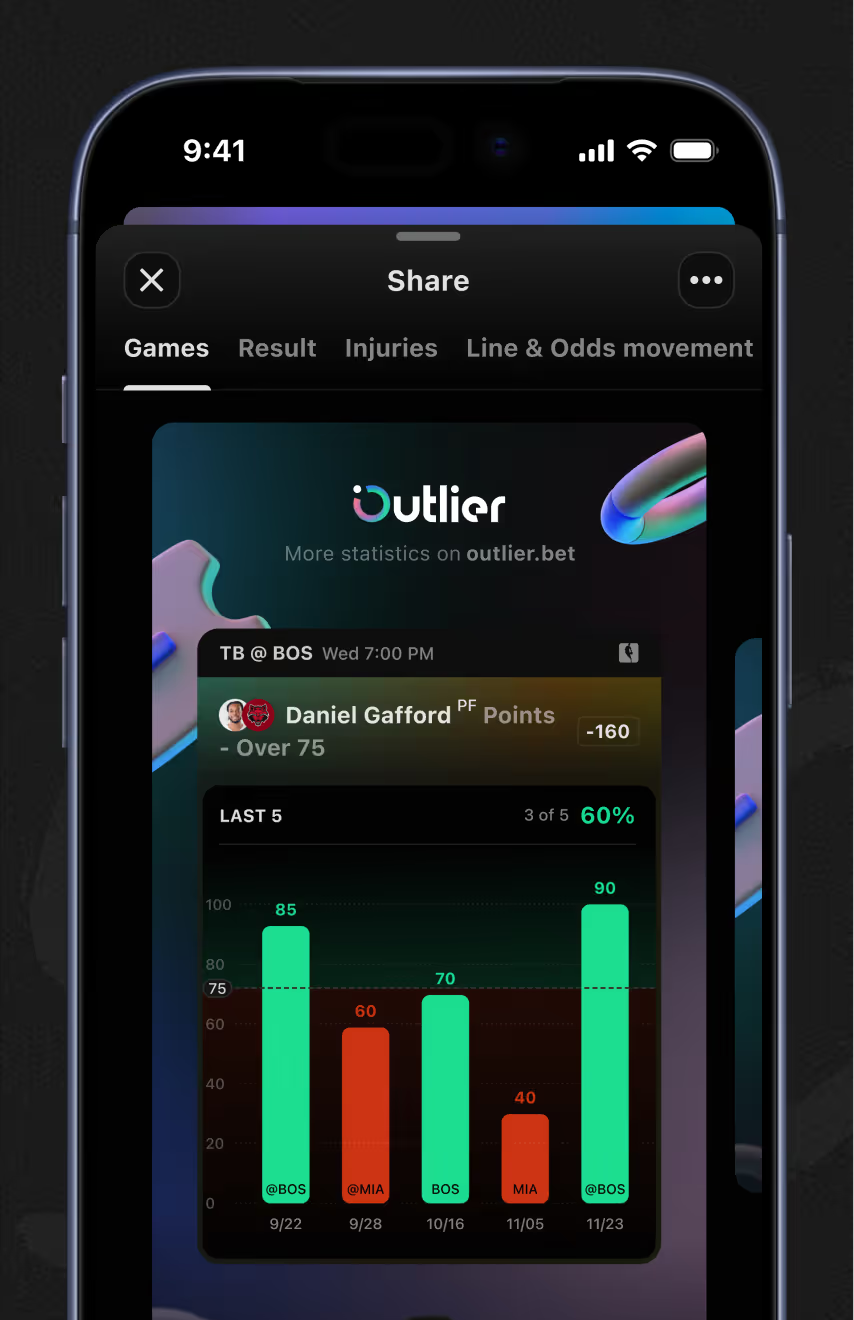
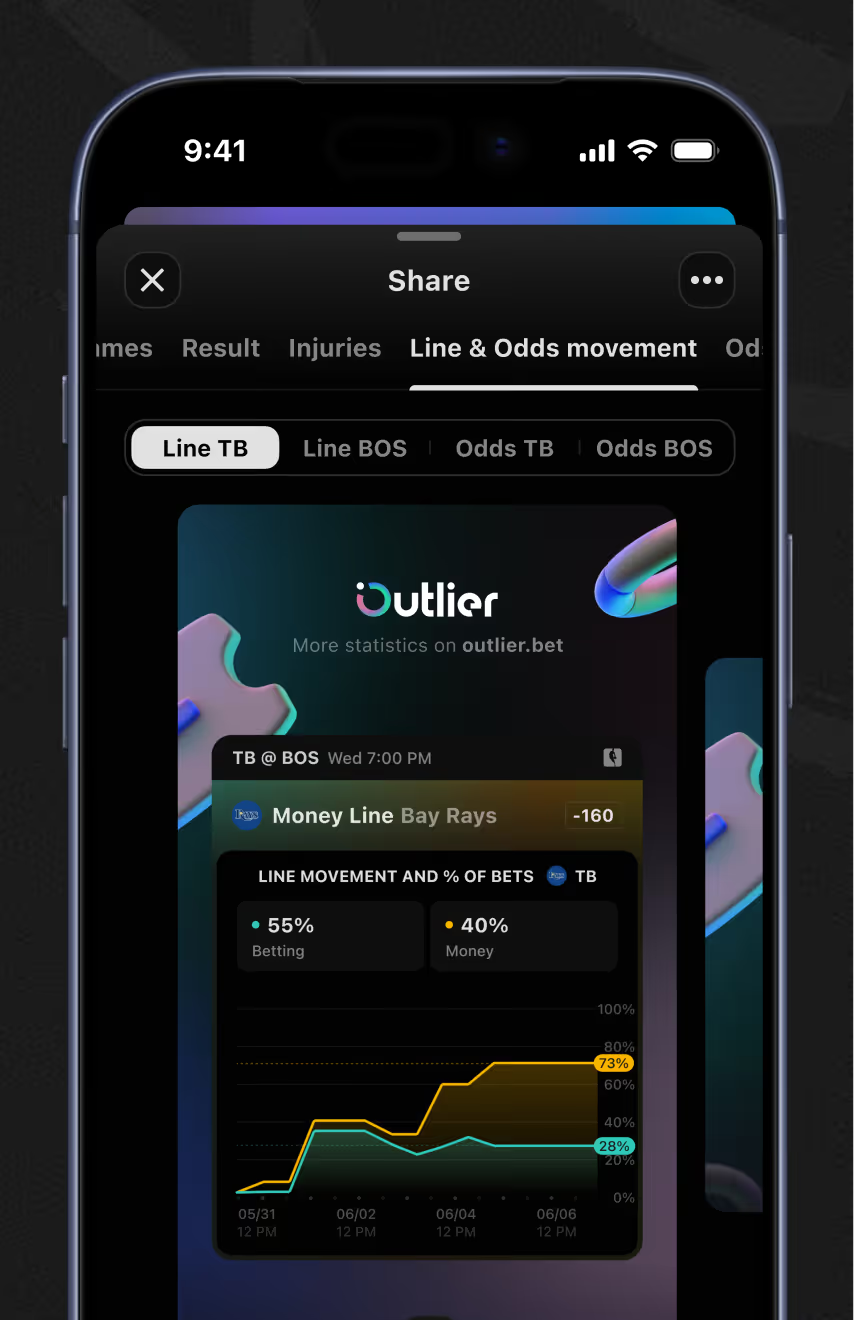
A share action turns any odds or matchup view into a branded export – bar charts, line charts, summaries included. Toggle tabs on the share screen choose which layer – Games, Result, Injuries, or Odds Movement – appears in the image.
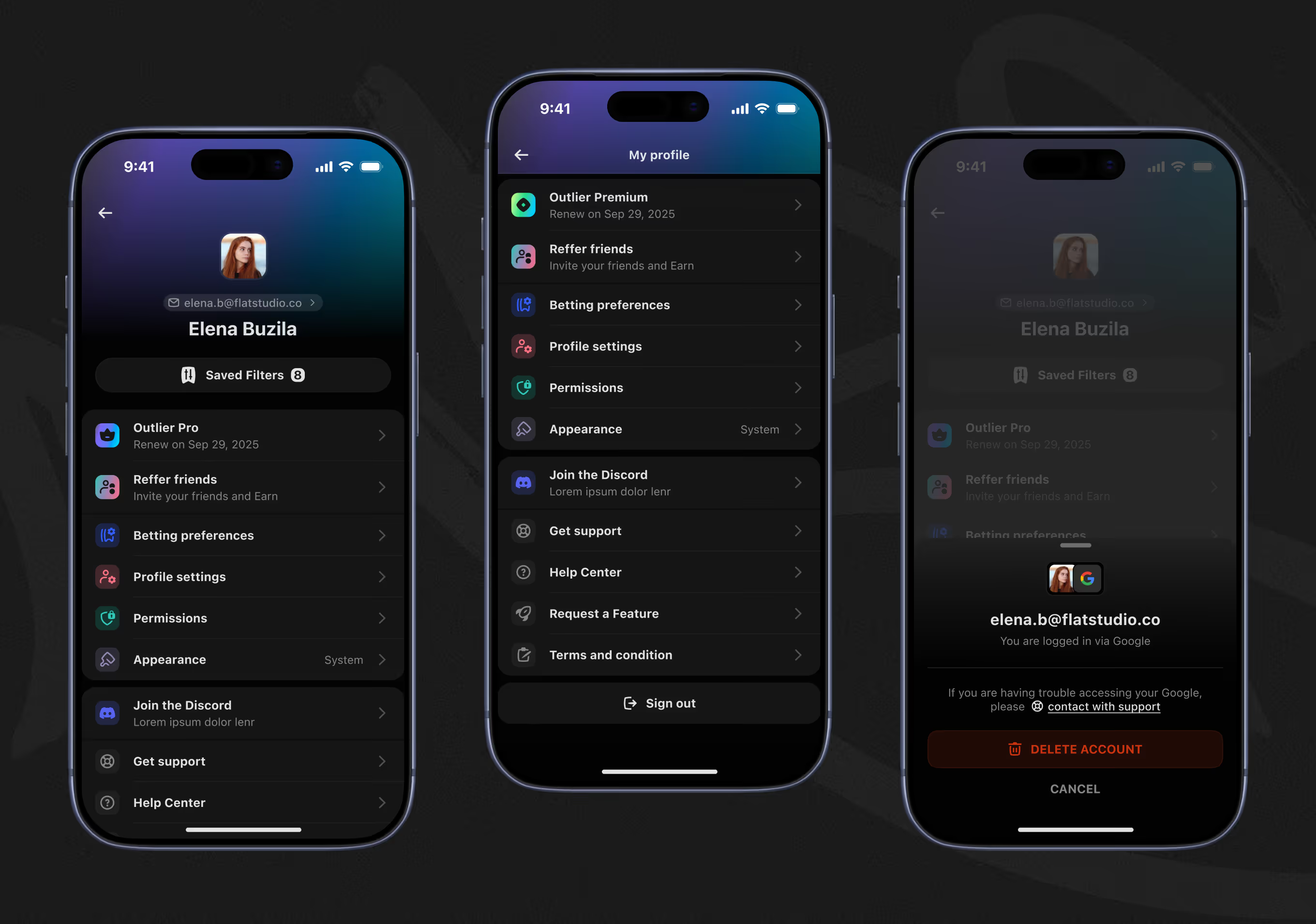
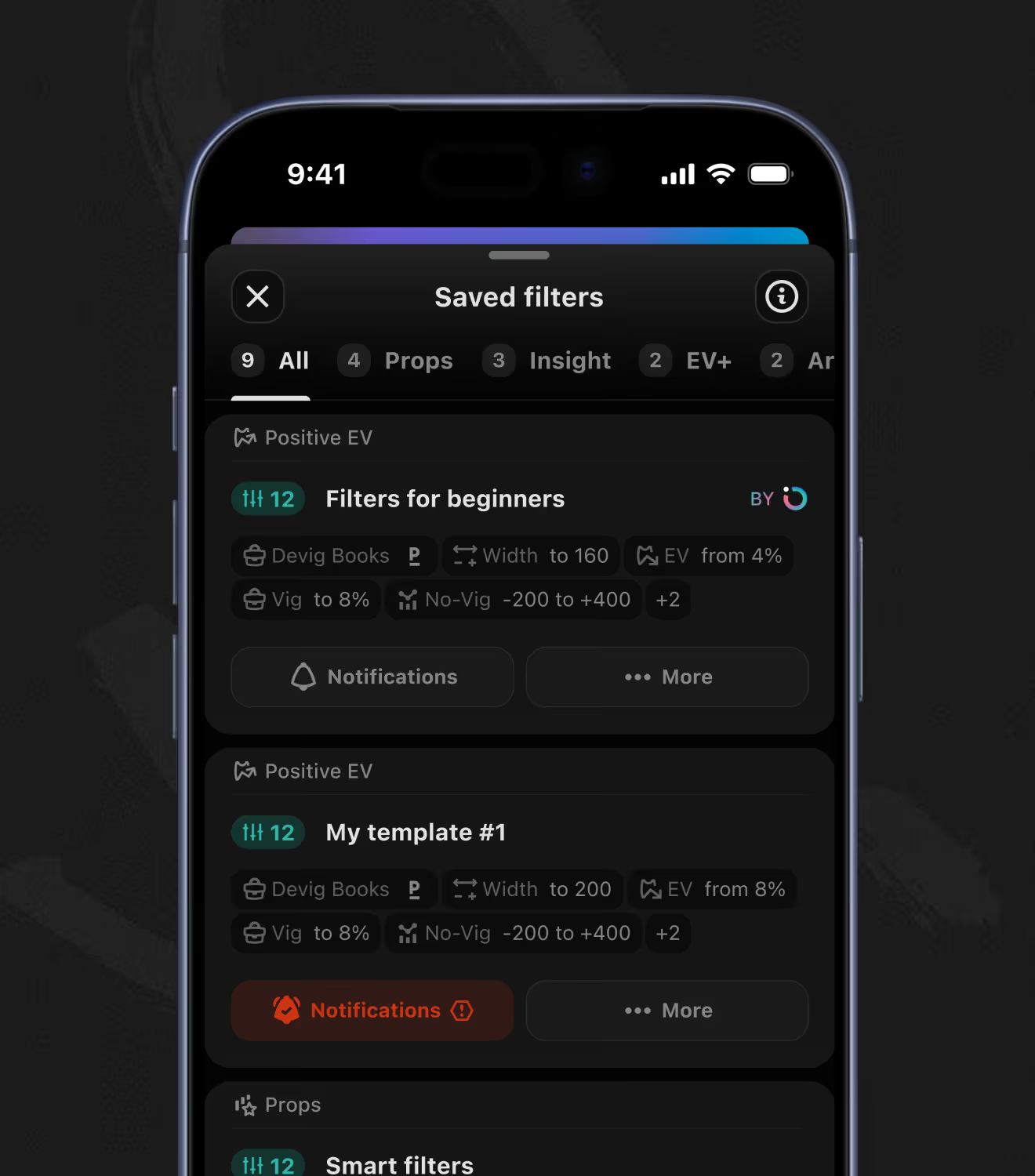
The profile menu routes to subscription status, refer-a-friend, betting preferences, permissions, appearance, and support in one list, plus account deletion. A separate saved-filters panel groups templates by section – Props, Insight, EV+ – each with its own notification toggle.
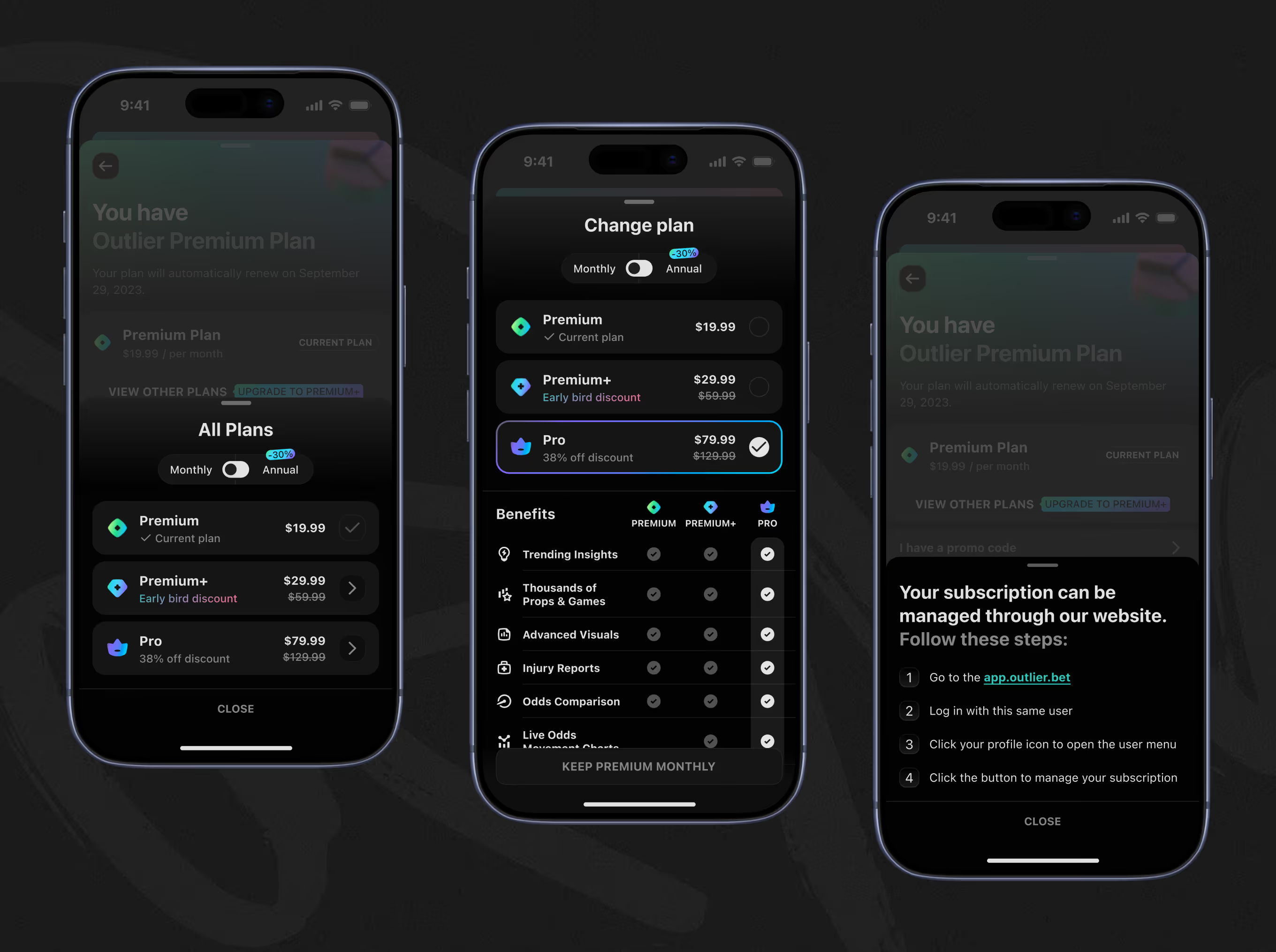
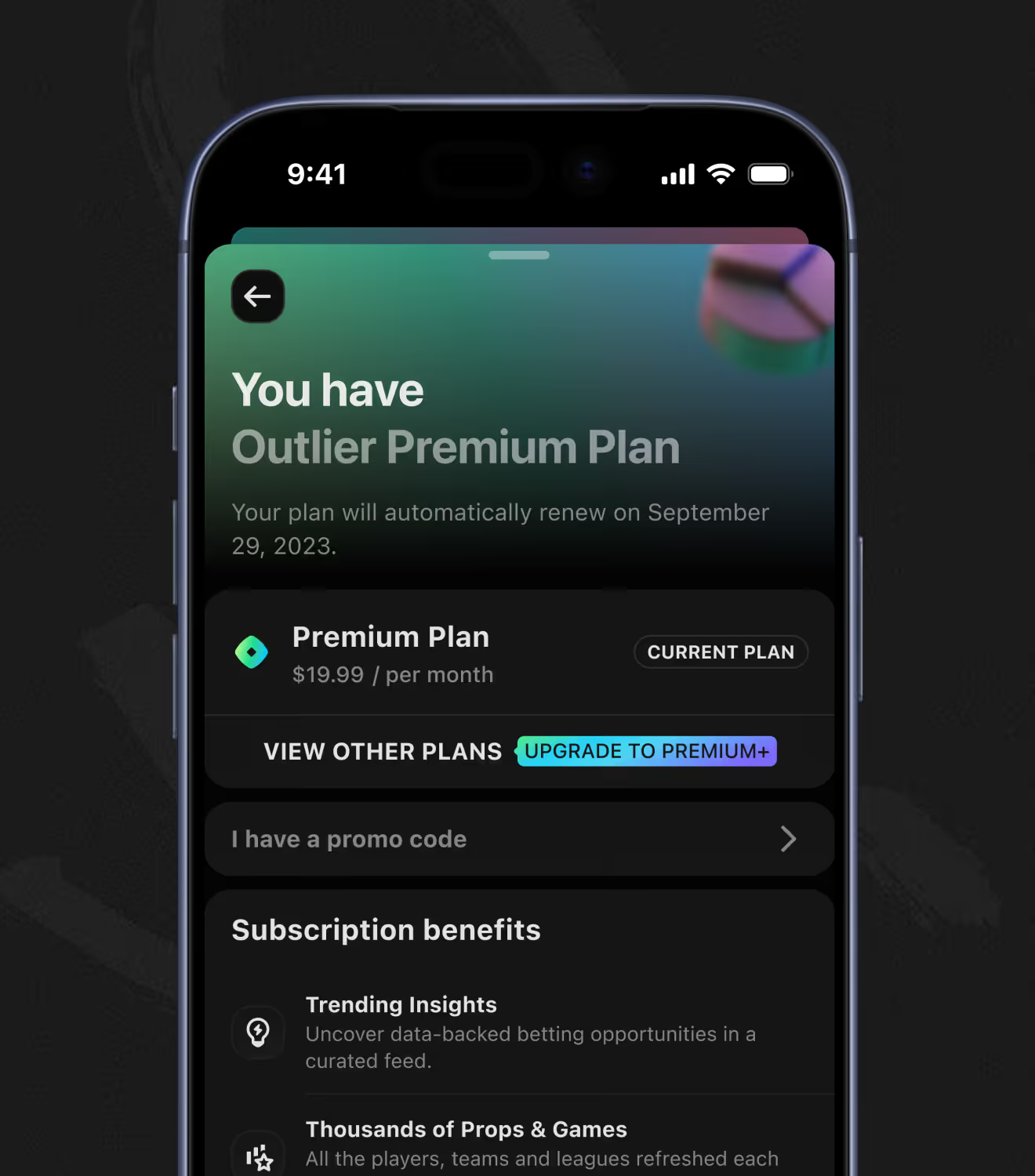
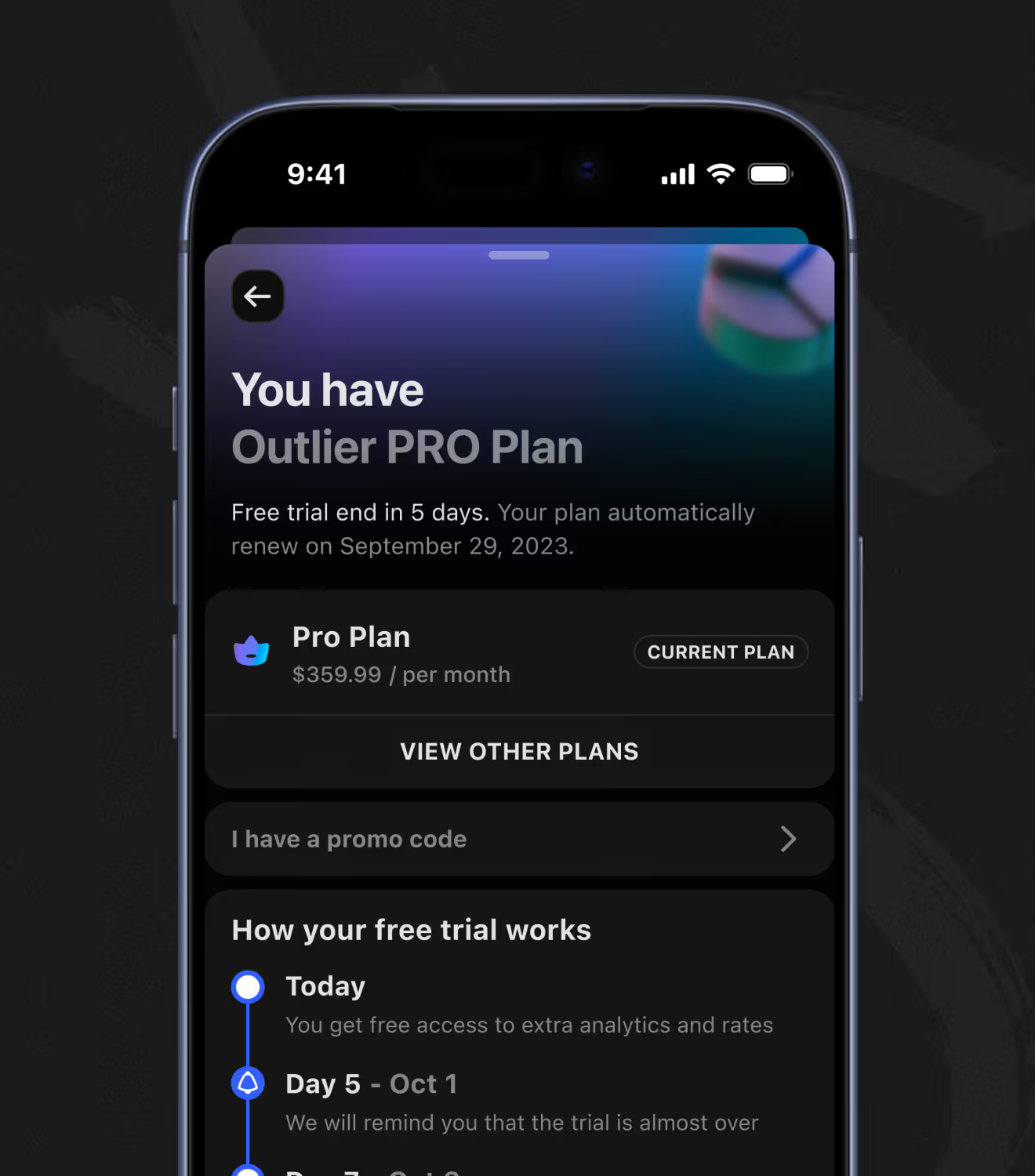
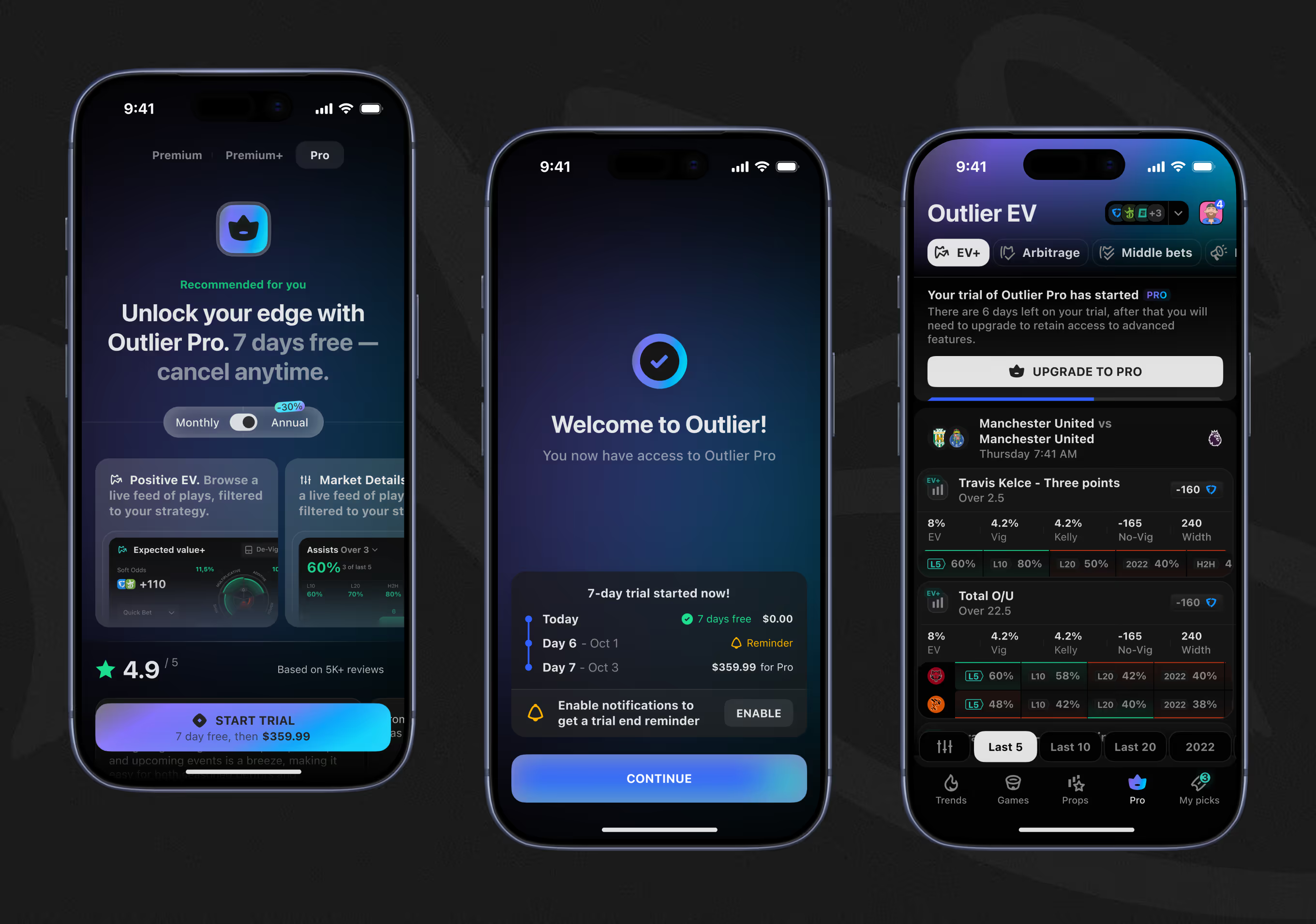
Three subscription tiers are compared by feature: trending insights, props coverage, visuals, and live odds. A free-trial timeline and a web-based management flow complete the subscription experience.
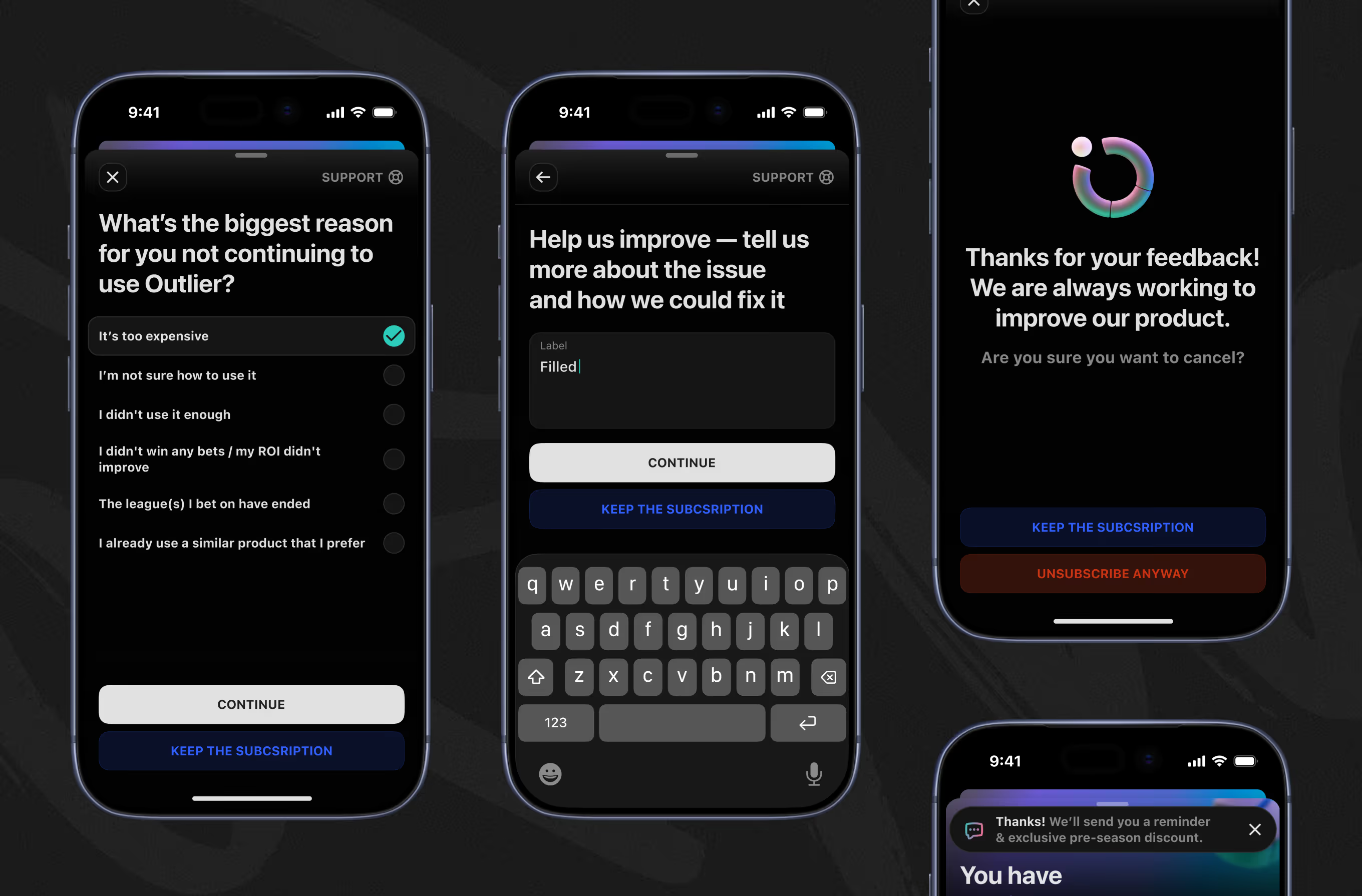
Canceling starts with a reason survey – price, low usage, ROI, ended season – then an open text field for detail. A confirmation step offers to keep the subscription, and even a decline ends with a reminder and discount offer.
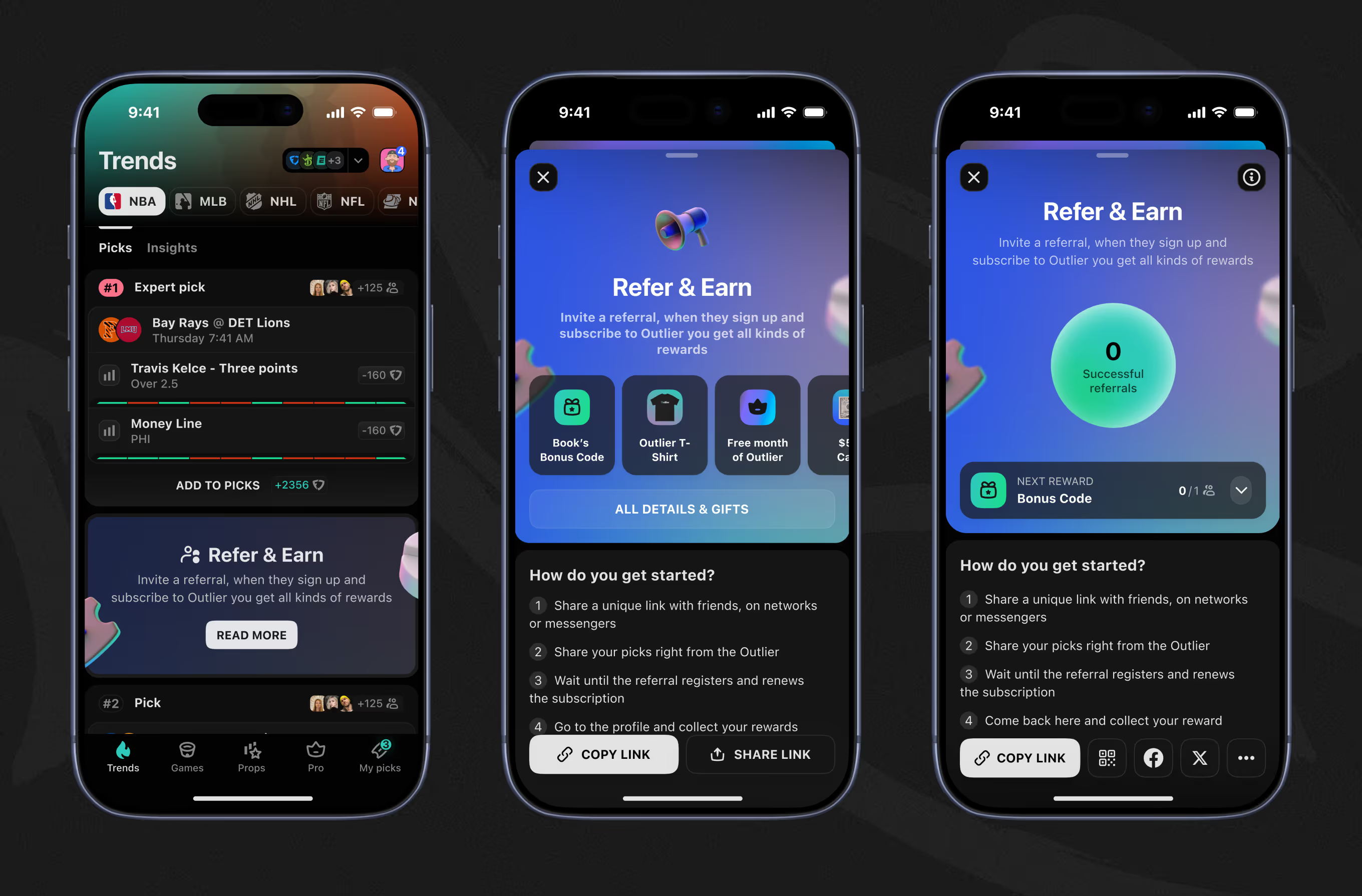
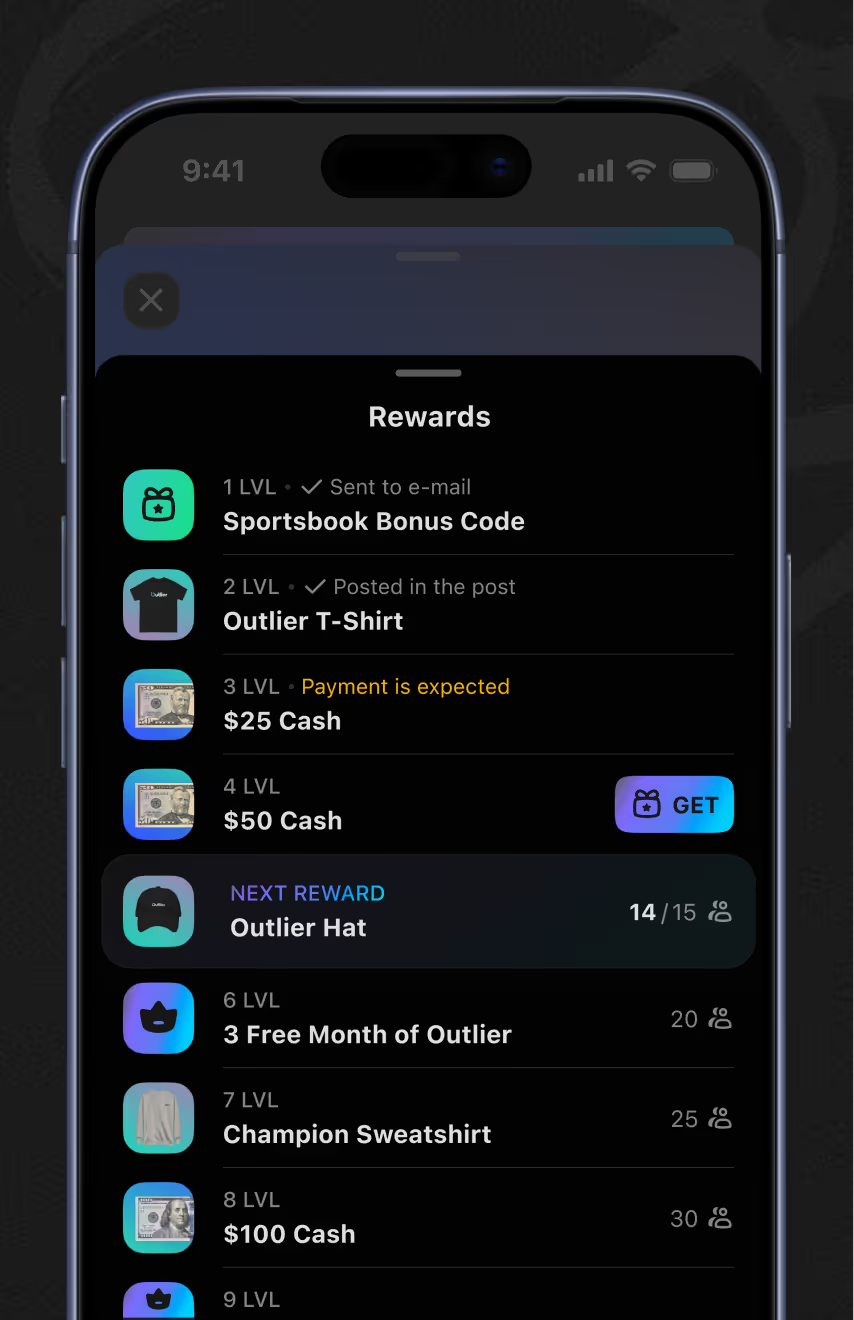
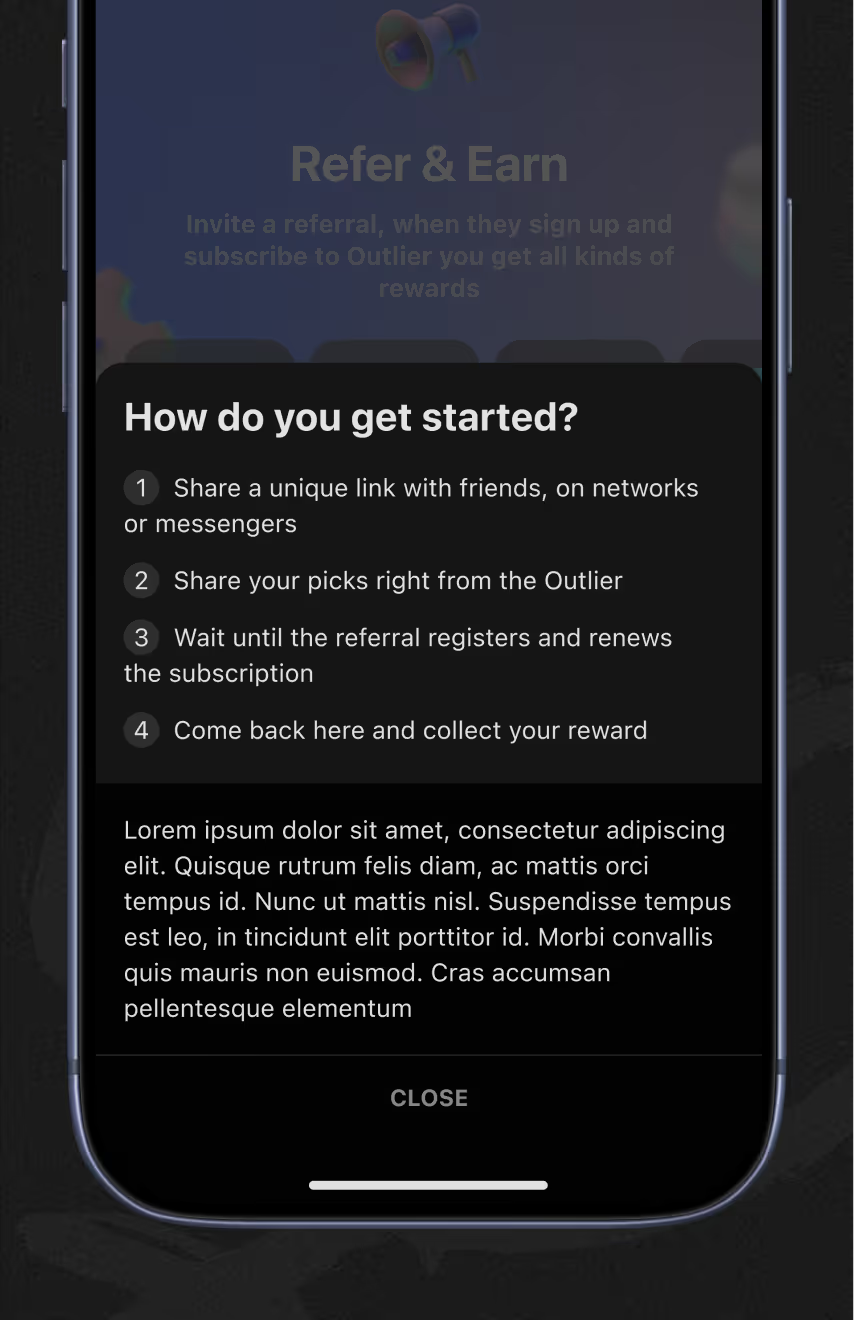
A referral program tracks successful invites toward tiered rewards – bonus codes, a T-shirt, free months, and cash – shown as a level list. Claiming a cash reward routes through a PayPal email field rather than an in-app wallet.

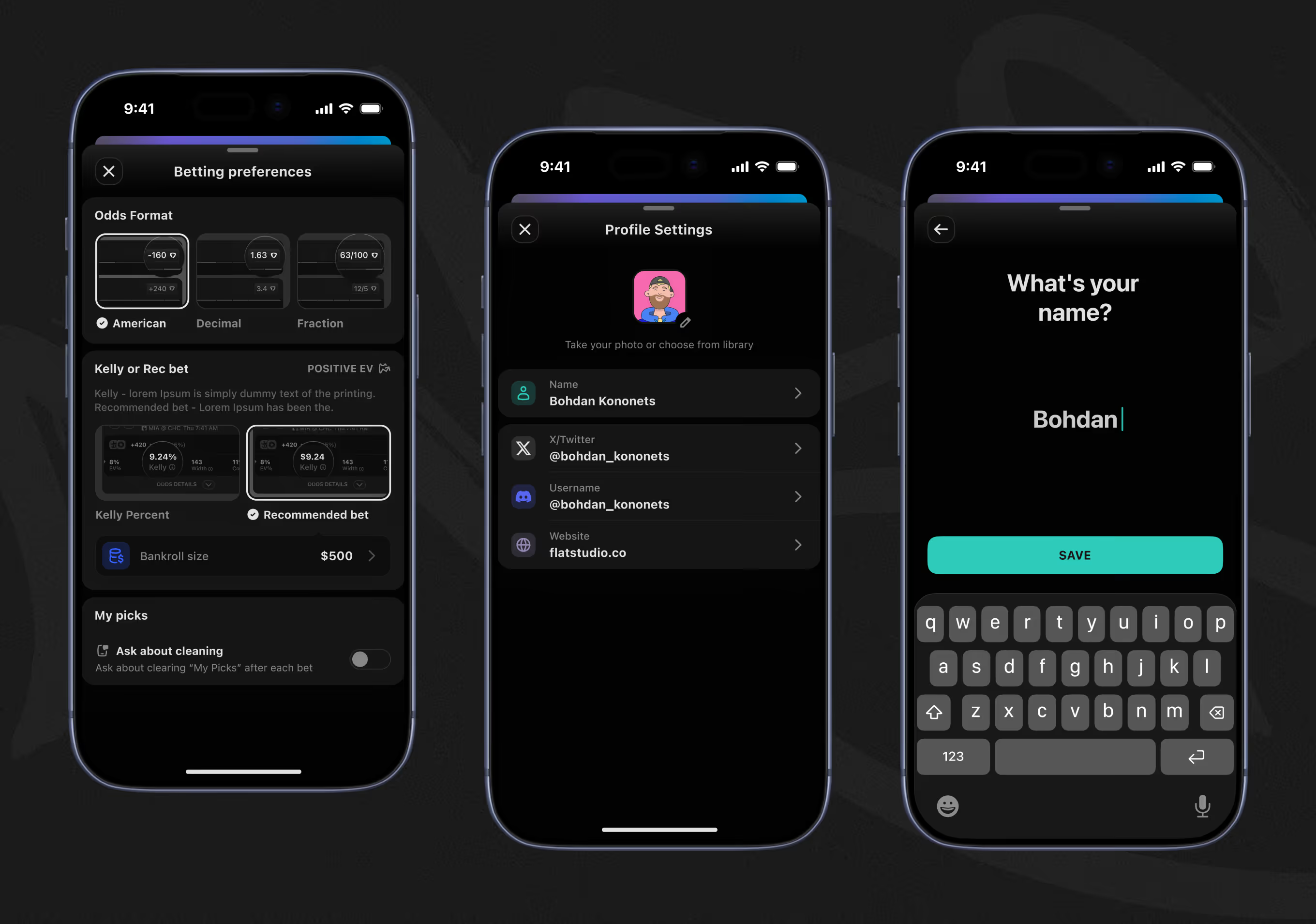
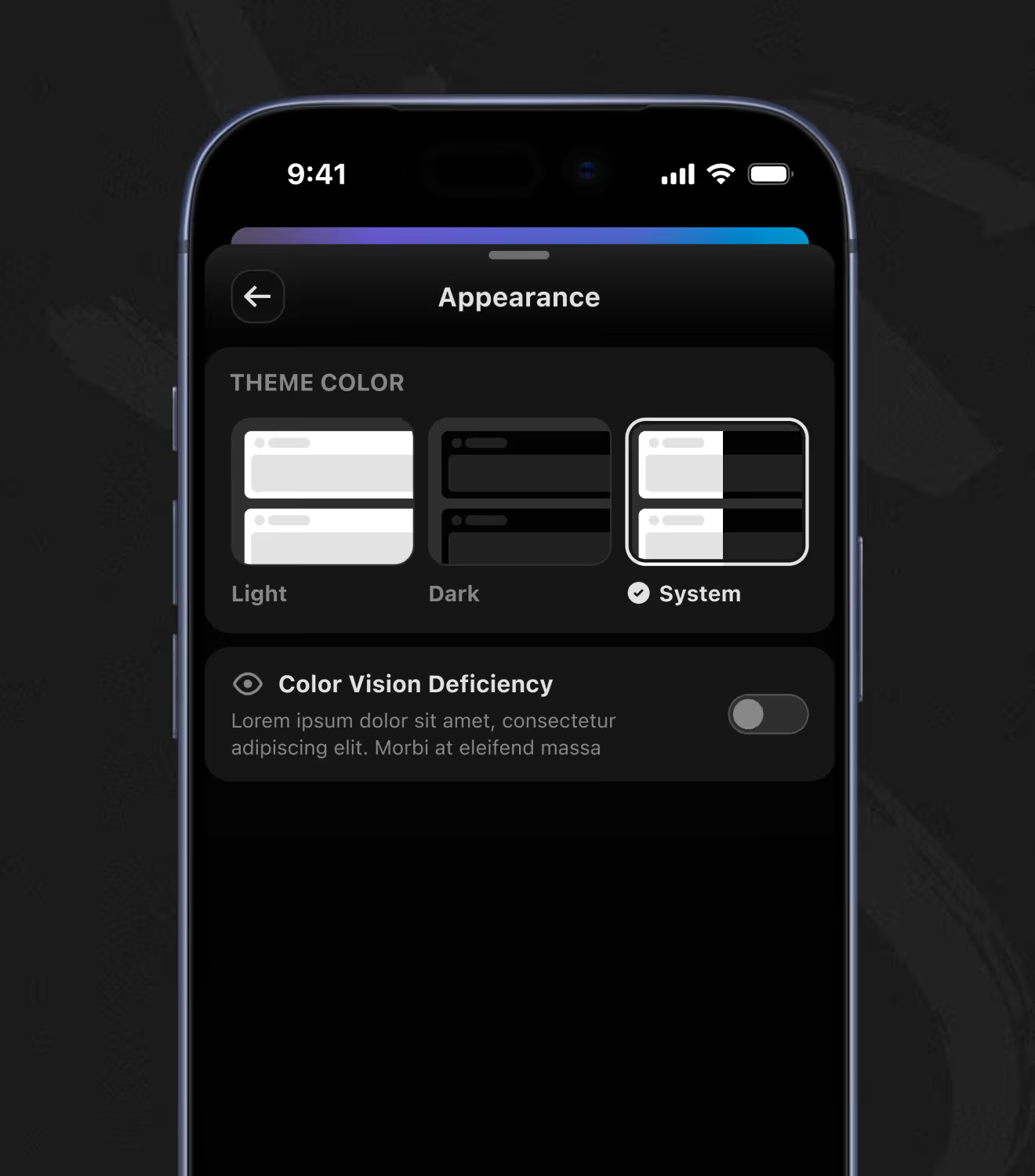
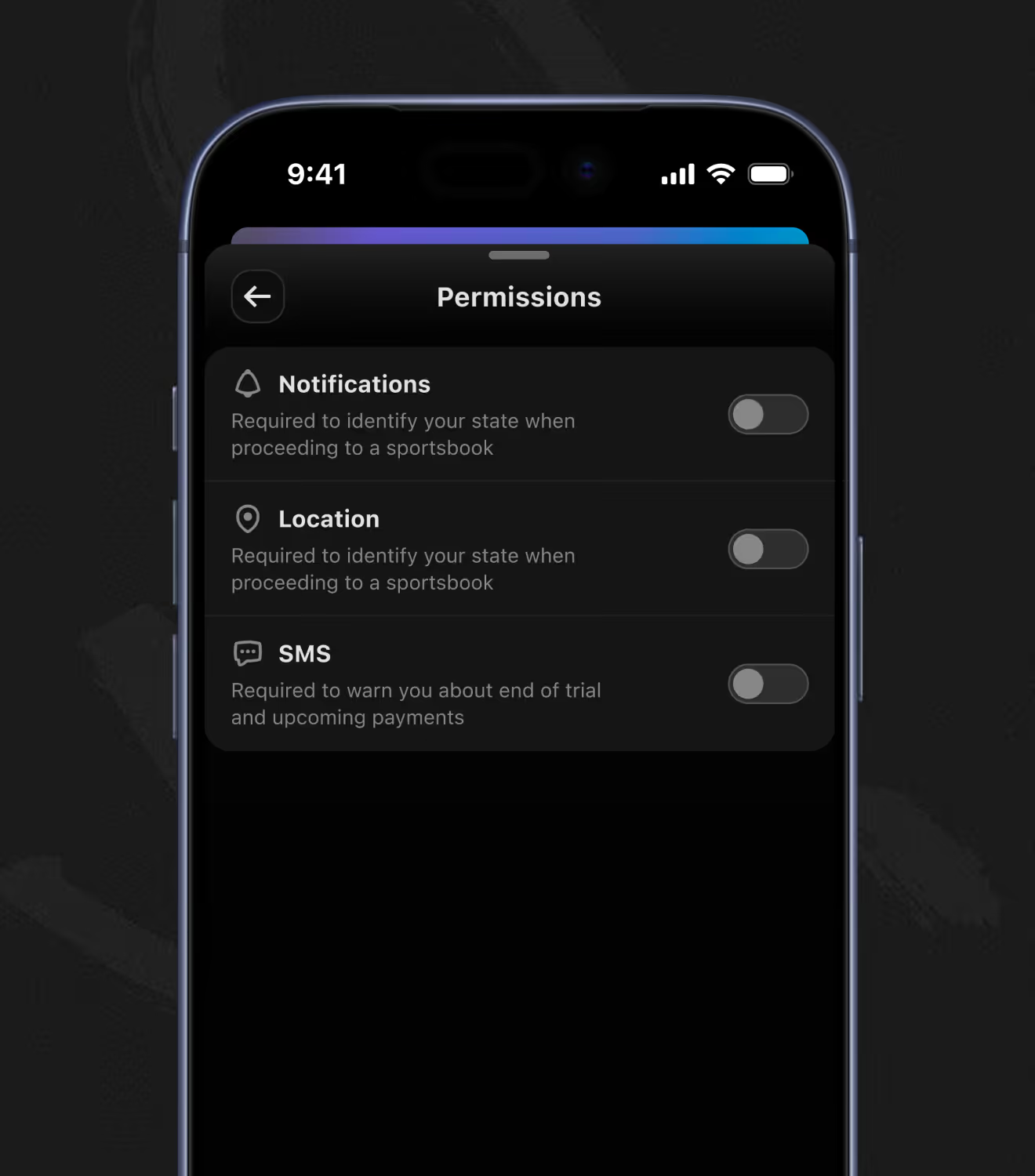
Betting preferences set odds format – plus a bankroll size driving Kelly bet-size recommendations. Appearance and permissions settings add a color-vision-deficiency toggle alongside the standard theme, notification, location, and SMS controls.
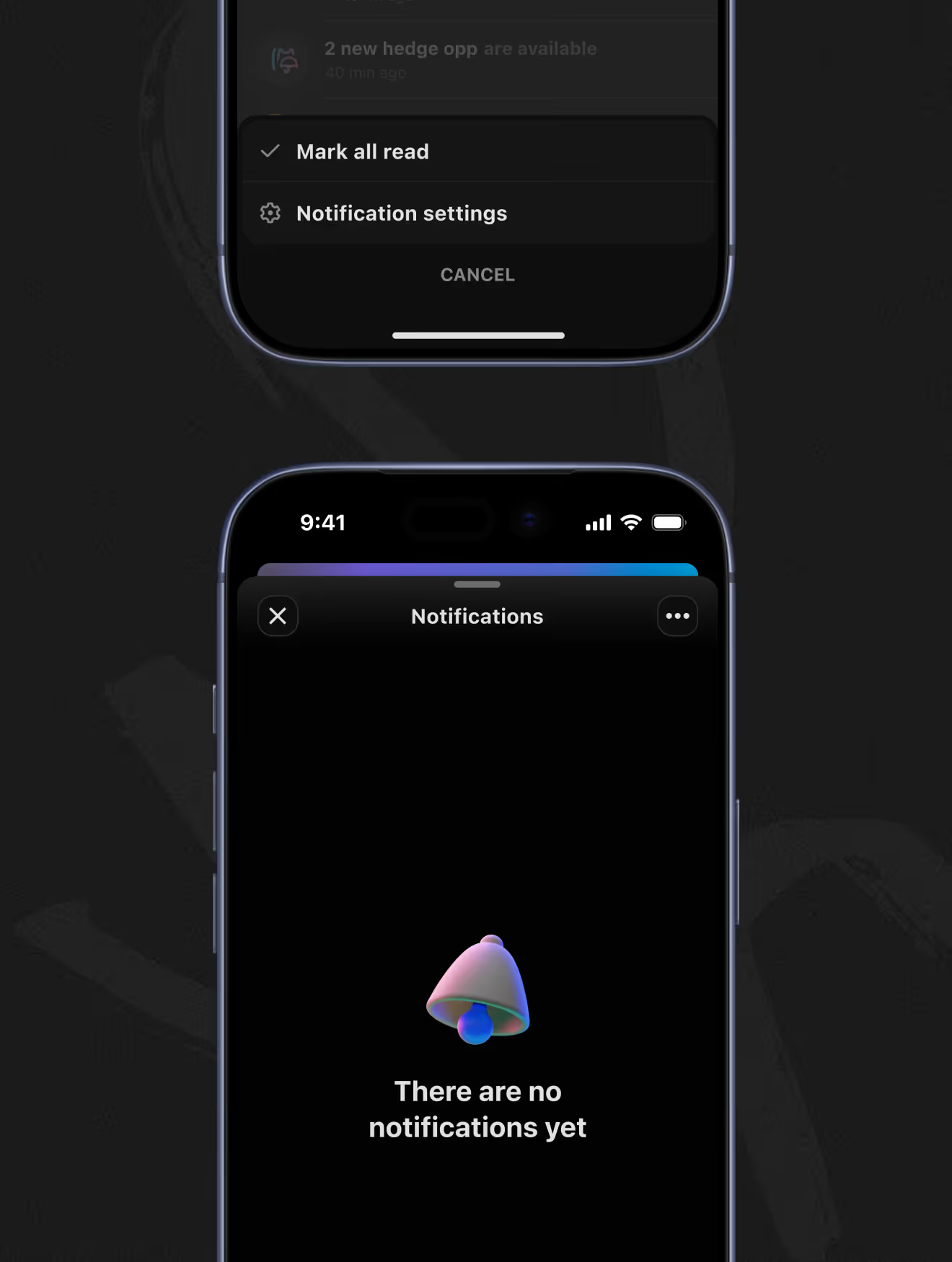
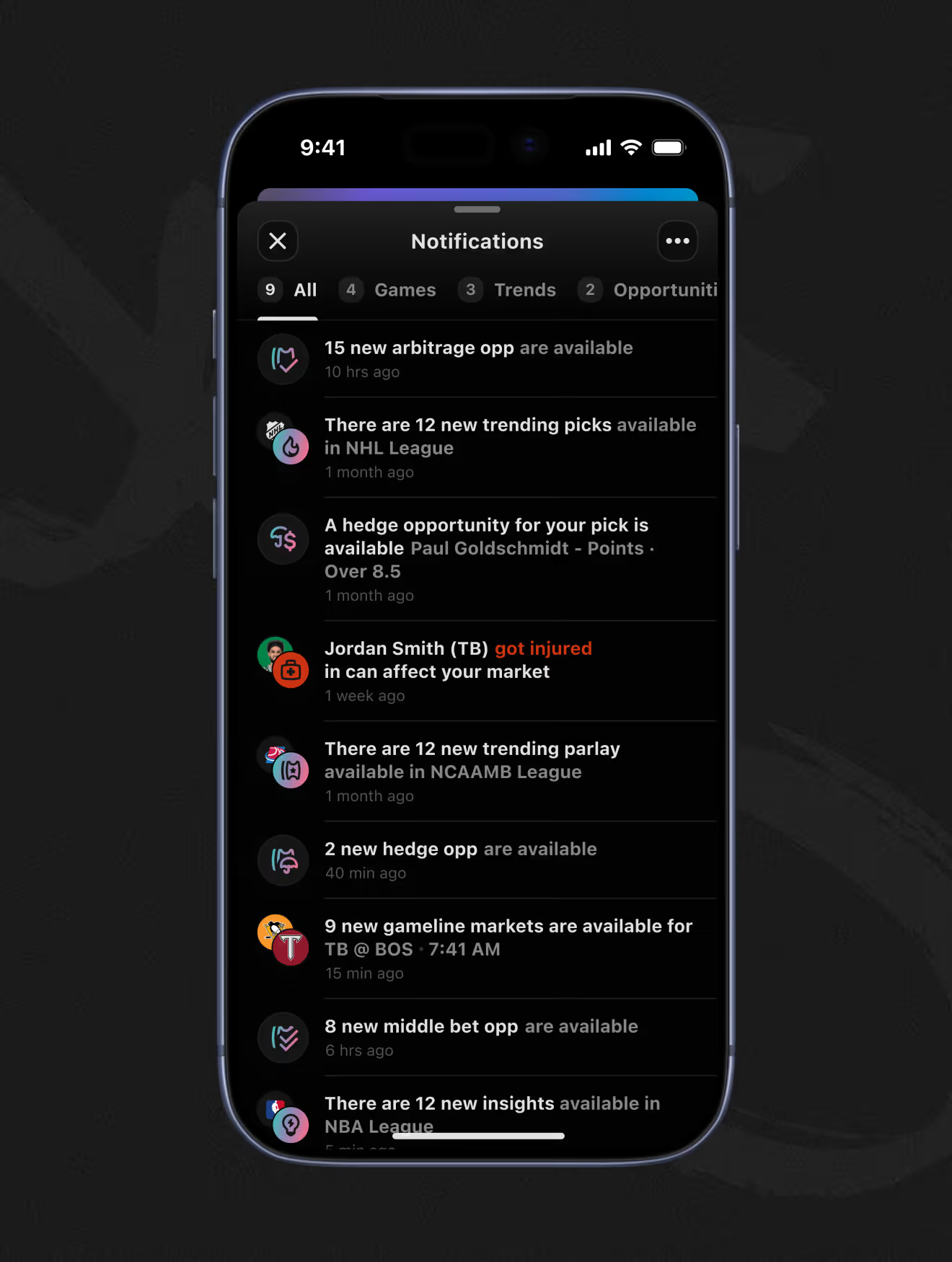
Notifications split into Games, Trends, and Opportunities tabs, surfacing arbitrage, hedge, and middle-bet alerts as they open up. An injury alert can flag a market shift directly, like a player ruled out affecting an existing pick.
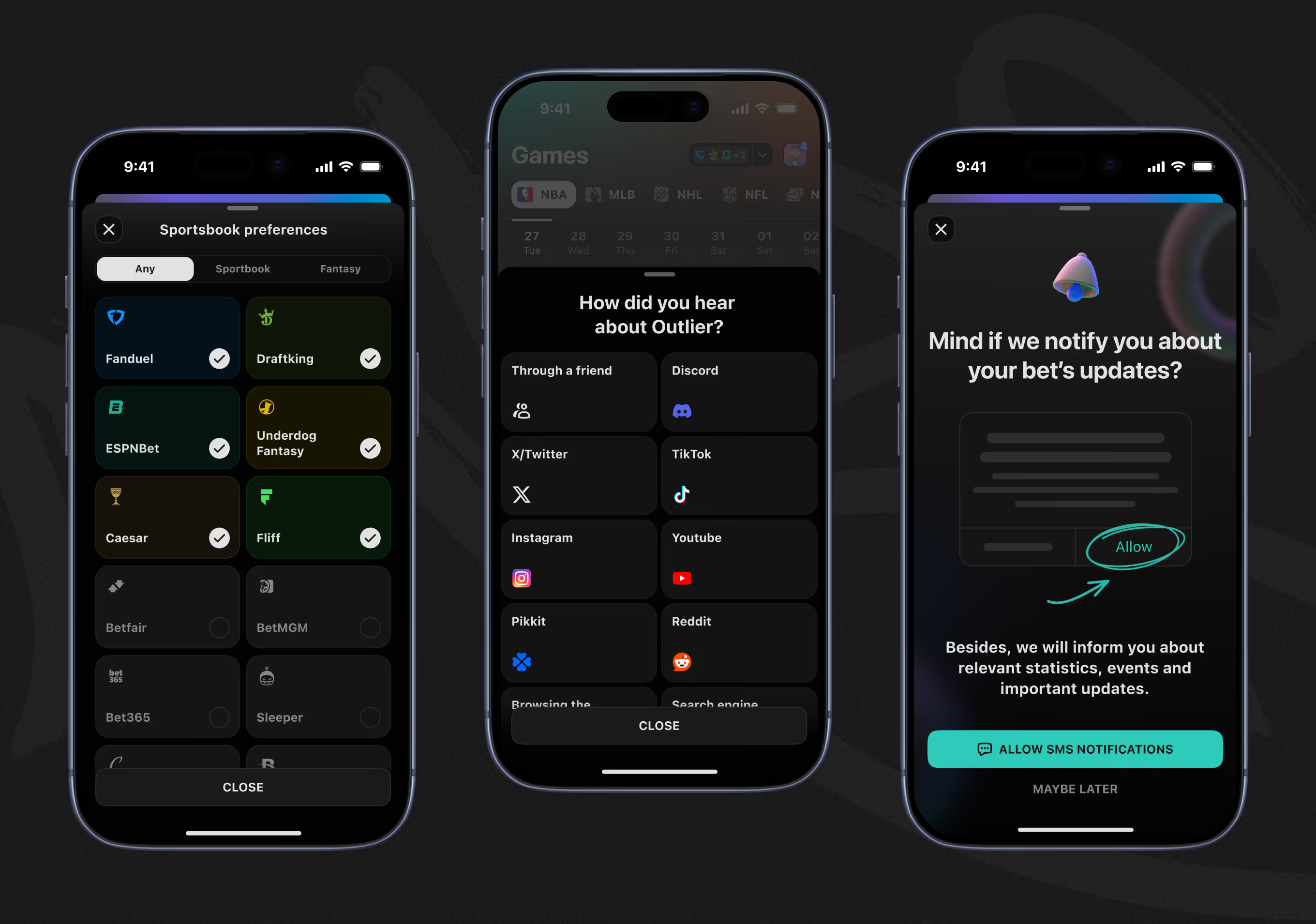
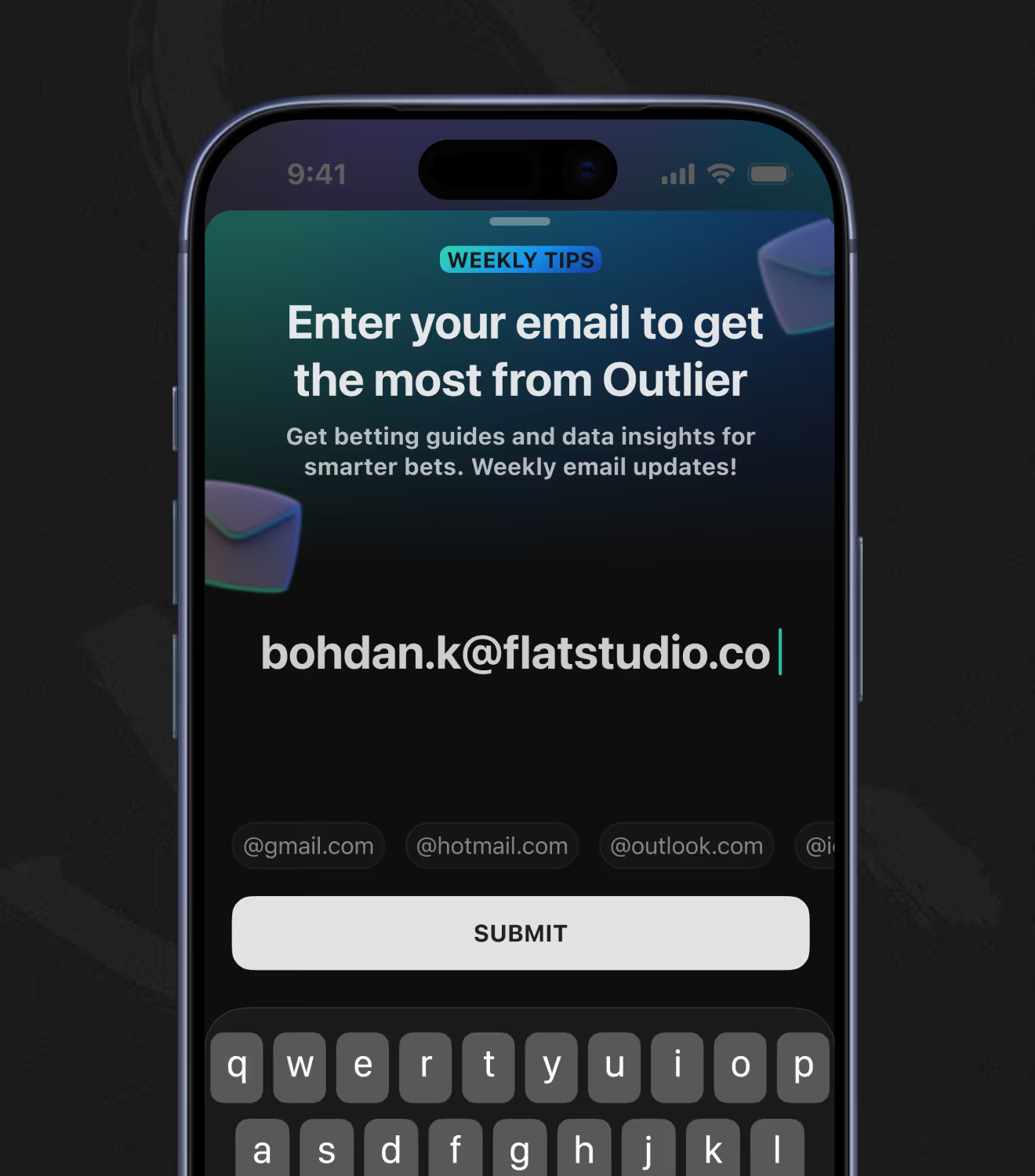
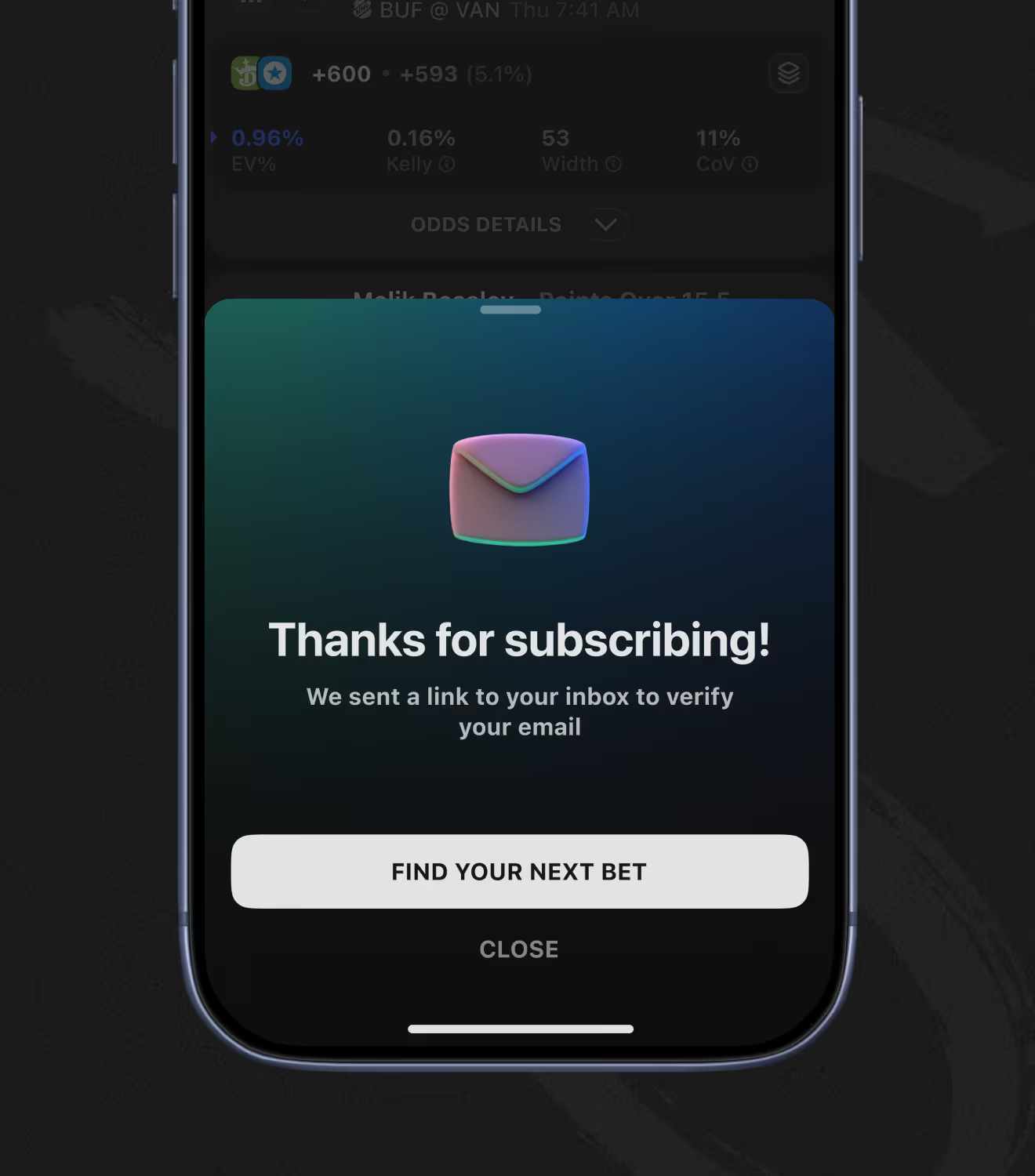
Onboarding also covers sportsbook selection, plus a channel-attribution survey. Separate prompts capture SMS permission and an email address in exchange for weekly betting guides and data insights.
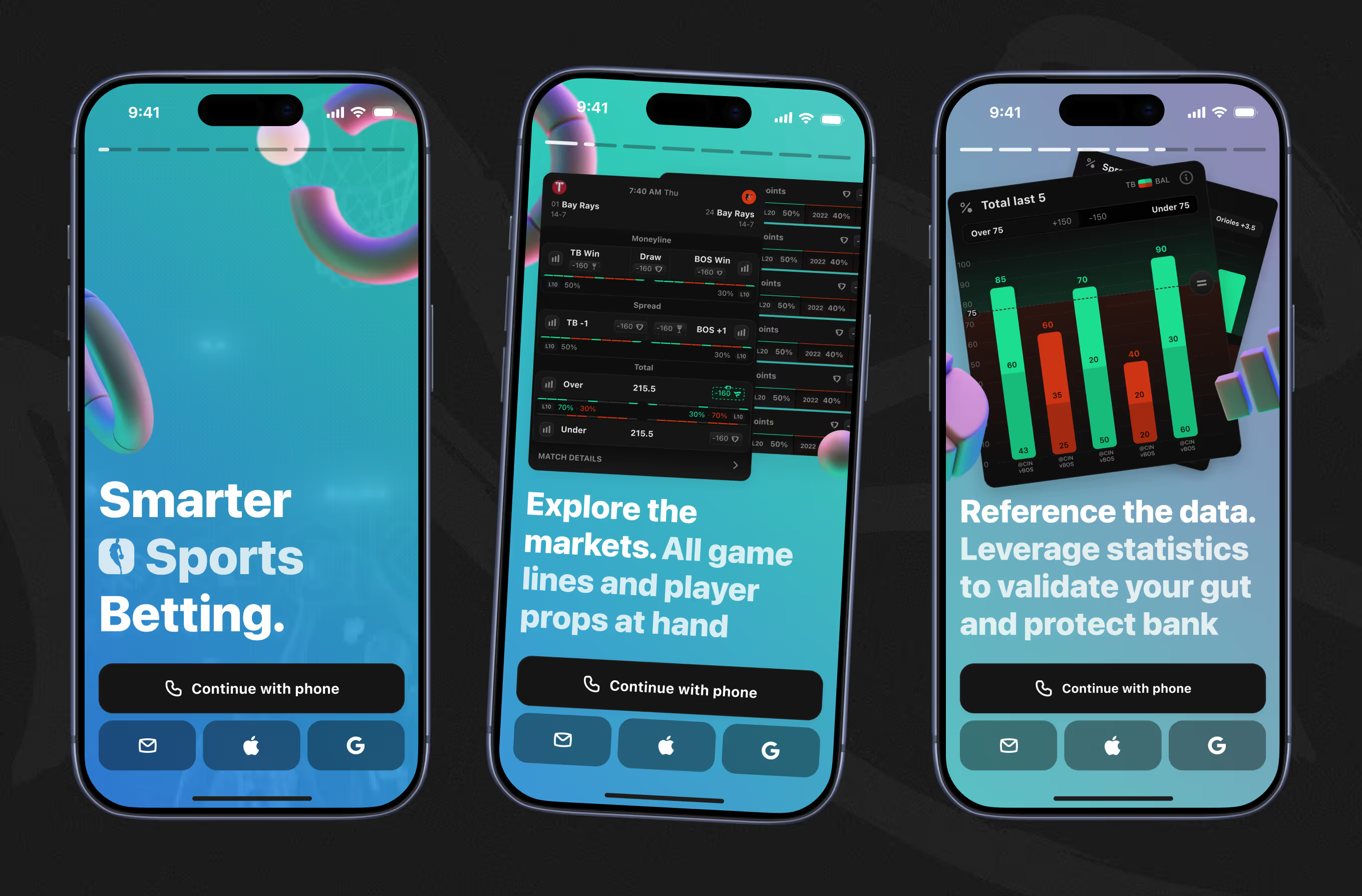
A screen carousel previews the app's core areas before signup: smart betting positioning, full game lines and player props, and stat-backed decision tools. Sign-in follows on phone and SMS code, or email.
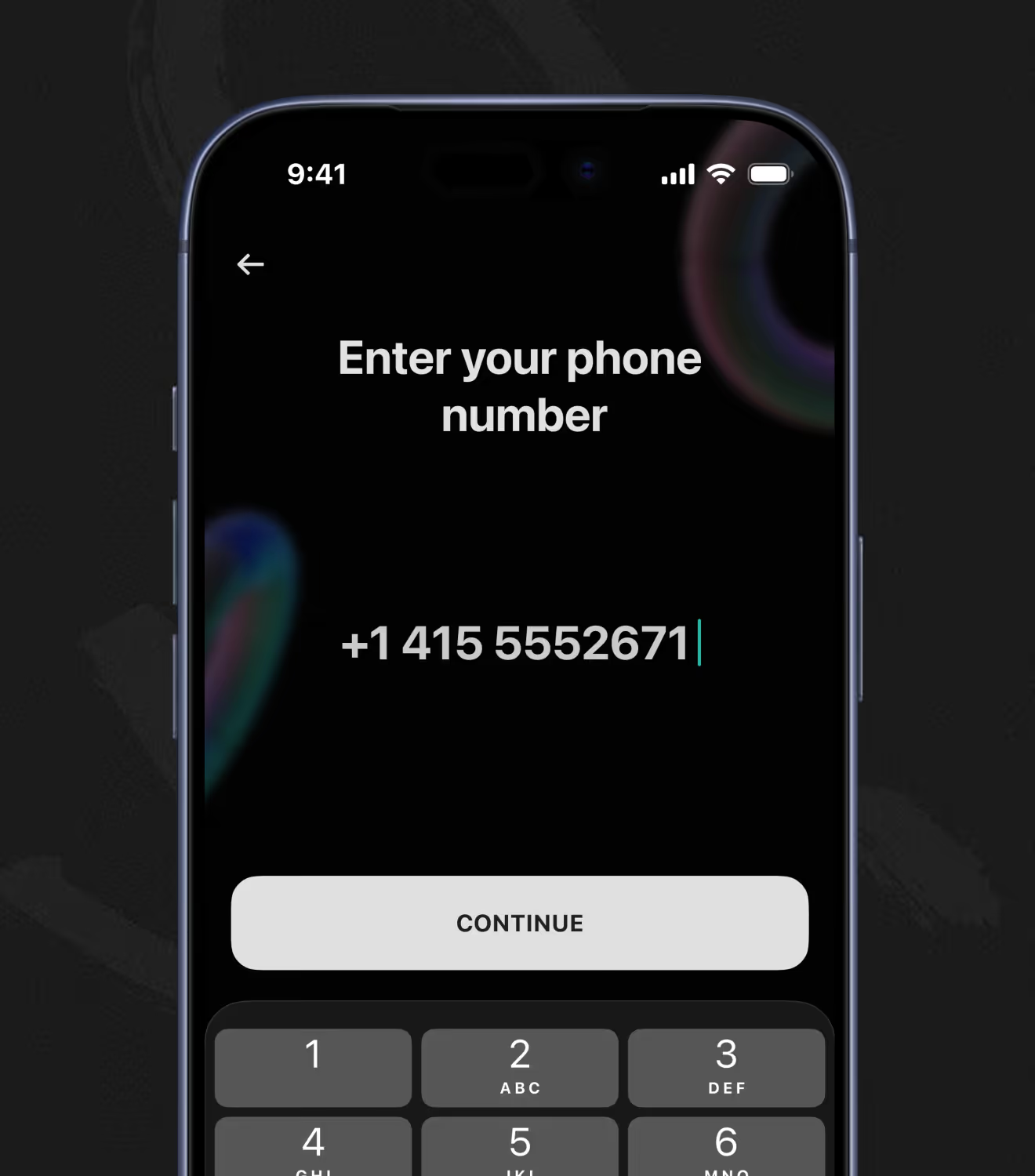
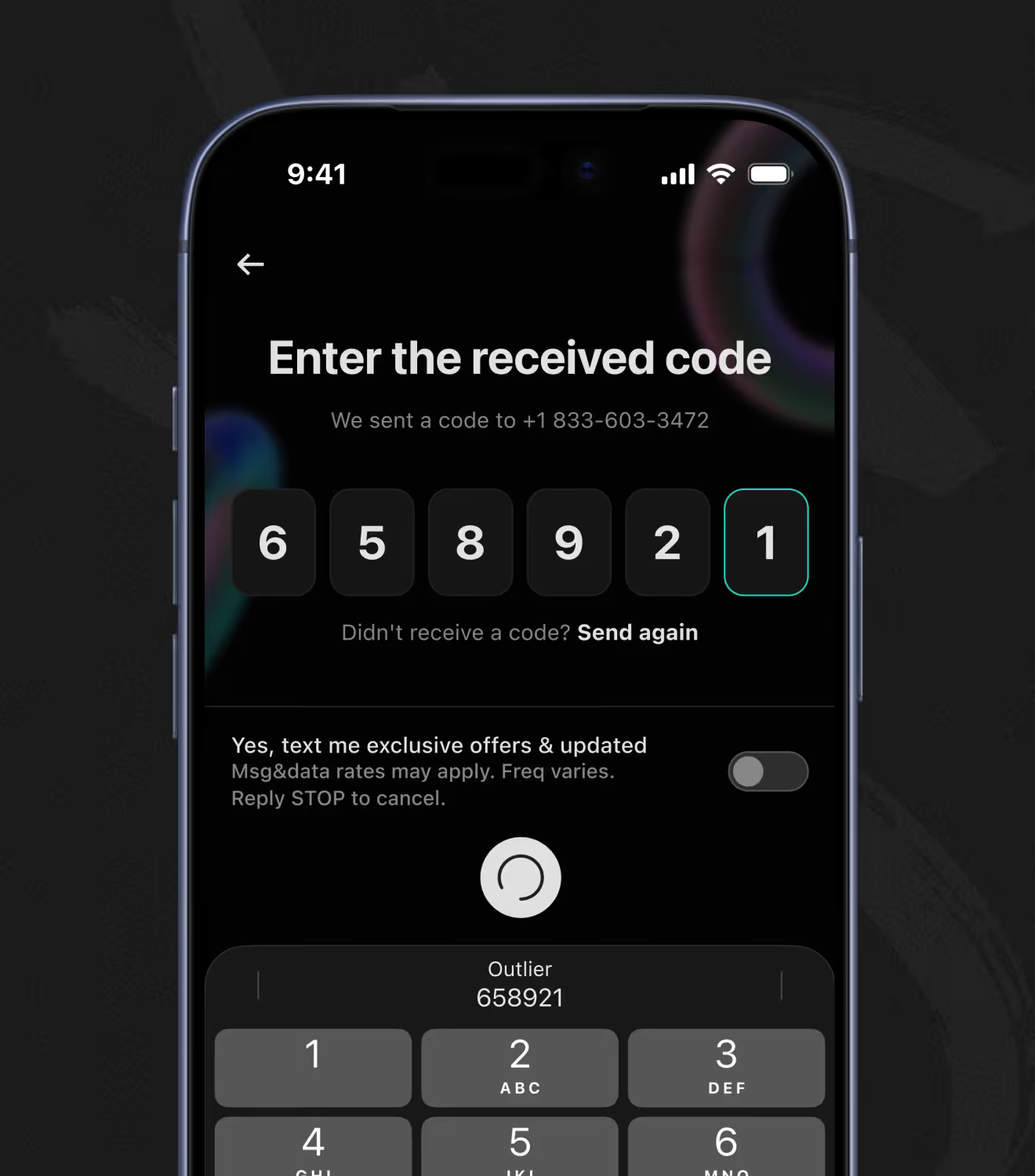
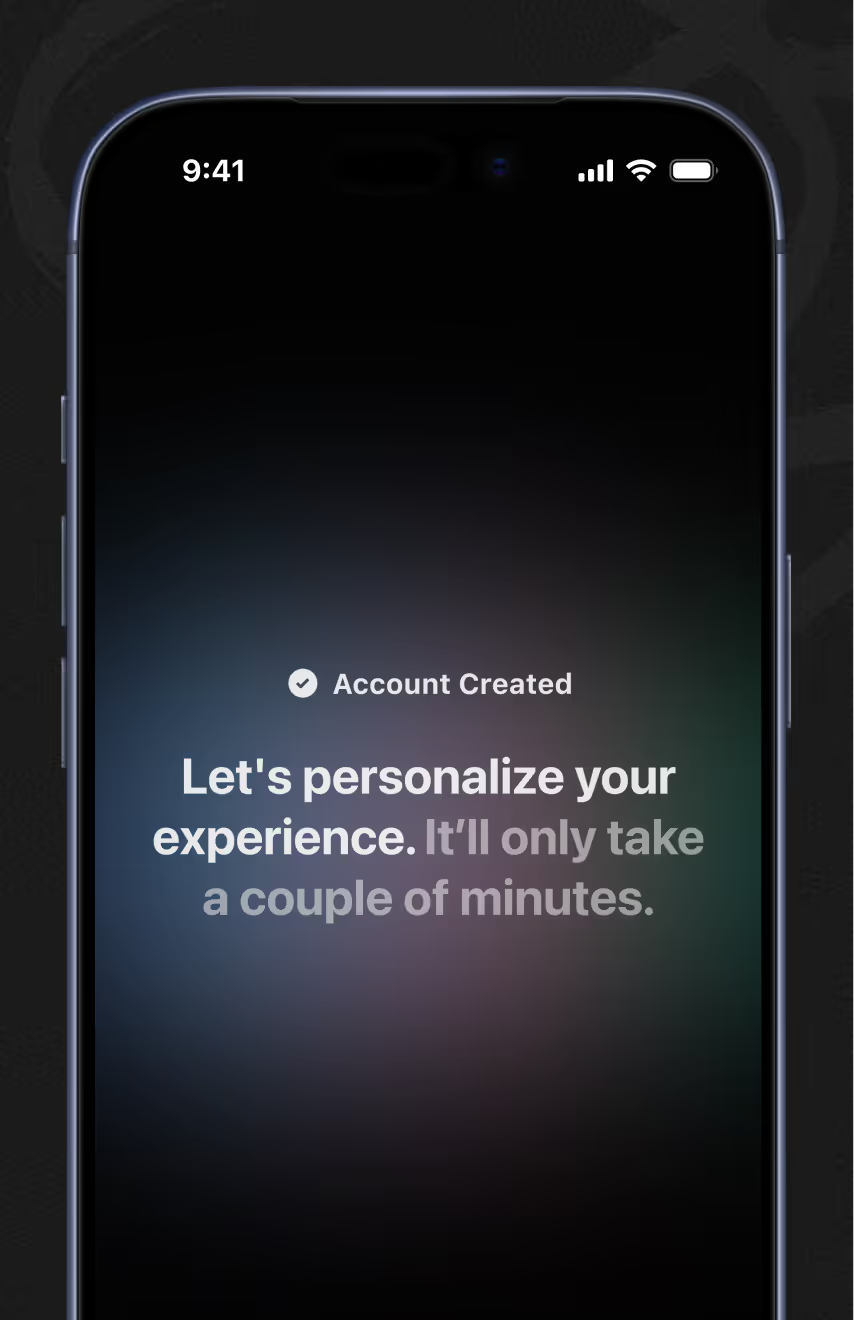
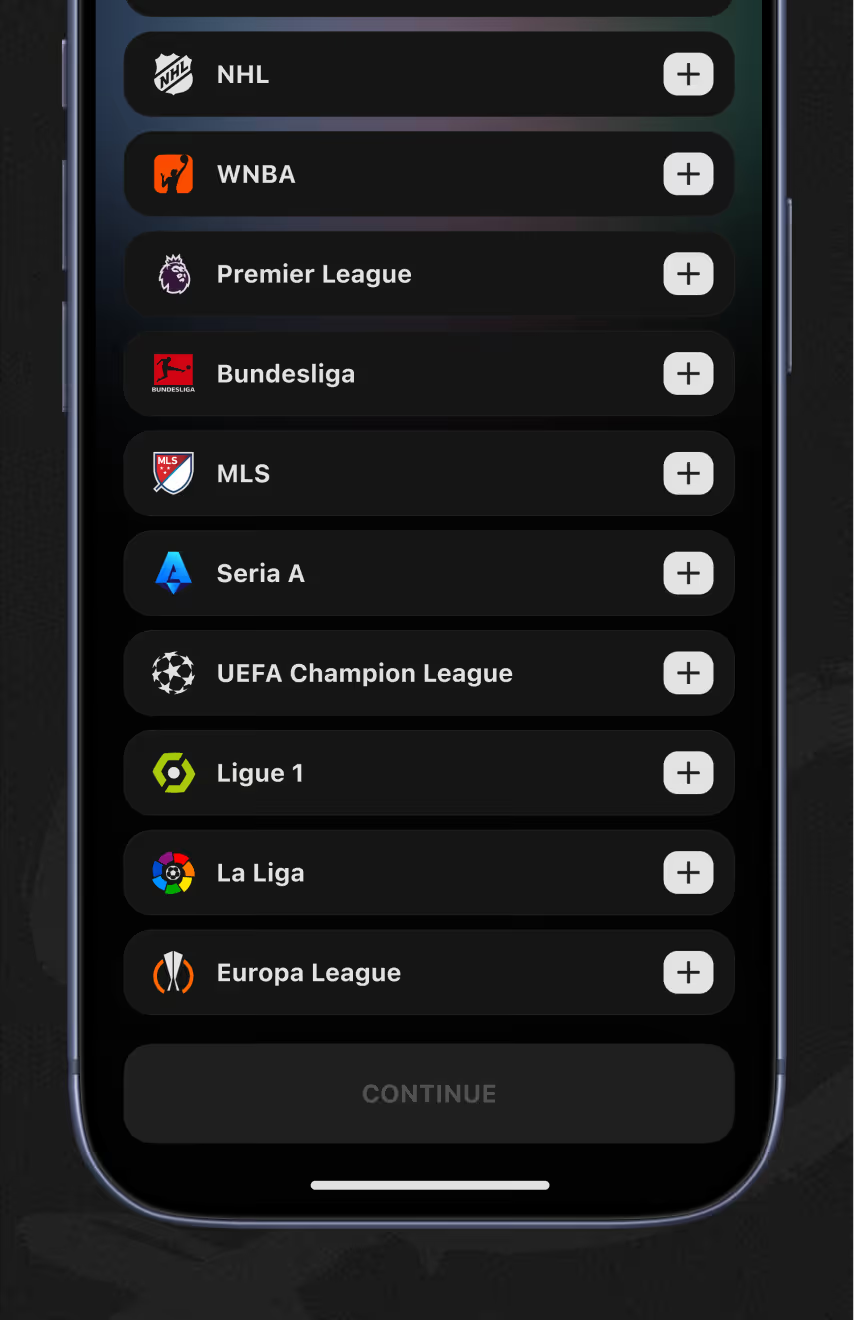
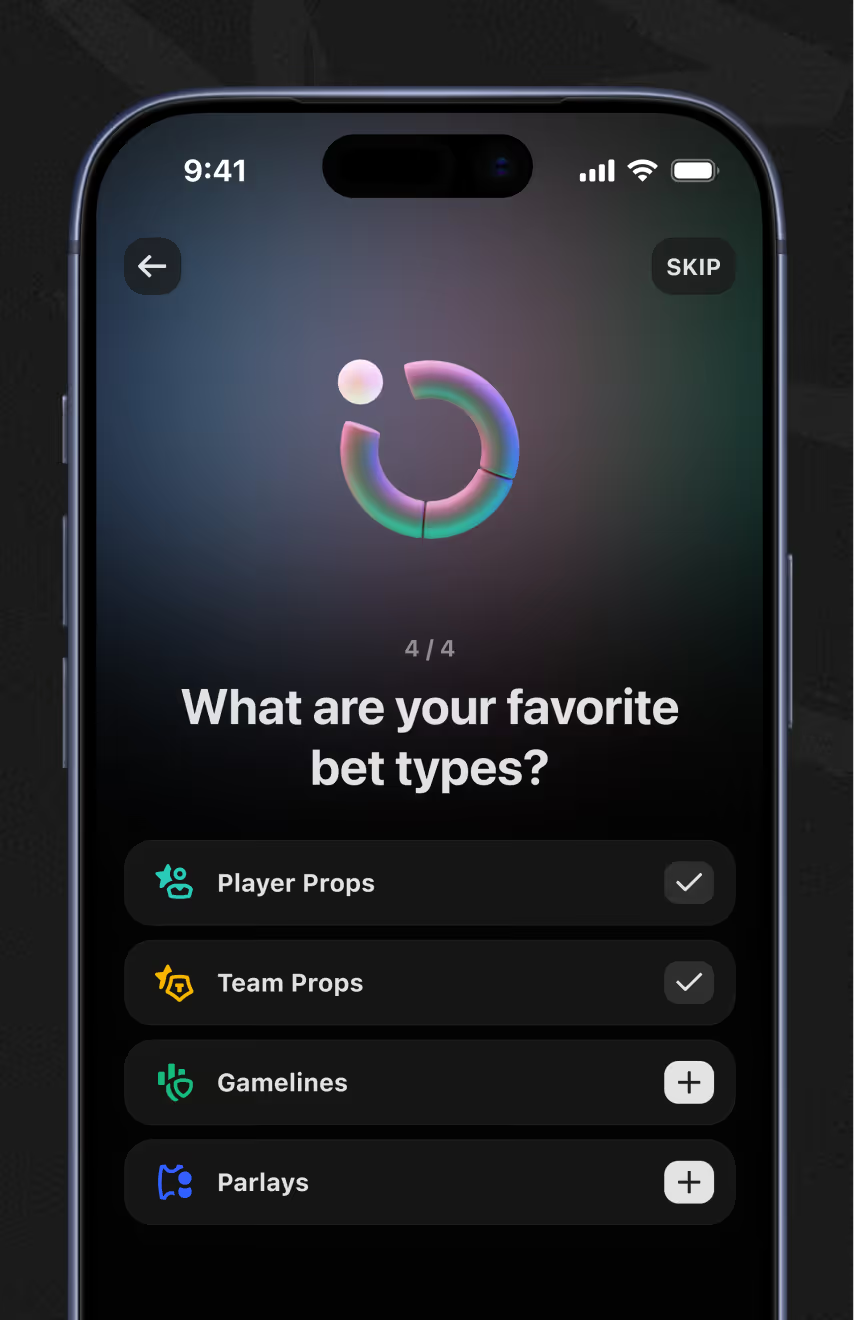
Onboarding runs as a sequence: an account-created confirmation, then a scrollable league list with add buttons, then a checklist of bet types like player props and parlays, ending in a subscription screen.
Taking a data-heavy web product to mobile without losing depth or forking the design system? Shared tokens make that a controlled process, not a rebuild. Let's scope it.